
Run the study · Administrator
Test your survey before launch
Compare preview, manual test responses, and live testing mode, then prepare a clean dataset for your study.
Screenshots illustrate the controls below. Layouts and labels may vary with your survey configuration. Select an image or “View full size” to open it in a new tab.
Test and reset Round 2 without losing Round 1
- Keep Round 1 and its collected data intact. Record the current survey settings and export the data you need before making changes.
- Create the rehearsal Round 2 using Start New Round (No Answers) when fresh submissions are required.
- Use a test participant to check the entire Round 2 journey: previous answers, feedback, results, comments, hidden or locked items, and page navigation. Save pages and confirm that Round 2 responses and progress update.
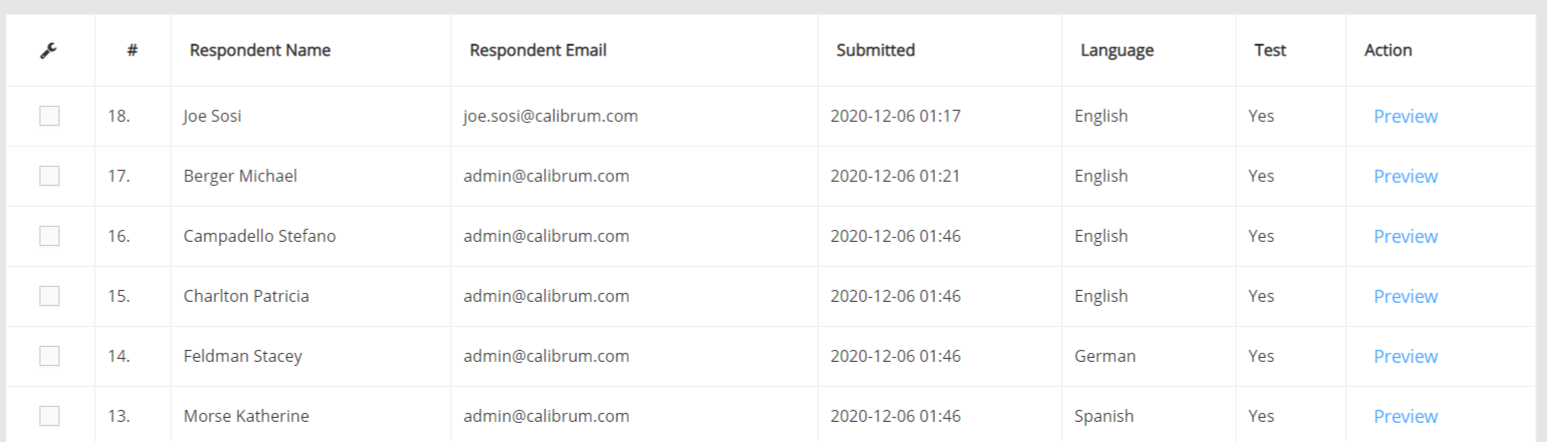
- Review the test records under View Responses → Round 2, including all relevant pages.
- When the rehearsal is finished, delete Round 2 only and recreate it with Start New Round (No Answers). Never delete Round 1. This reset is suitable only if there is no live Round 2 data or later-round data to preserve.
- Check the clean Round 2 starting state and participant feedback before inviting the panel.
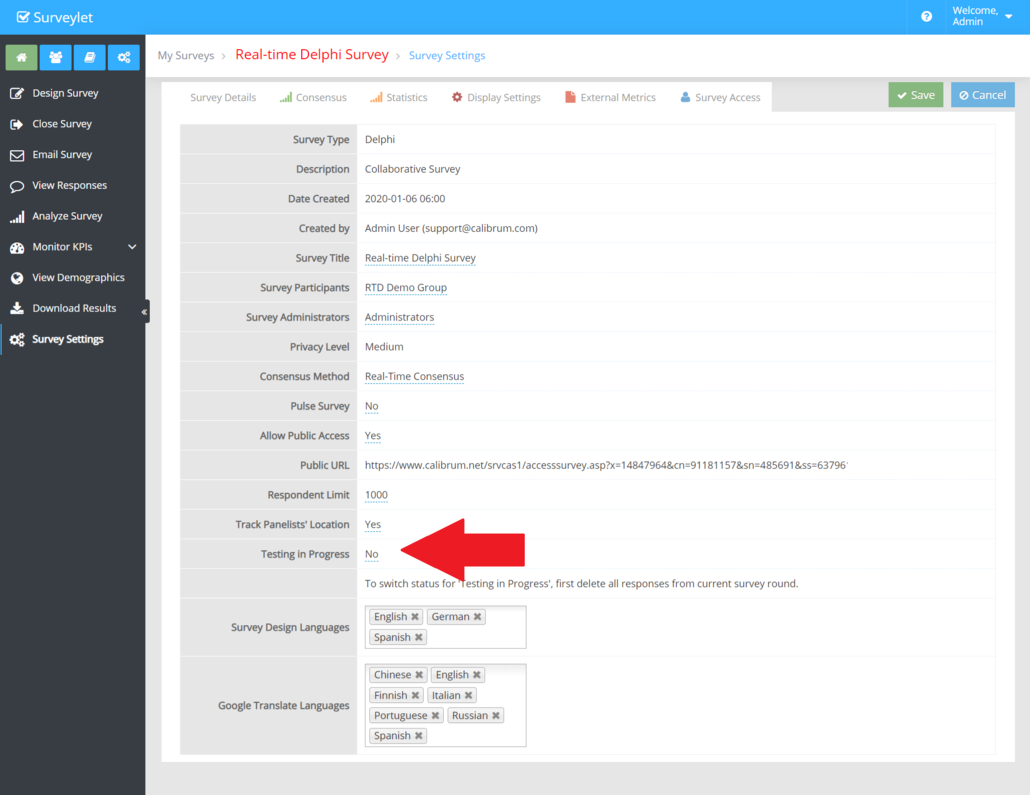
Within an existing subscription, you can practice in a separate survey with Testing in Progress enabled. Responses submitted while this setting is enabled do not consume purchased response allowances. The setting can be switched only when the current round has no responses; do not clear live study data merely to enable testing. The closed-survey Test Survey route is another testing option described below.
Deleting a test round removes its response data. It does not undo edits to shared question wording, choices, or matrix structure.
Choose the right testing route
| Route | Use it for | Important behavior |
|---|---|---|
| Preview Page | Inspecting layout and runtime controls. | Preview does not replace a test of invitations, saving, or exports. |
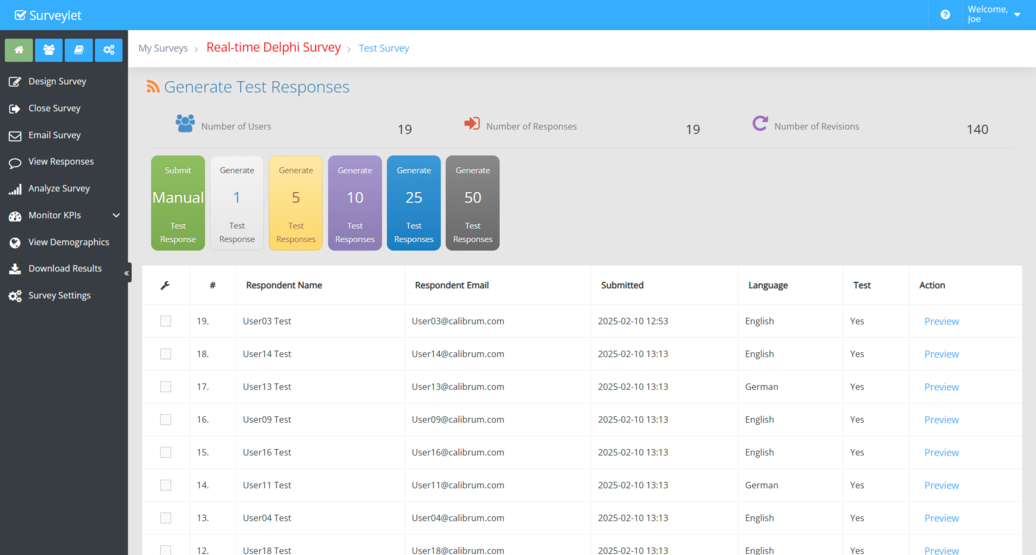
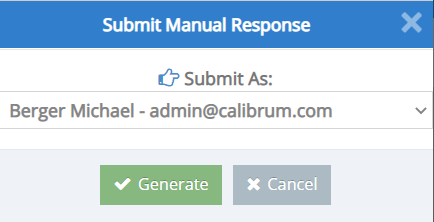
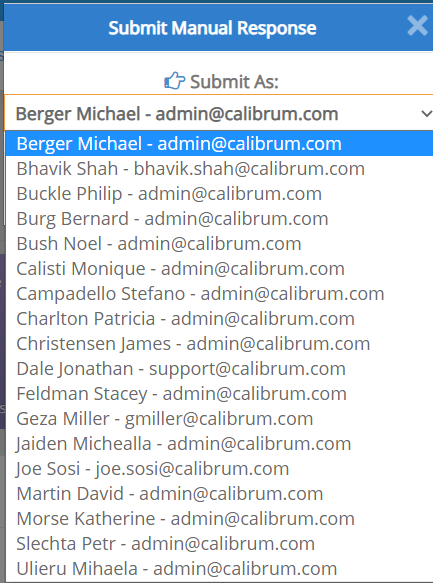
| Test Survey | Submitting manual test responses while the survey is Closed. | Choose the participant account to test. The documented test route does not consume response allowances. |
| Testing in Progress | Testing the live participant journey within a subscribed account. | Supports up to seven test participants in the documented workflow and no response-allowance consumption while enabled. |
Survey testing is part of an existing account workflow. It is different from trial or sandbox access for a prospective customer. Calibrum does not offer trial or pre-purchase sandbox accounts.
More screenshots and examples (1)
Test the complete journey
- Use a small participant group and identifiable test records.
- Check the invitation or registration link, including re-entry.
- Answer and save each question type; inspect validation and required comments.
- Test consent, hiding, branching, randomization, languages, and device changes.
- Check feedback before and after the minimum-answer threshold and at the intended round.
- Check progress, To Do, Chat, and the closing instructions.
- Export known answers and verify labels, scores, missing values, and non-ratings.
Leave testing mode safely
Changing Testing in Progress requires the current round to contain no responses. Clear test data deliberately before switching the setting. Test records contribute to displayed analytics while present, so do not interpret them as study results.
The documented Launch Survey behavior clears flagged manual test responses and the question trash, while keeping live responses. Verify the Test column and the intended testing route before launch. Do not assume every answer entered during a rehearsal will be recognized as a manual test response.
Export anything you need from the rehearsal before deleting it. Use test-only participants and data, and confirm the clean live starting state before inviting the real panel.
Detailed instructions: Test Survey
Common questions
Can I delete Round 1 after testing Round 2?
No. Deleting Round 1 also deletes subsequent rounds. For a rehearsal-only Round 2, delete Round 2 only and recreate it with Start New Round (No Answers), after checking that there is no live or later-round data to preserve.