
Getting started · Administrator
Run your first Surveylet study
Follow the main steps from account access to a tested survey, participant invitations, and downloadable results.
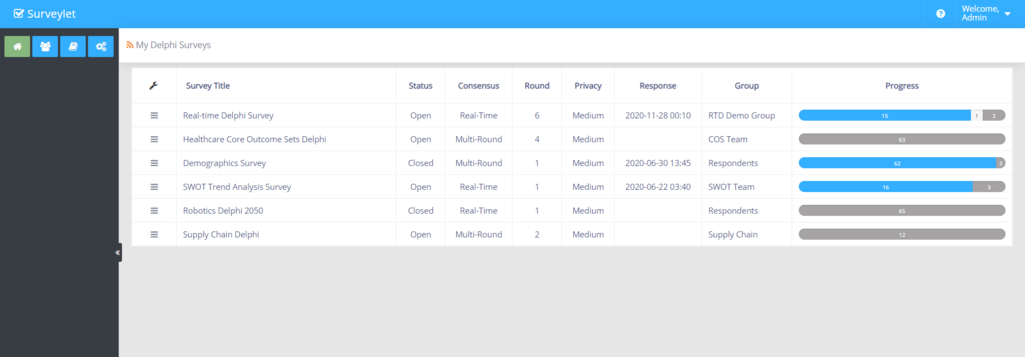
Screenshots illustrate the controls below. Layouts and labels may vary with your survey configuration. Select an image or “View full size” to open it in a new tab.
Before you begin
Have your study protocol, questionnaire, participant plan, and intended consensus criteria ready. Decide who will administer the study and who will receive invitations. The guide explains how to configure Surveylet; your study team remains responsible for research decisions and approvals.
Surveylet distinguishes a survey (the pages and questions you design), a questionnaire (one participant’s survey record), and an answer (input for one question). A response allowance is not a count of individual question answers.
Your first survey in nine steps
- Sign in as an administrator and check your account details and available responses.
- Create a participant group and add your panelists. Use a separate administrator group.
- Create the survey and assign its participant and administrator groups.
- Choose the privacy level before collecting answers.
- Build your pages and questions; add instructions, consent, and clear scale labels.
- Configure consensus and feedback to match your protocol. Set the required statistics before data collection.
- Test the full participant journey including invitations, saving, branching, languages, and exports.
- Launch the survey and send personalized invitations.
- Monitor participation, manage rounds or snapshots, and export the results.
Where to go next
Use the topic filter on the help center to browse a stage of your workflow. Search finds words in article instructions and FAQs as well as titles. The Surveylet page map connects common tasks to the labels in the application.
Share the participant quick start with your panel. If you prefer demonstrations, visit the video tutorials.
Detailed instructions: Getting Started

Detailed instructions: Using Surveylet
Common questions
Do I need Complete Survey Care to use this guide?
No. These instructions are available for self-service use. Complete Survey Care is an optional service for hands-on help; administrator access and response allowances are purchased separately.