
Results & exports · Administrator
Explain response counts and “I don’t know”
Separate account usage, entered questionnaires, valid item ratings, and revisions when totals differ.
Screenshots illustrate the controls below. Layouts and labels may vary with your survey configuration. Select an image or “View full size” to open it in a new tab.
Separate carried-forward completion from new participation
When a round is copied with answers, response records, original timestamps, and progress carry forward. A 100% indicator can therefore describe carried-forward completion rather than a new-round visit.
When the round starts with no answers, previous answers may still appear on screen, but they are recorded for the current round only when the participant saves the relevant page. Use the selected round's saved records when checking new submissions. Do not count displayed reference answers as newly submitted ratings.
Different counts answer different questions
| Count | What it describes |
|---|---|
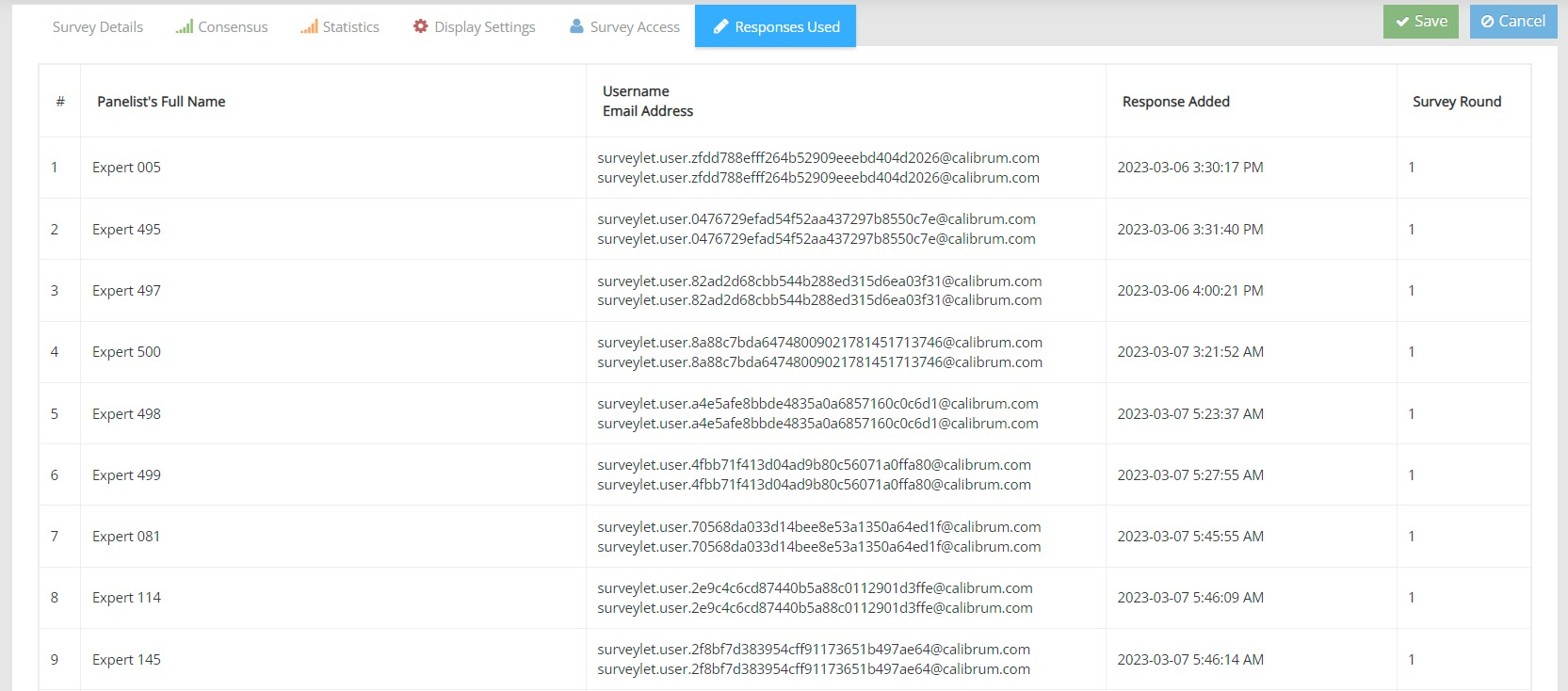
| Responses Used | The account or survey usage log, including used records later deleted. |
| Entered questionnaires | People or identities that entered the survey. |
| Question answers | Input collected for one item or matrix cell. |
| Valid ratings | Answers included in the scored calculation after excluding non-ratings. |
| Revisions | Changes to answers or comments, not additional unique panelists. |
| Progress | Completeness under the configured Include in Progress settings. |
Labels can differ between screens. Use the field’s context and the selected report rather than treating every “responses” number as the same denominator.
The virtual non-rating option
The virtual I don’t know option lets a participant answer without choosing a scored rating. It can count as participation or recorded input while being excluded from the scored analysis. A manually programmed scale choice named “I don’t know” is different.
For example, 287 recorded inputs with one virtual non-rating give 286 scored ratings for that item. Use the valid-rating denominator for the corresponding rating percentages, and report the non-rating separately. This does not mean 286 people completed the entire survey.
Investigate a discrepancy
- Confirm the same survey, round, question, matrix cell, and subgroup.
- Check for virtual non-ratings, skipped inputs, test data, and copied answers.
- Distinguish current records from the permanent usage log.
- Check whether the chart uses ratings, selections, or revision events.
- Compare the underlying export with the displayed summary.
- Document the denominator and exclusions in your report.
A response allowance is not a question counter
One panelist’s survey participation record is different from the number of questions they answer. Revising a saved answer is not a new panelist. Returning panelists and later rounds follow the existing study’s response rules; see subscriptions and response validity. Deleting a questionnaire does not restore an already used allowance.