Match the input control to the information you need: one choice, several choices, text, numbers, rankings, or a matrix.
Updated October 14, 2026
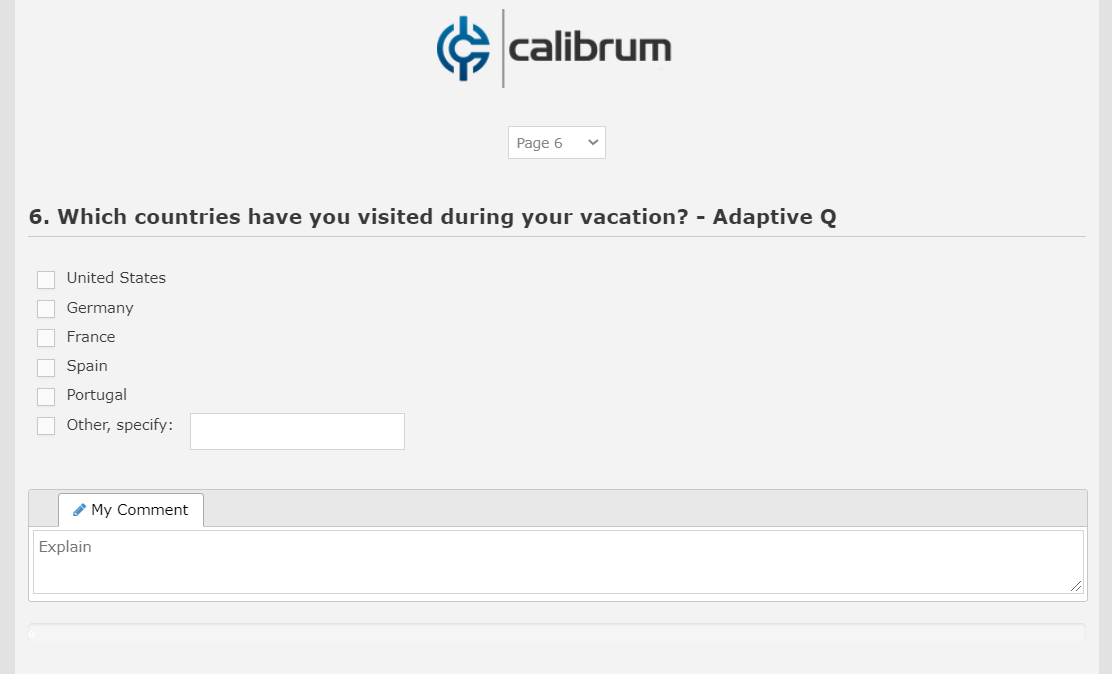
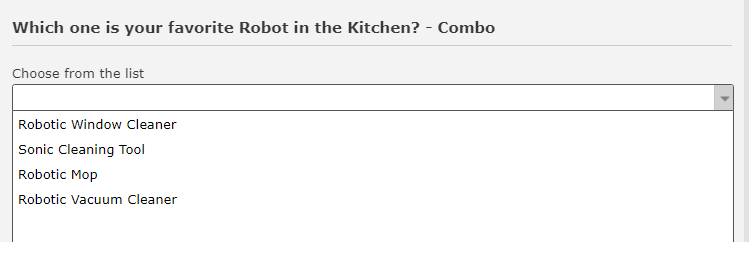
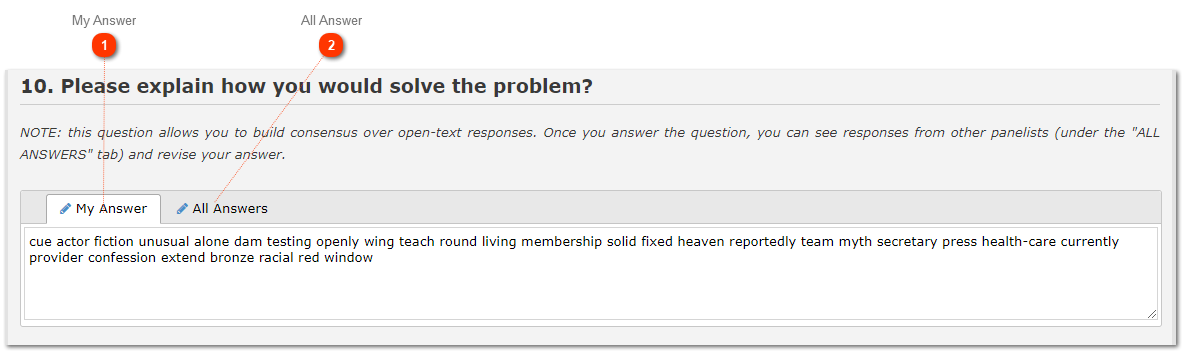
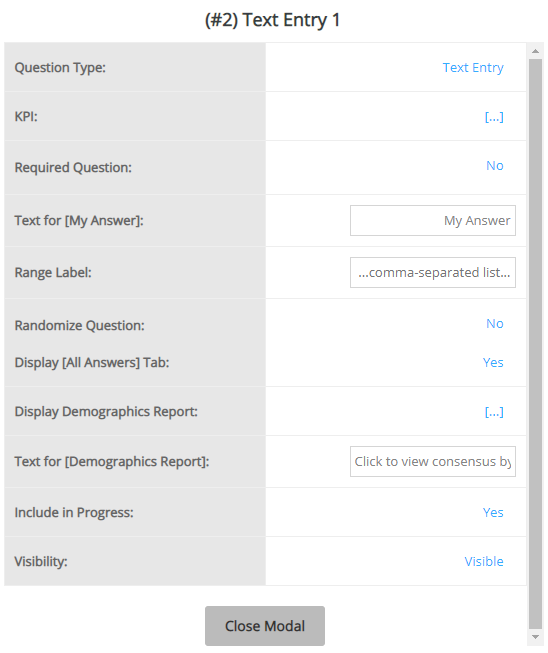
Screenshots illustrate the controls below. Layouts and labels may vary with your survey configuration. Select an image or “View full size” to open it in a new tab.
Treat checkbox summary options separately from rating consensus
Options such as “All representative” or “I don’t know” need an explicit selection rule when used in a checkbox question. Their wording alone does not make them mutually exclusive with other choices. Configure and test the required logic for your survey; custom behavior implemented for one study is not automatically applied to every checkbox question.
Define how these summary options will be analysed. A checkbox selection is not automatically a numeric rating, and the rating-scale Range 3 rule should not be assumed to apply to it. Analyse the checkbox selections separately where needed.
A programmed checkbox choice labelled “I don’t know” is also different from Surveylet's virtual non-rating option. Do not assume it is automatically excluded from every scored calculation. See response counts and non-ratings.
Compare input types
Type
Use it for
Check before launch
Radio button, combo, or listbox
A single selection from defined options.
Choice labels, order, and any required comment.
Checkbox
More than one permitted selection.
Whether a selection limit or mutually exclusive option is needed.
Multiple-choice slider
Selecting a point on an ordered scale.
Scale direction, anchors, and “I don’t know” behavior.
Single textbox or essay/textarea
Short or extended written input.
Prompt clarity, required status, and participant privacy.
Numeric input or numeric slider
A numerical value.
Units, valid range, and numeric validation.
Constant sum
Allocate a fixed total across items.
The required total and units.
Rank order
Place items in priority order.
Meaning of rank 1 and the expected ranking format.
Matrix
Repeat a response structure across several rows or dimensions.
Each column’s type, scale, settings, and small-screen readability.
Text, image, or video
Present instructions or supporting material.
Asset accessibility and whether the item should affect progress.
Make the endpoints explicit. Keep ordered scale choices in their intended order and configure the Likert Scale flag where required for range consensus. A numeric code for an unordered category does not turn that category into a quantity.
Do not add a scored “I don’t know” choice to a rating scale if your plan is to exclude non-ratings. Use the virtual option described in Question Settings.
Changing types later
Changing question type, deleting choices, or changing matrix structure after answers exist can remove or reinterpret data. Decide and test the structure before launch. A round snapshot does not preserve an earlier question design.
Detailed instructions: Descriptive Label
Detailed instructions: Essay/Textarea
The open ended survey question explores qualitative, in-depth aspects of a particular topic or issue. It gives the person a chance to respond in detail. Although open questions provide a direct look into a person's thoughts, don't overuse them. Open questions are time-consuming and require more effort. You might accidentally lower your number of responses.
A great way to incorporate an open question is through the "other" option of multiple-choice questions. Add an open ended textbox after your multiple-choice options to capture each user's response to "other". For example, you ask a person's favorite color and include options for orange, green, blue, and "other." For the respondents whose favorite color is not present as one of the options, they can select "other" option and enter their answer.
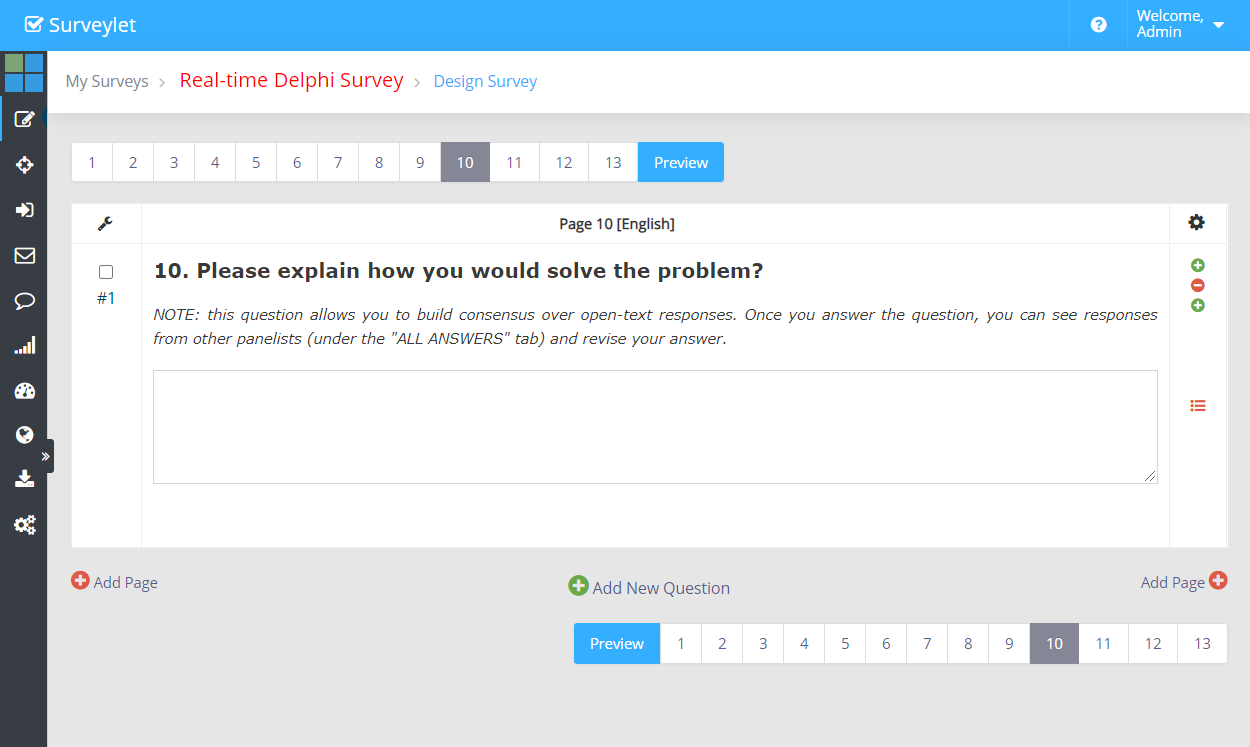
Essay questions can also participate in consensus-building exercises. You can enable all answers to be displayed for panelists from the question properties widow (Display All Answers Tab).
Essay questions do not limit the number of characters the panelist can enter.
Admin View
Question Settings:
Panelist View
Detailed instructions: Image
To display images, fotos on the webpage to your panelists. You can either add a link to the image, upload it to Surveylet.
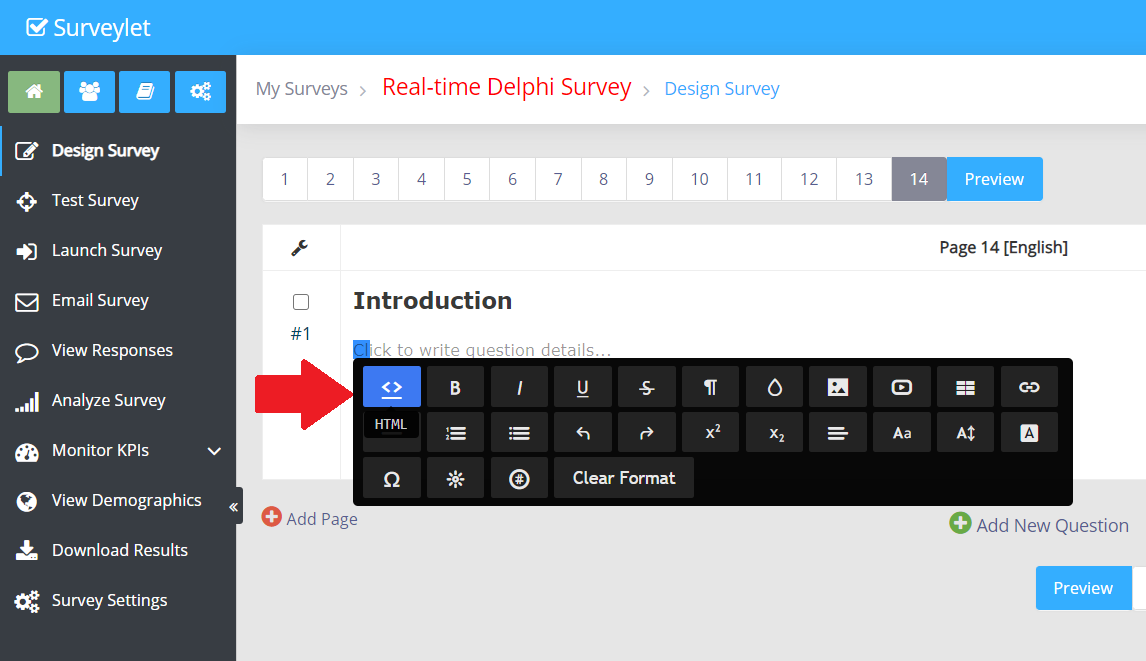
1. From the survey designer, you need to double-click the question details area to bring up the WYSIWYG HTML editor air toolbar. Highlighting existing text in the question details block will also bring up the air toolbar.
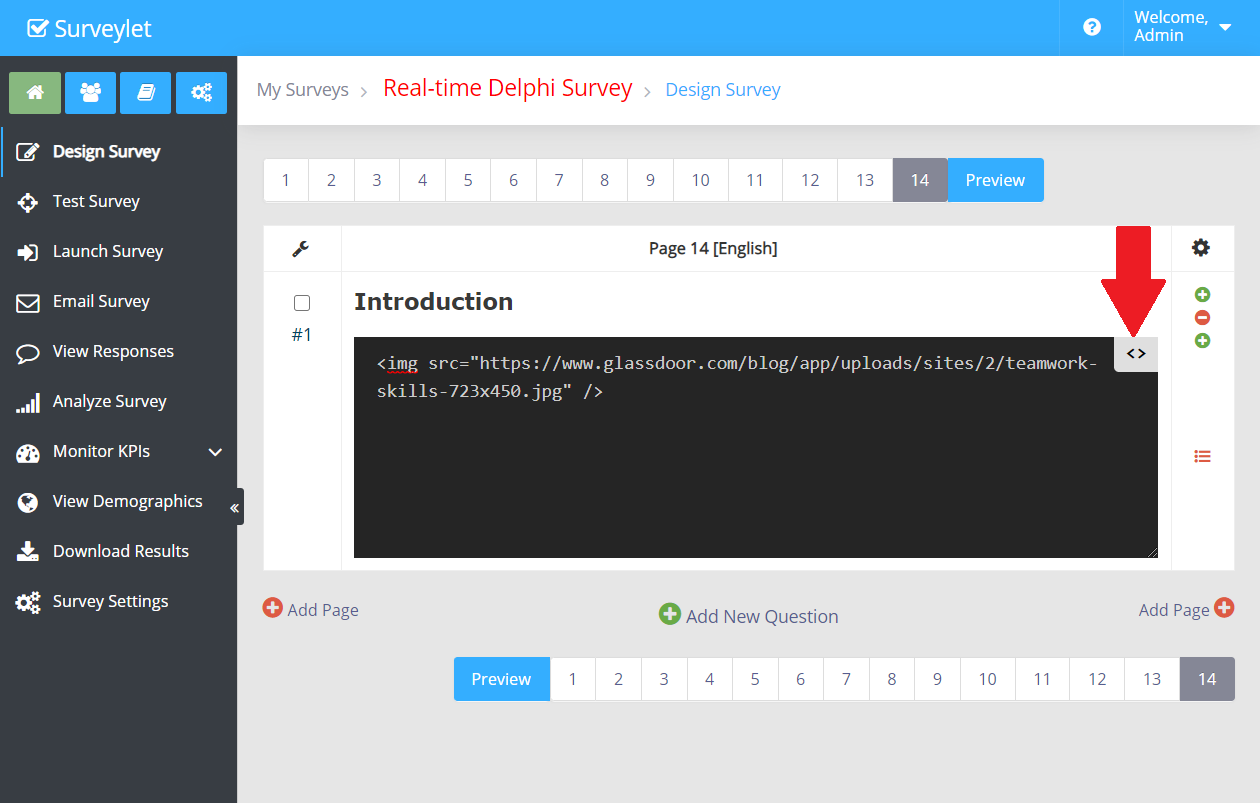
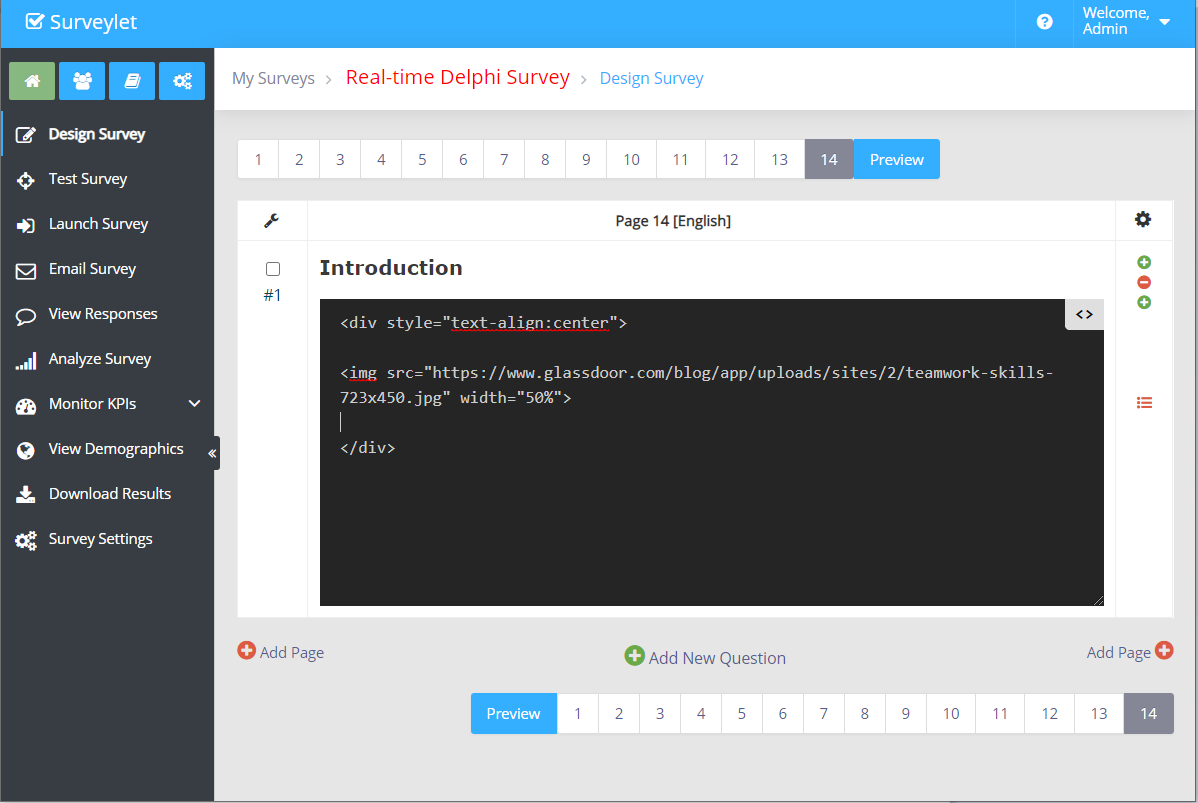
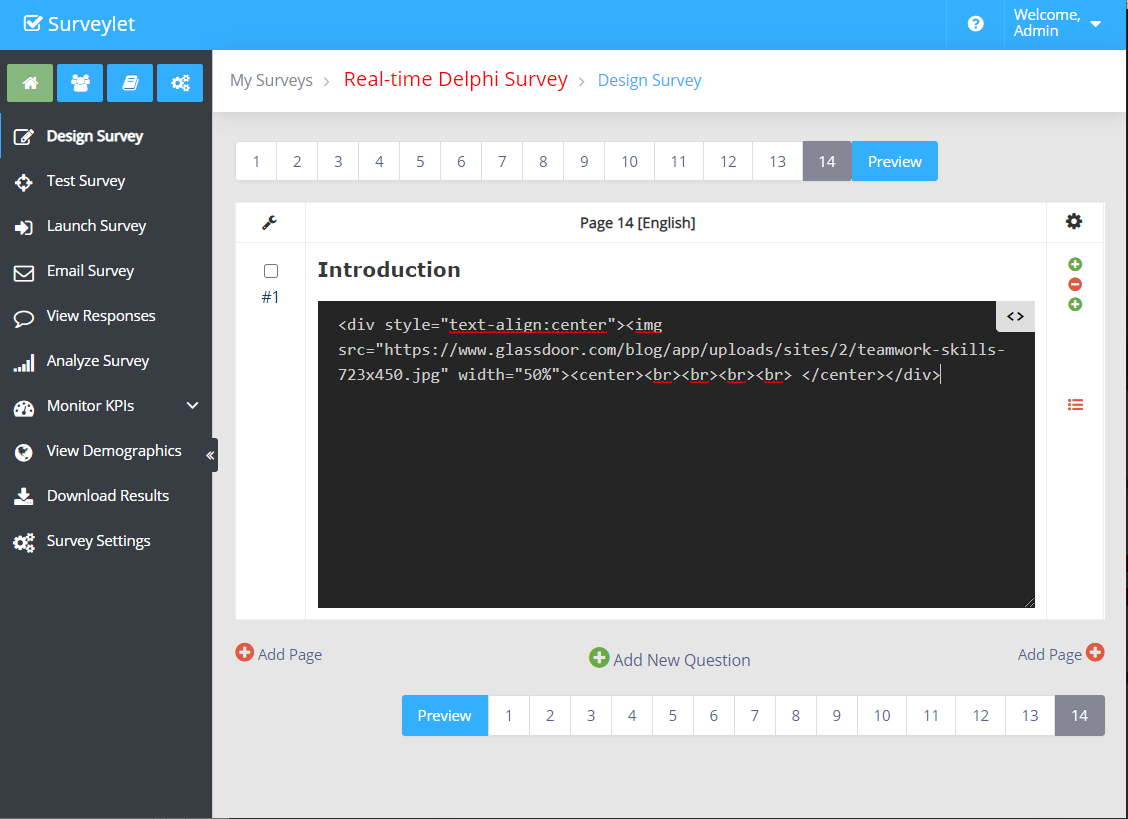
Enter the HTML source code with a link to the image. When you are done, click on the <> icon to close the toolbar. Until you close the toolbar, your changes are not going to take effect.
The image will appear when the air toolbar is closed.
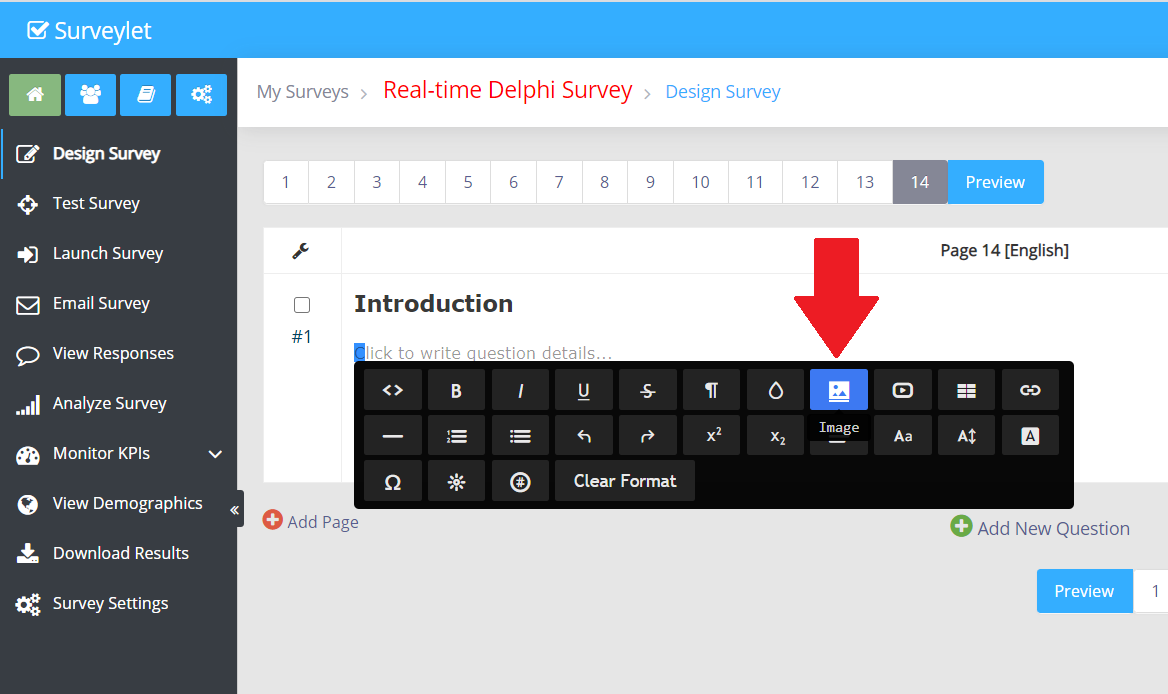
1. From the survey designer, double-click the question details area to bring up the WYSIWYG HTML editor air toolbar. Highlighting existing text in the question details block to bring up the air toolbar.
Click on the Image icon in the air toolbar as next step:
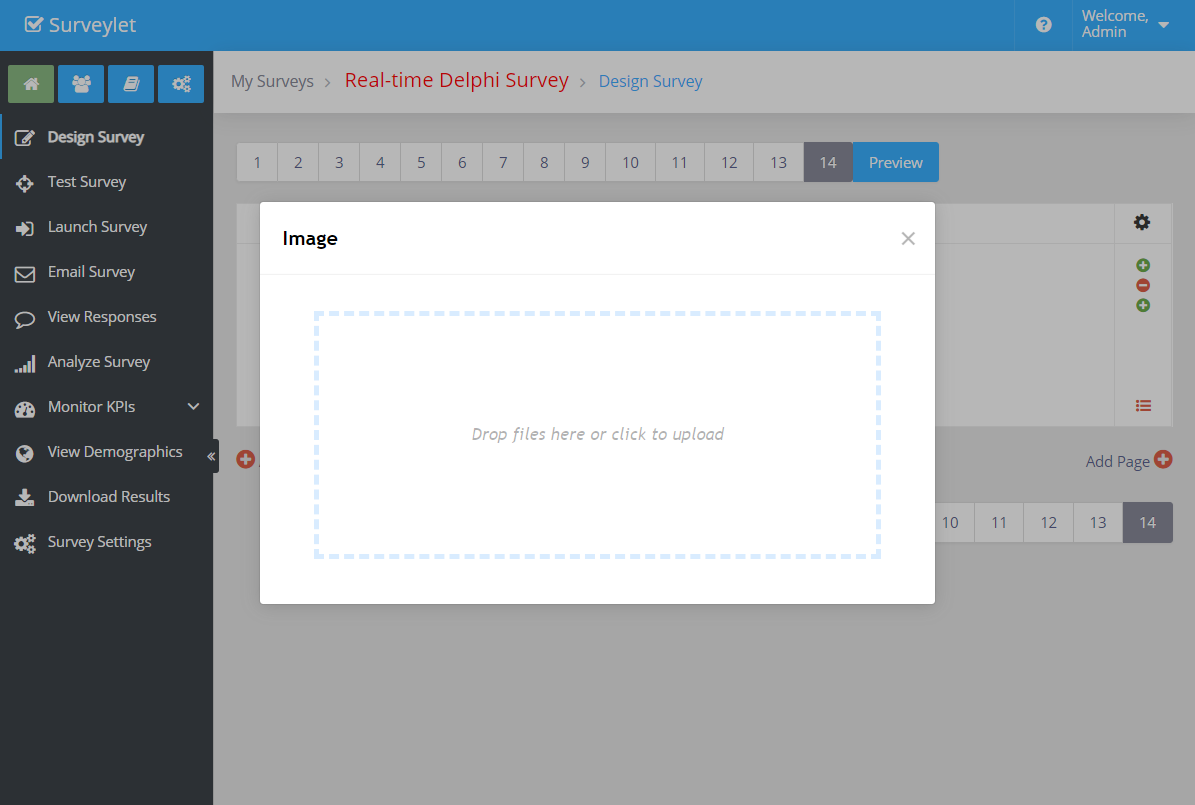
The Fileupload popup window appears. Click on the "Drop files here or click to upload" and select a file from your local hard drive to upload. Or simply drag an image file from your local drive into the popup window.
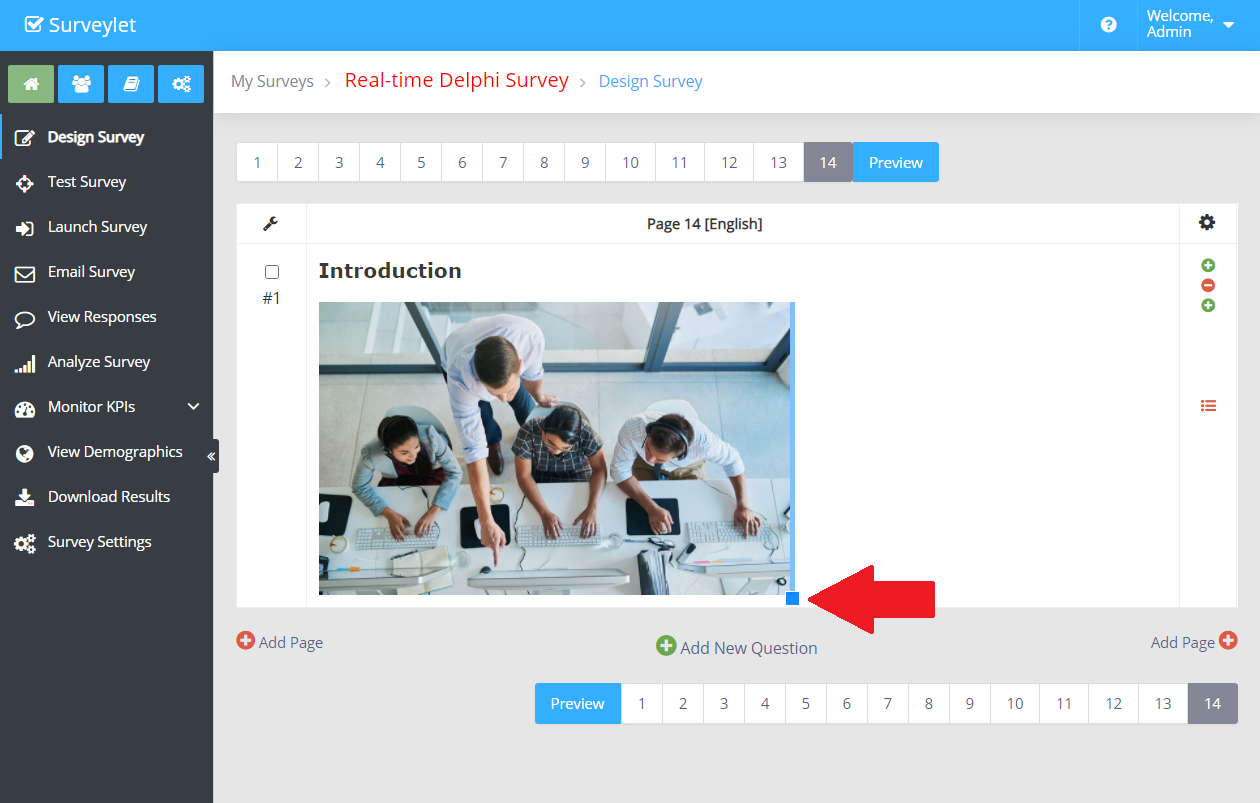
The image will appear when the air toolbar is closed. You may drag the corner of the image to resize it:
To resize the image proportionally to your page (instead of the hardcoded values the manual resizing will do, you can edit the HTML source and set either the height or width property for the image. We recommend that you only set one of them and not both as your image may be skewed. This below sets the image width to the full page-size.
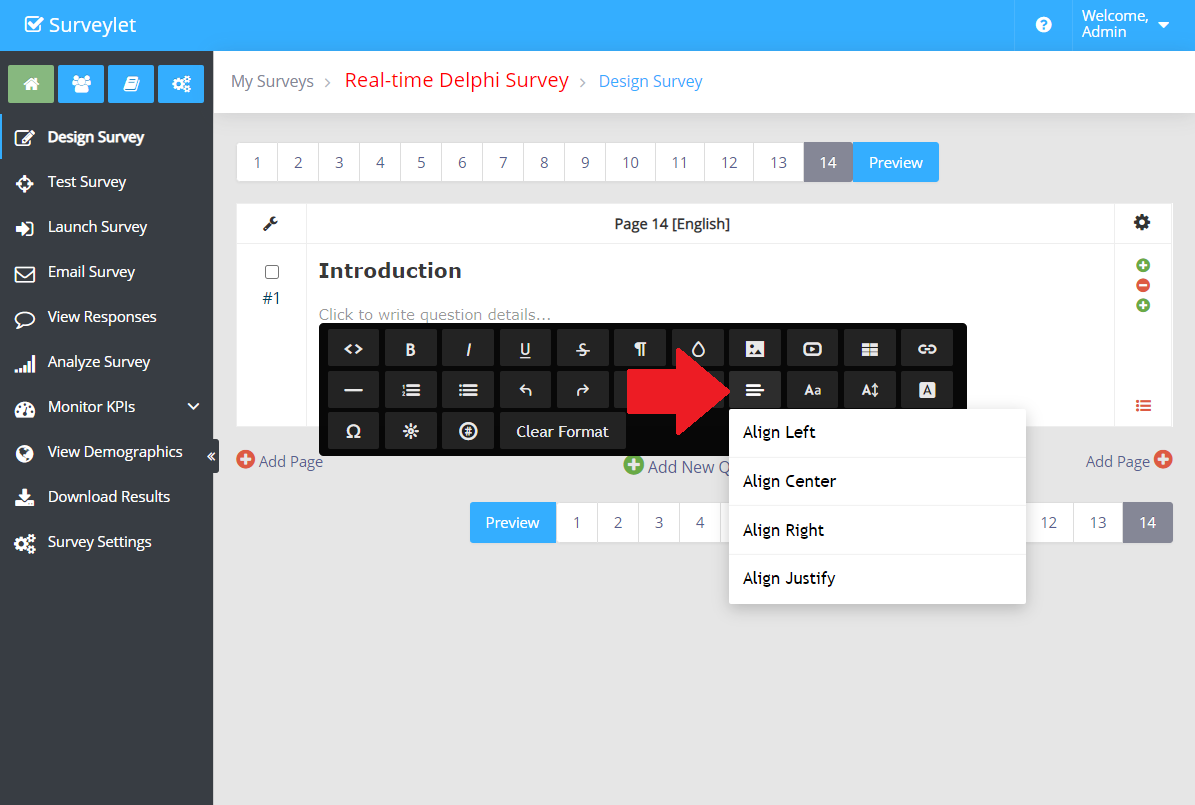
To align an image to the center of the page, bring up the air toolbar and select the Align icon which will display the following 4 options:
If the image is still not aligned properly where you want it, then edit the HTML source code and add the following code snippet around your image:
<div style="text-align:center">
</div>
Don't forget to close the HTML source window as your changes will not be saved.
Detailed instructions: Matrix Table
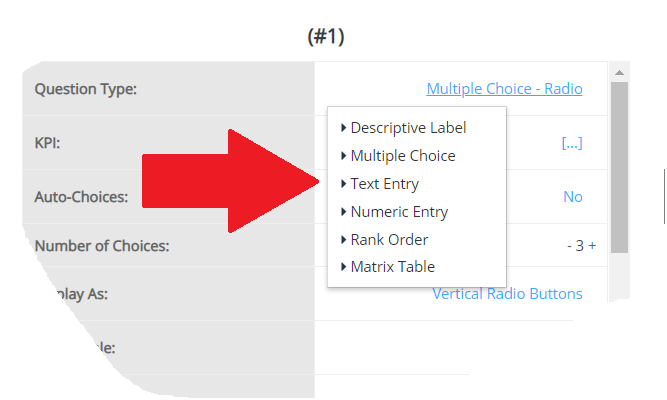
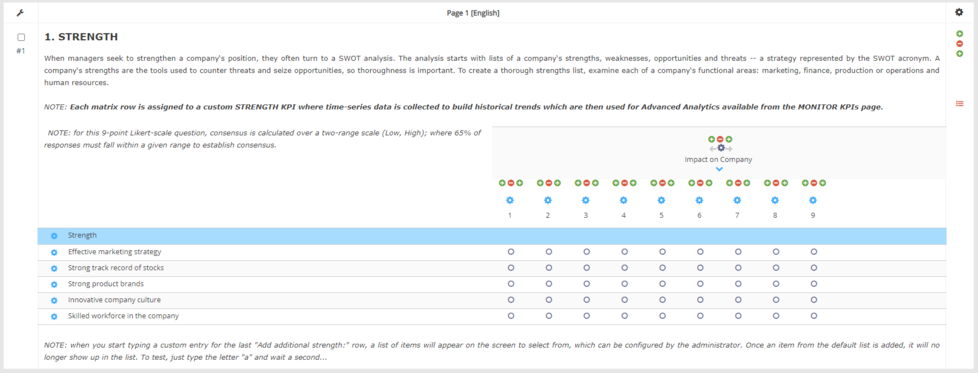
Matrix Table questions allow you to combine multiple questions with the same answers. This is most useful when you need to ask multiple questions that should be rated on the same scale. There are several variations on the Matrix Table question. Each variation has unique options and a unique format.
Matrix Rows (Statements): are the rows of the matrix table. These are the statements you would like a respondent to rate. Statements listed along the left of a matrix question. Things people rate satisfaction on, like "number of dogs in the office," "the amount of color in the office," etc. On the right, in the question editing pane, it says "Statements" with plus and minus controls for adjusting the number
Matrix Columns: are the columns of the matrix table. A Matrix can have one or more columns. It must have at least one column.
Column Choices (Scale points): each Matrix column can have its own data type. Depending on the data type, a matrix column may have one or more choices to chose from. These are the choice you want respondents to choose for each statement. Scale points listed over the top. E.g., Very satisfied, slightly satisfied, neither satisfied nor dissatisfied, and so on. The number of scale points can also be adjusted in the editing pane. When you set your matrix table to Single Answer, you can choose one scale point for every statement. This is the same even if you transpose the table so that statements become columns and scale points become rows.
To add/remove matrix rows, use the plus (+) and minus (–) buttons under Rows, Columns and Choices in the properties window.
A matrix has 3 settings available: Question Settings, Matrix Column Settings and Matrix Row Settings.
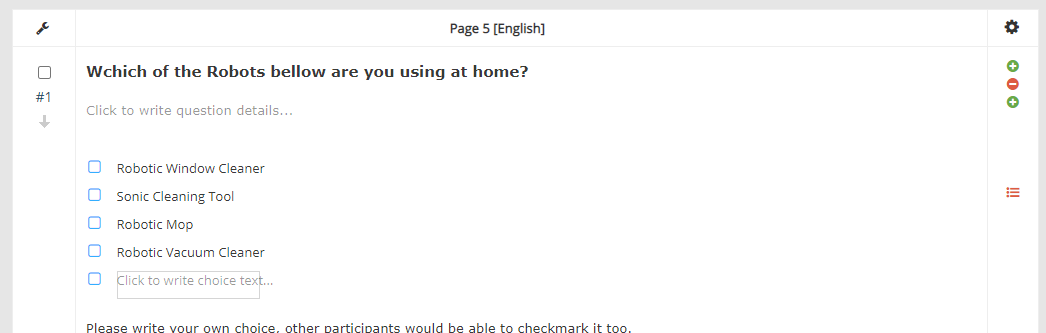
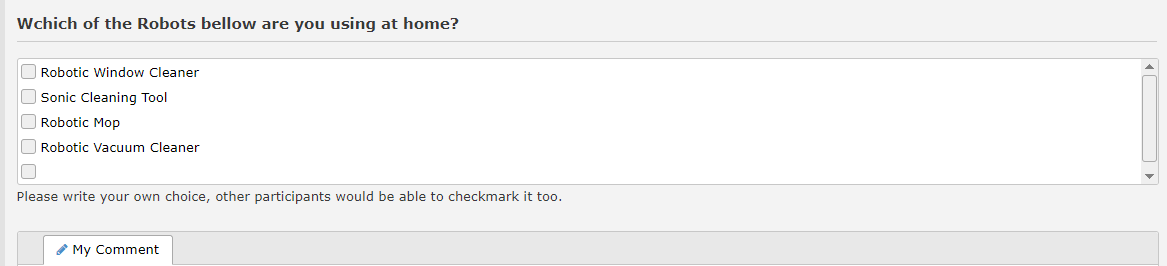
Detailed instructions: Multiple Choice Checkbox
Admin View
Panelist View
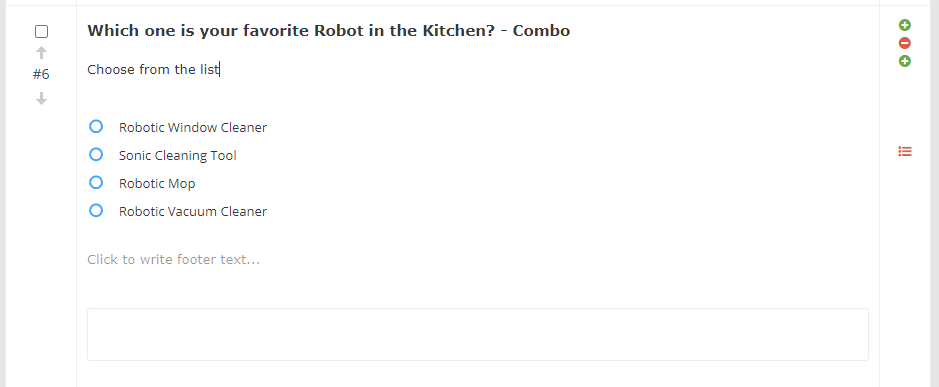
Detailed instructions: Multiple Choice Combo
Admin View
Panelist View
Detailed instructions: Multiple Choice Listbox
Admin View
Panelist View
Detailed instructions: Multiple Choice
The multiple-choice survey questions consist of two or more exhaustive, mutually exclusive categories. Ask for either single or multiple answers. In the following survey questions example, the user selects only one out of the seven provided. You could configure this question to allow users to select multiple answers, such as all of the above responses.
Detailed instructions: Multiple Choice Radio
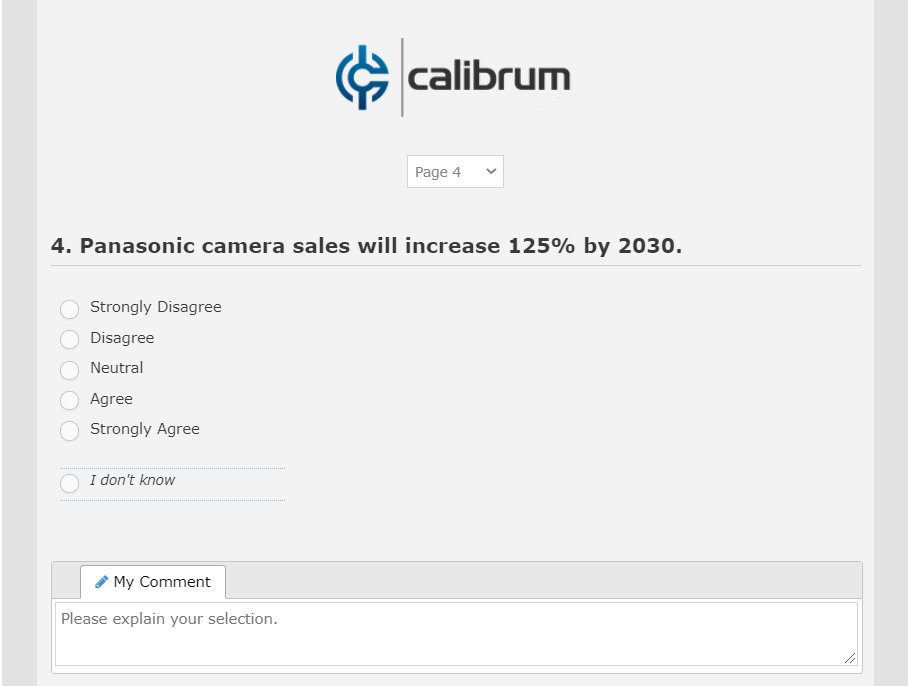
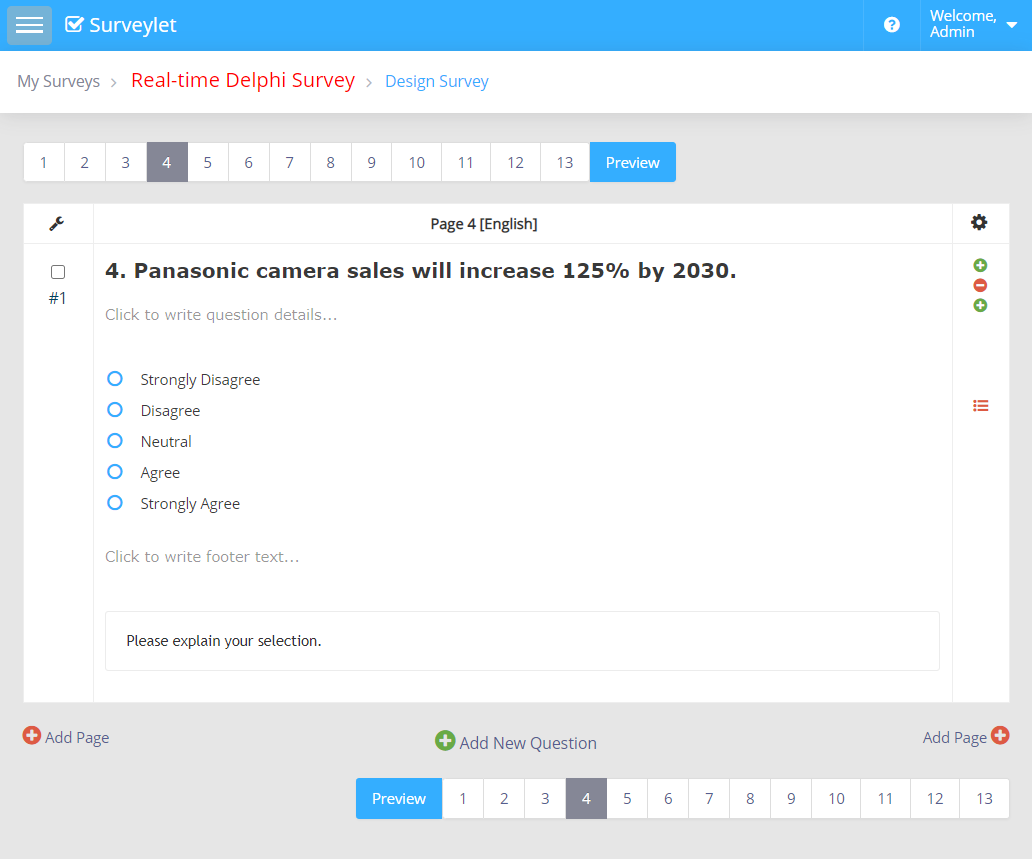
Single select questions are the questions where a respondent is asked to select only one answer, from a preconfigured set of responses of at least two or more options. They are one of the most common question types and are effective in determining a user’s primary preference, among a set of choices. They are closed ended questions that help the responded to choose from the available options. They are easy to respond and are an easily answered on handheld devices.
Panelist View
Admin View
Programming
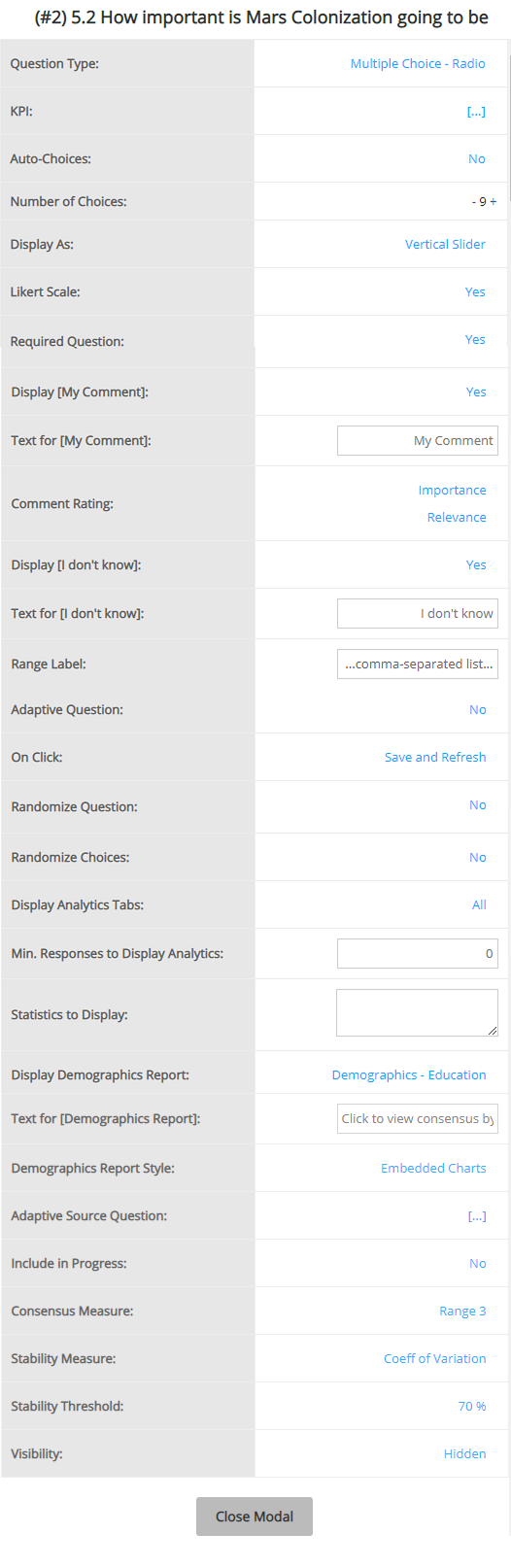
The available list of settings for this question type is shown below. For more information on question settings visit the Question Settings page.
Detailed instructions: Multiple Choice Slider
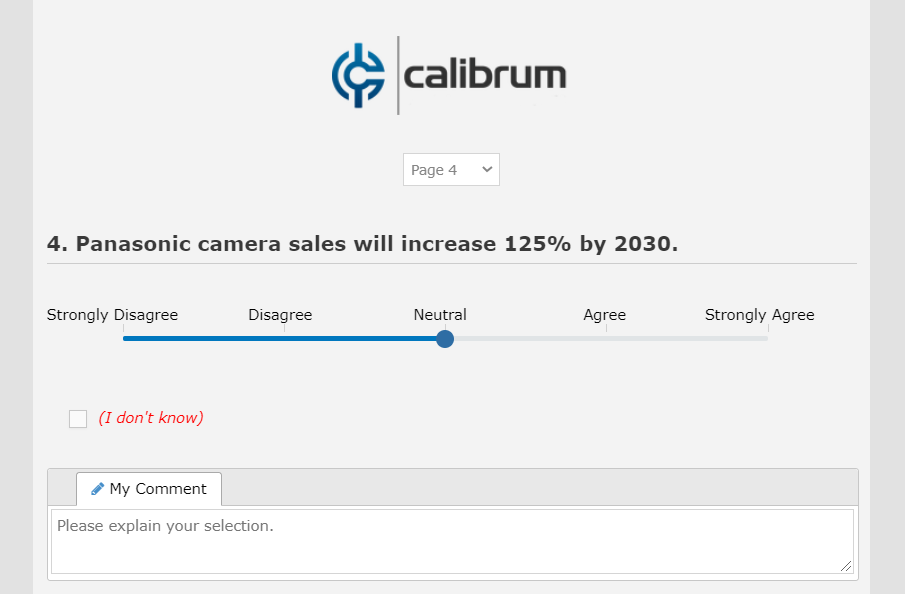
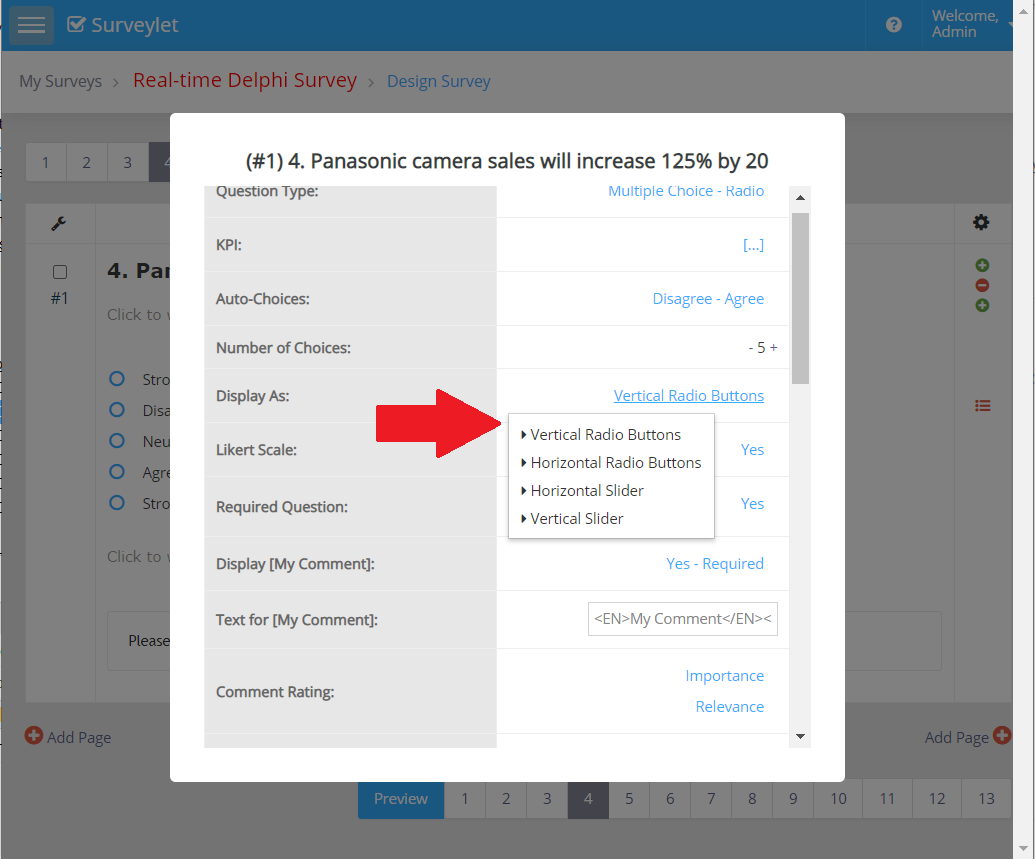
You can convert a radio button question into a scale question by setting its "Display As" option in Question Properties window to "Horizontal Slider":
Admin View
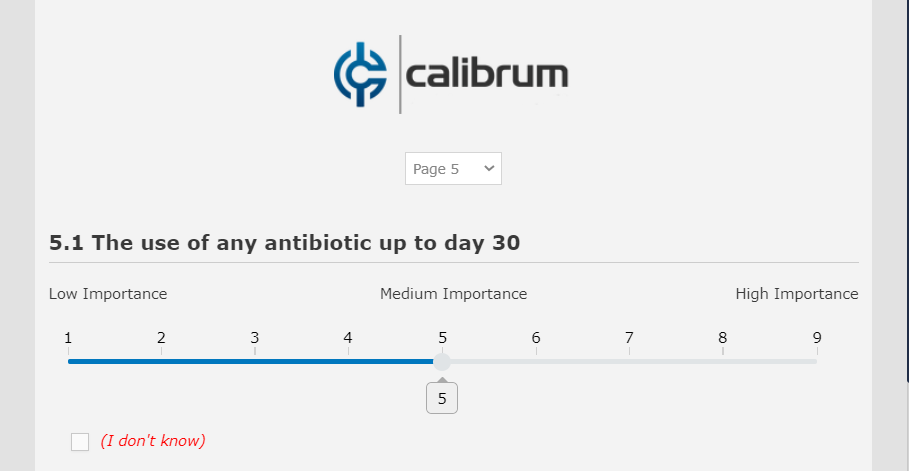
Panelist View
You may want to use numerical labels (e.g. 1, 2, 3, .., 9) and place the scale categories (Low Importance, Medium Importance, High Importance) right above the slider.
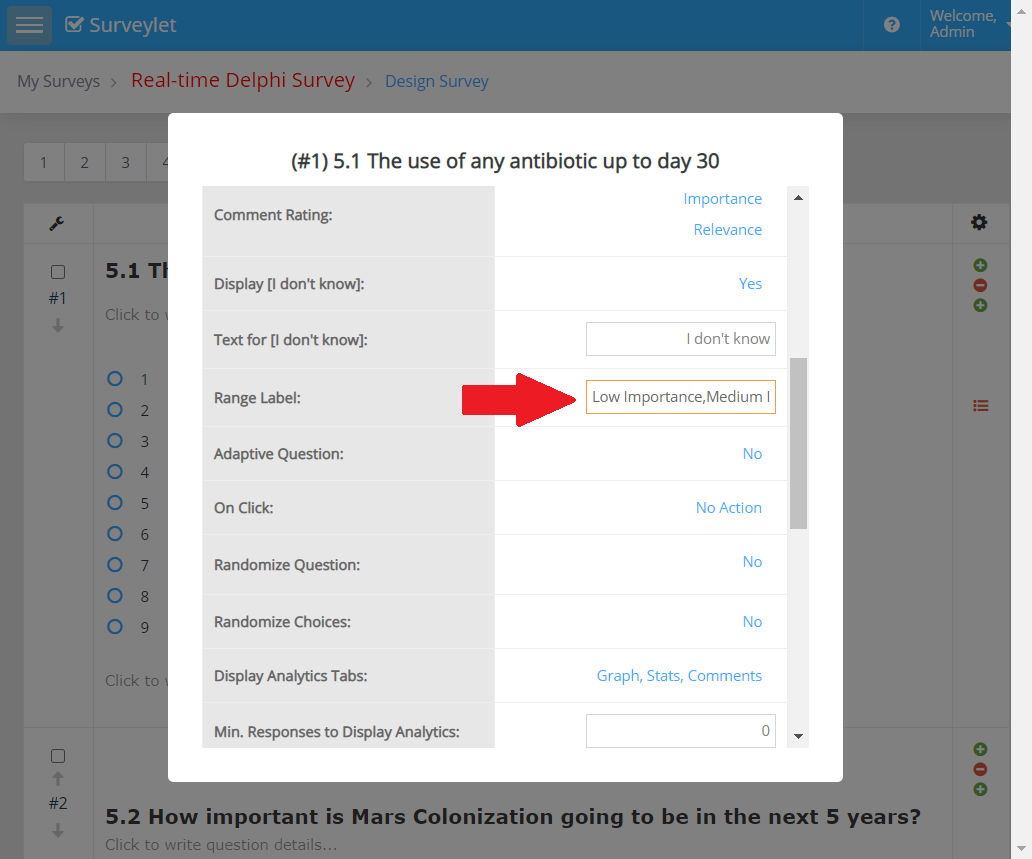
To enable the above visualization, the administrator sets the Range Labels for the slider in the Question Properties window. The Range Label must be a comma-separated list of one or multiple items which will be equally distributed above the slider:
Detailed instructions: Numeric Entry
Detailed instructions: Question Types
This section provides an overview on the the different types of questions that are available for you to use in your Surveylet Delphi surveys.
Text: Insert additional text to your survey design to provide extra context or description to your respondents. Allows you to enter text of any length for long paragraphs; upload images and add videos.
Image: Insert an image into your survey by uploading an image file or specifying the URL of an image on the web.
Video: Embed a video from Youtube, Vimeo, etc.
Radio button: Ask people to choose one answer from your list of answer choices.
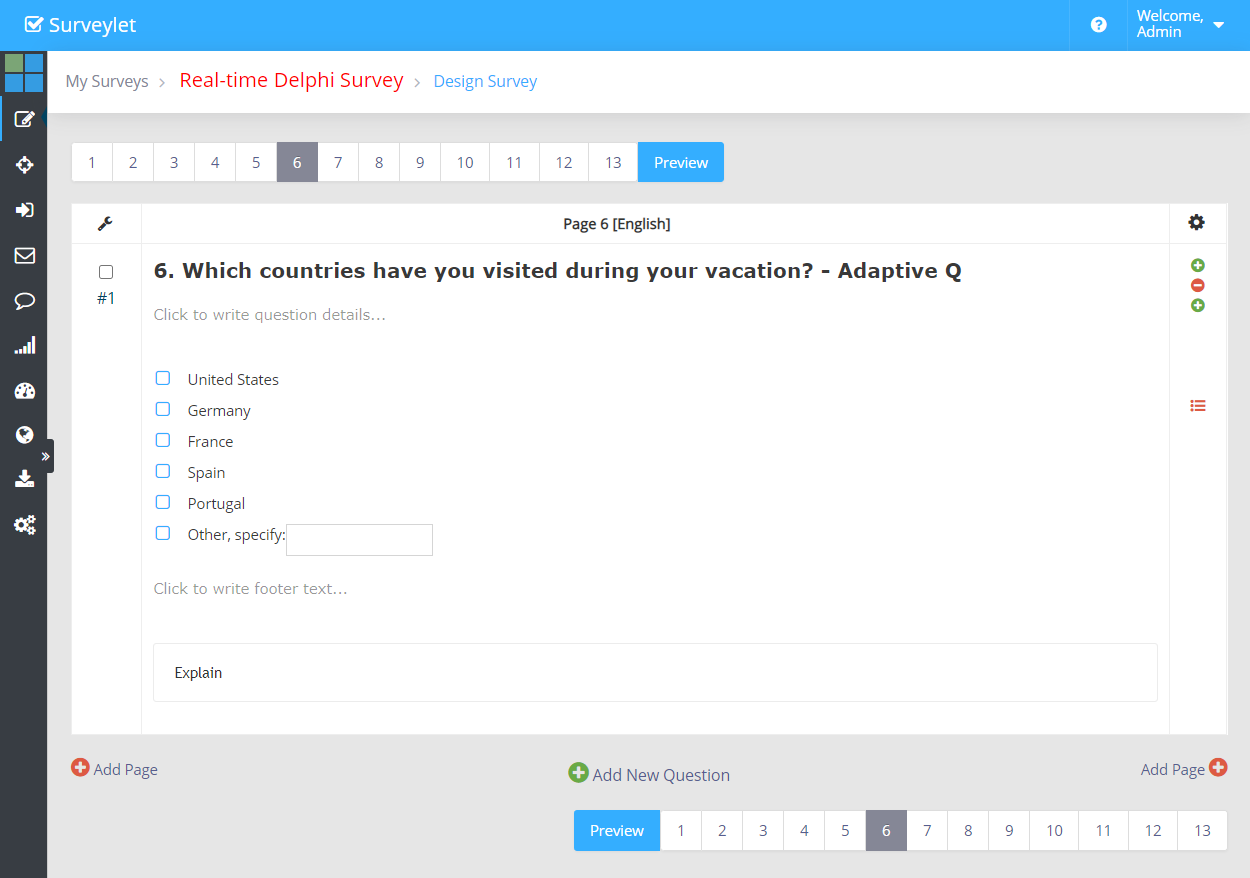
Checkboxes: Let people select multiple answers from your list of answer choices.
Dropdown: Provide a dropdown list of answer choices and ask people to choose one answer.
Slider: Ask respondents to rate an item or statement on a numerical scale by dragging an interactive slider.
Image Choice: Ask people to choose one or more image answers from your list of image answer choices
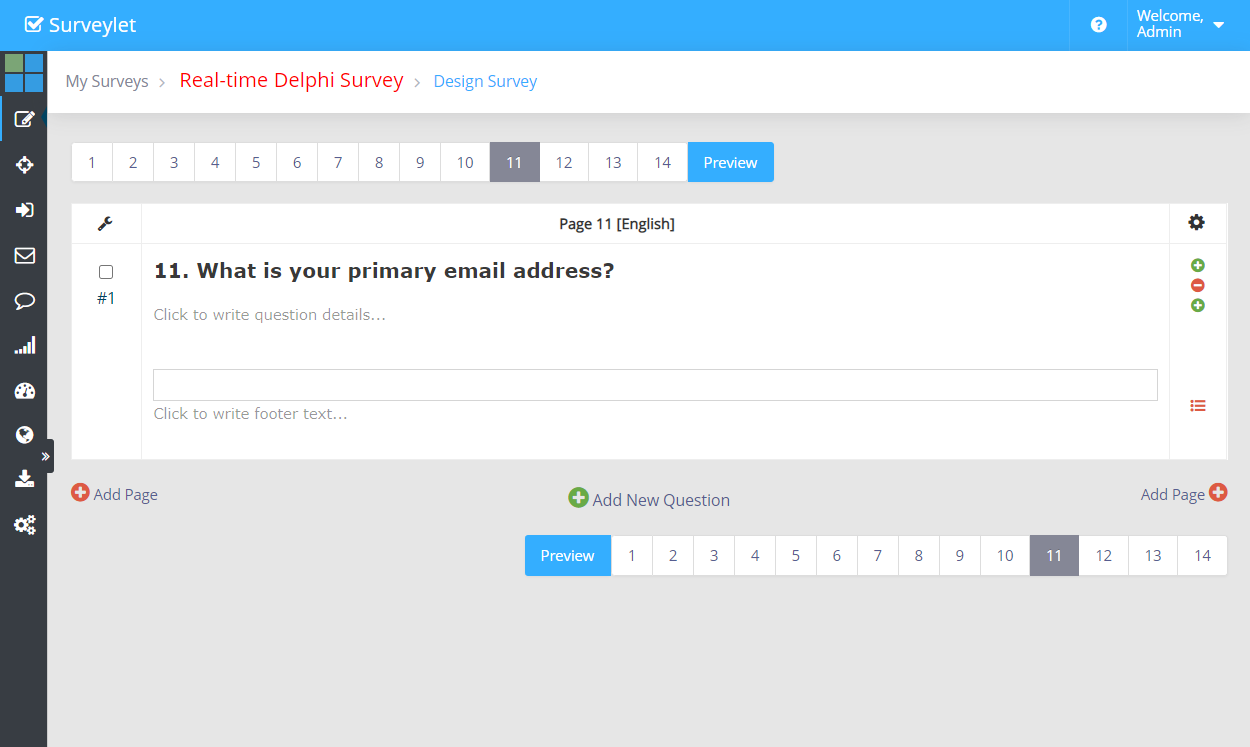
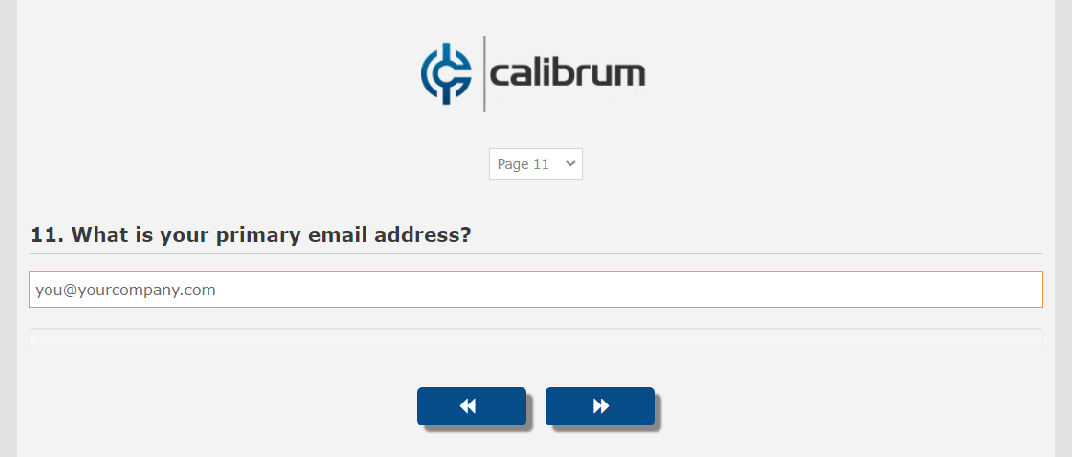
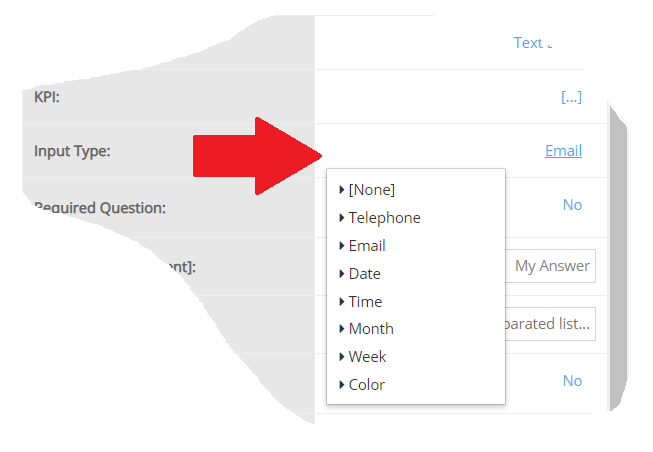
Single Textbox: Add a single textbox to your survey when you want respondents to write in a short text or numerical answer to your question. You can require and validate a number value, date format, or email address:
Date: Ask respondents to enter a specific date.
Time: Ask respondents to enter a specific time.
Month: Ask respondents to enter a specific month.
Week: Ask respondents to enter a specific week.
Phone: Ask respondents to enter a specific phone number.
Email: Ask respondents to enter a specific email address.
Color: Ask respondents to pick or enter a specific a specific color.
Essay/Textarea: use the comment or essay box (textarea) to collect open-ended, written feedback of unlimited length from respondents.
Collect multiple numerical answers with a single question. Specify value range, and require and validate a number value, or specify a total value all choices need to sum up to (constant sum).
Ask respondents to rank a list of options in the order they prefer using numeric dropdown menus or drag-and-drop.
Matrix/Rating Scale: Use a Matrix question if you want respondents to evaluate one or more row items using the same set of column choices. You can set the matrix question to collect multiple answers or only one answer per row. You also have the option to turn the matrix question into a rating scale.
Matrix of Dropdown Menus: Ask respondents to evaluate several items using the same set of measurements. They can choose an answer from a preset list of answer choices presented in a dropdown menu.
Multiple Textboxes: Collect multiple short text or numerical answers with a single question. You can also specify answer length, and require and validate a number value, date format, or email address.
Contact Information: Use this question type to collect a respondent's relevant contact information, including name, address, email, and phone number.
Detailed instructions: Ranking
Detailed instructions: Single Textbox
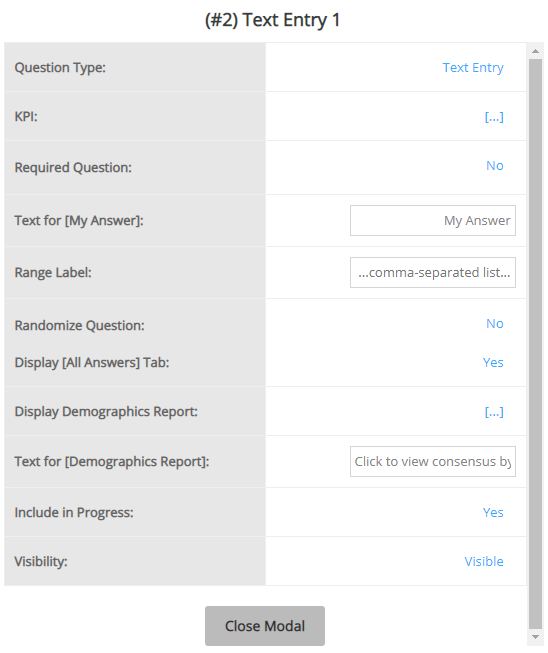
A Text Entry question type is used to collect open-ended responses from panelists in qualitative search. In a Delphi project, it is primarily used in Round 0. Short text questions have a limitation of 255 characters.
Question Settings:
Panelist View
Available Input Types:
Detailed instructions: Text Entry
Detailed instructions: Text
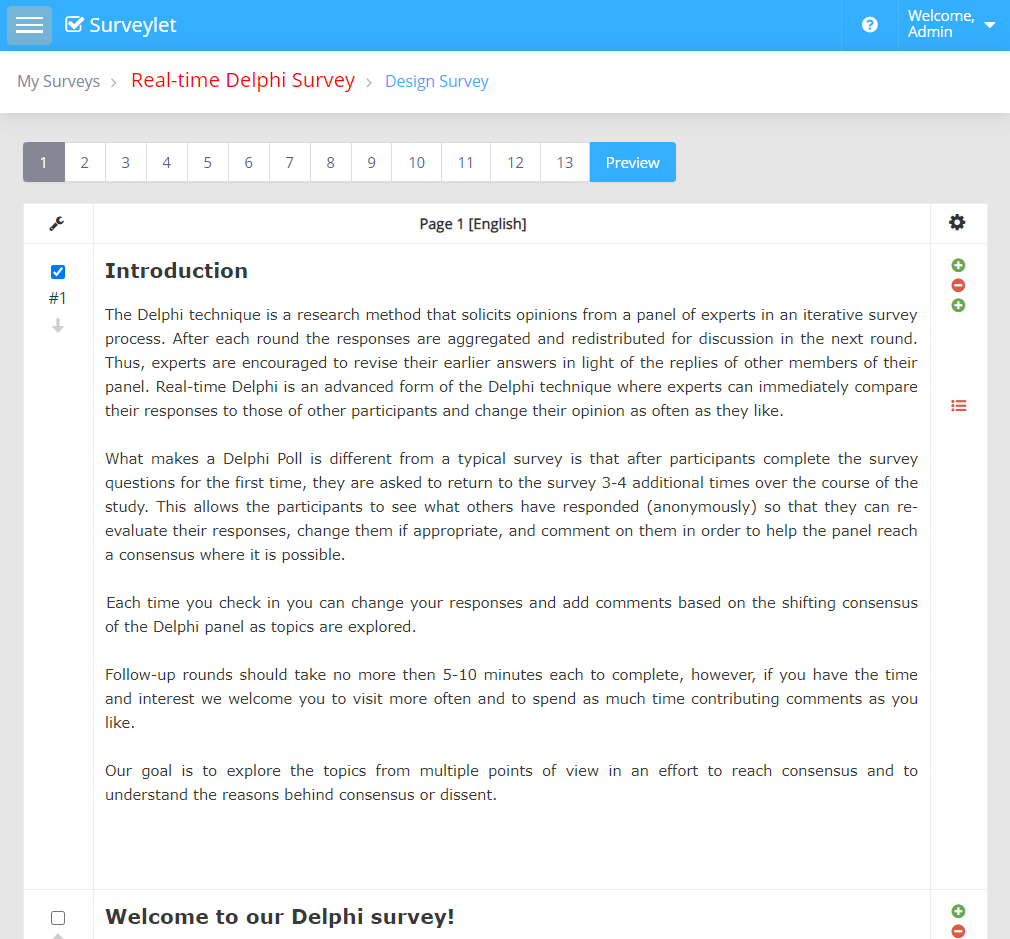
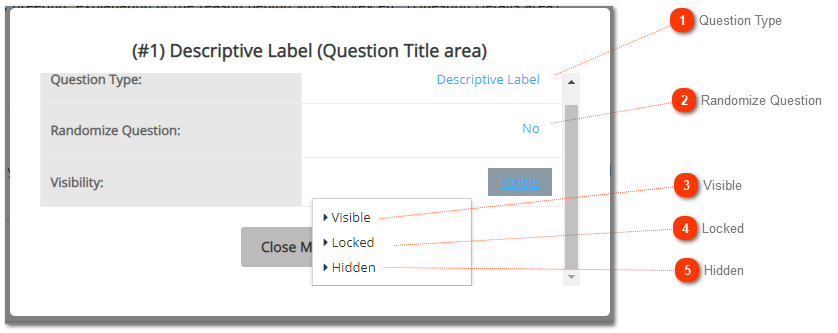
To display information in paragraphs to your panelists such as introduction, greetings, explanations you use the Descriptive Label question type.
Settings on Descriptive Label Question
Panelist View
Detailed instructions: Video
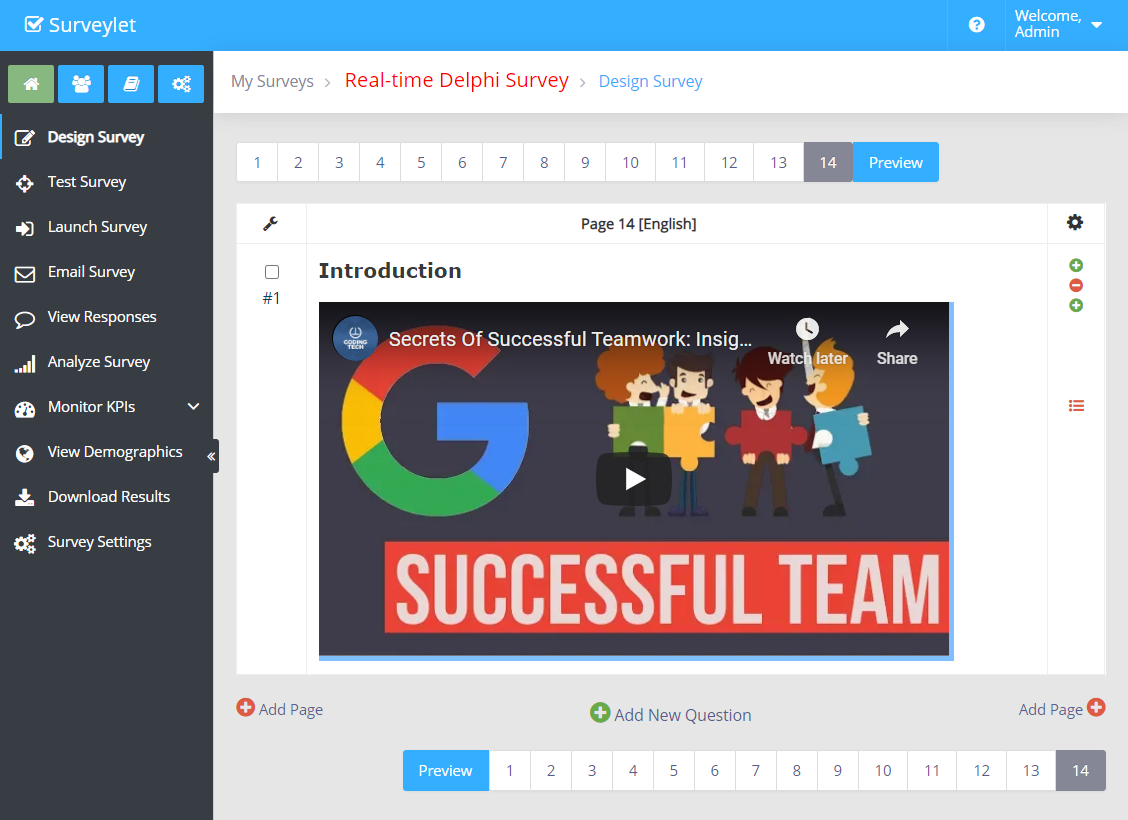
You may want to add introduction or explanatory Youtube, Vimeo videos to your survey to spice up its content and make it more visually appealing and interesting to your panelists. Videos can also make the survey experience easier and the surveying process quicker. In this example below, we will review how to add a Youtube video.
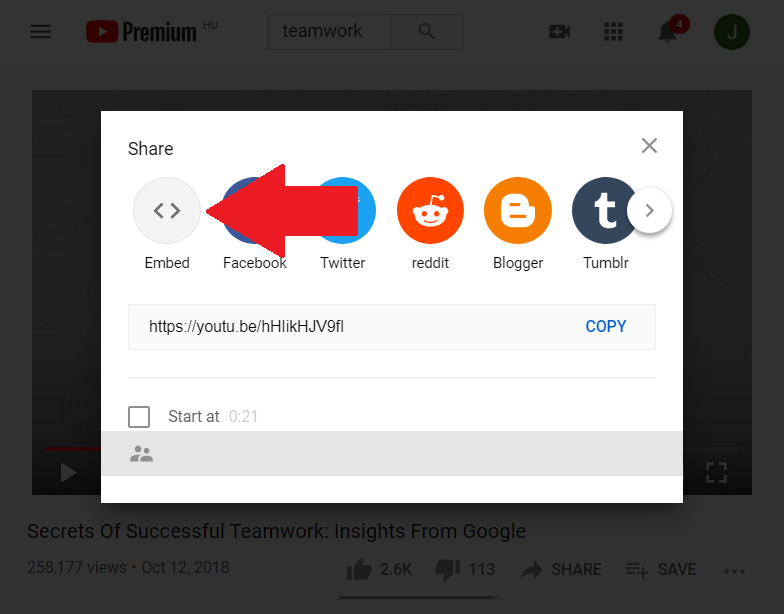
1.) From the Youtube platform, click on the Share button under your video.
2.) You will see a list of sharing options. Select the "Embed" option by clicking on it.
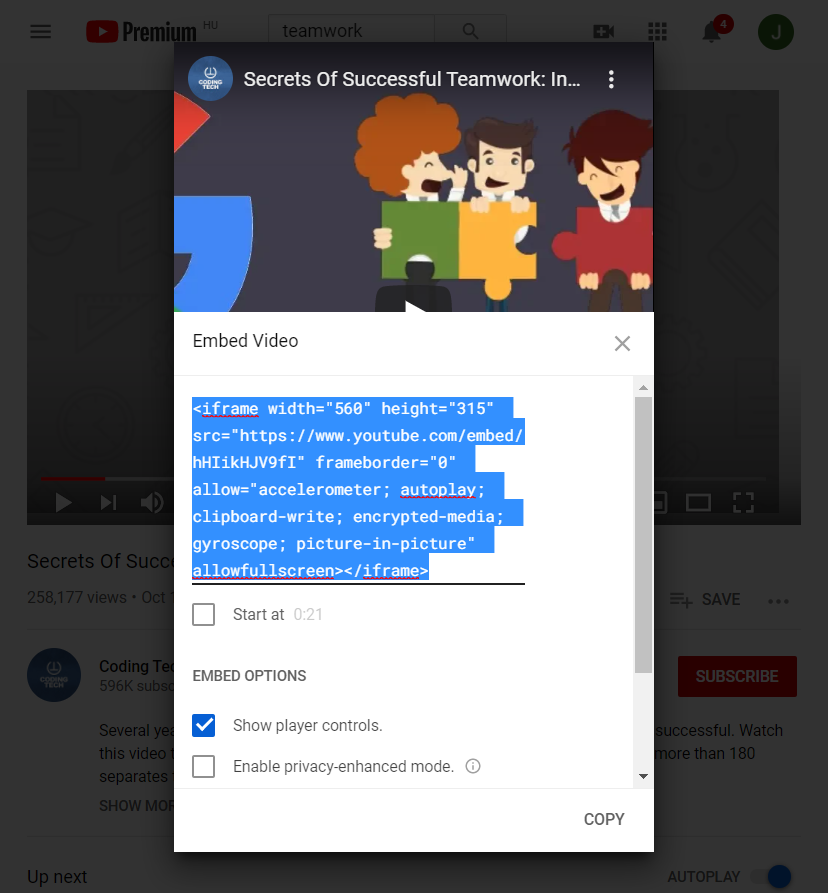
3.) The HTML content for video embedding is displayed, which you need to copy.
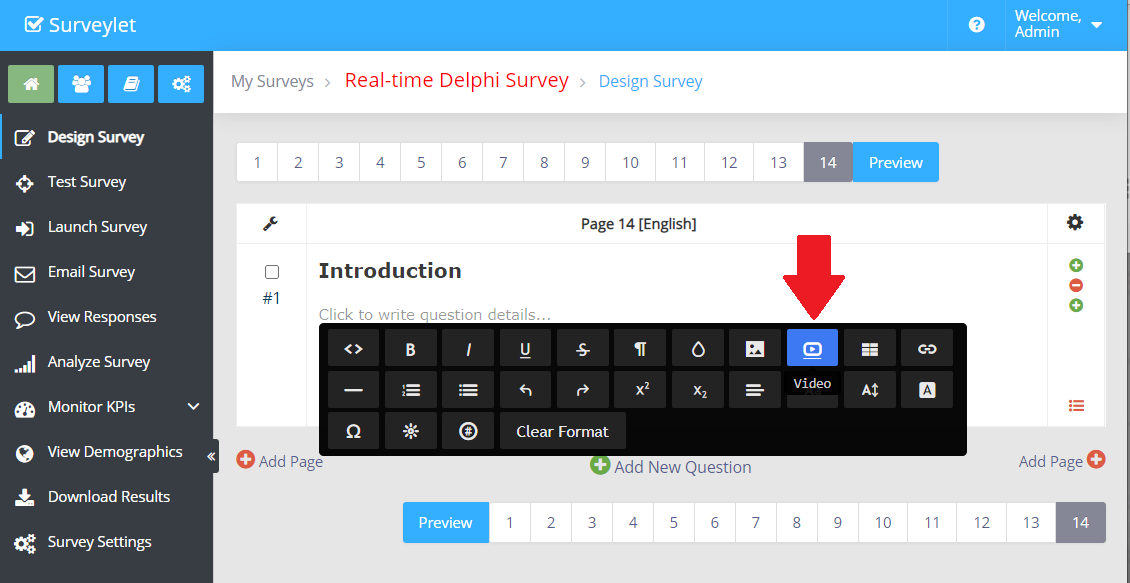
4. In you Surveylet account, navigate to your question which will host the video. Double click on the Question Description block to bring up the air toolbar. Click on the Image icon.
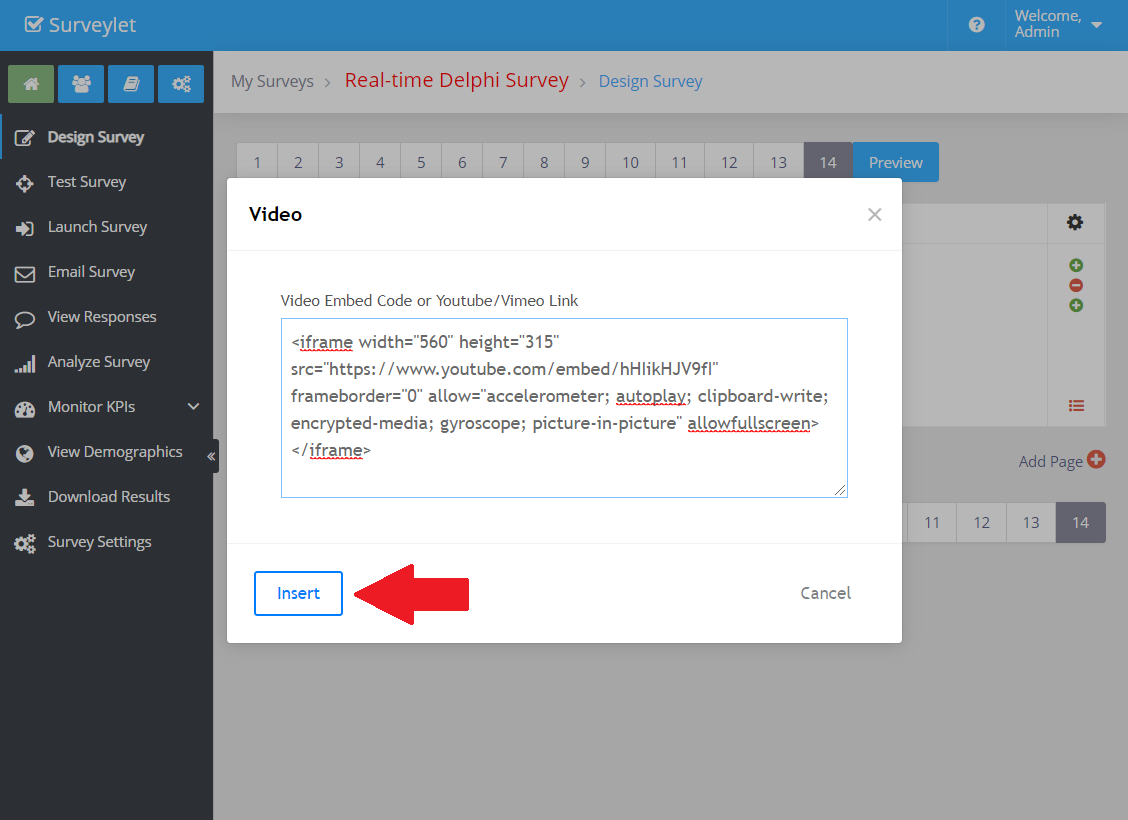
5.) The video embed code window is displayed where you now paste the HTML embed code you copied on the Youtube.com website earlier. Click insert.
6) The video will appear in your page.
7.) You can also see the HTML code you pasted if you look at the HTML source by clicking on the </> in the air toolbar.