
For participants · Participant
Read group feedback and comments
Understand the available feedback tabs and why some results may be hidden or delayed.
Screenshots illustrate the controls below. Layouts and labels may vary with your survey configuration. Select an image or “View full size” to open it in a new tab.
Previous-round feedback and your current answers
In Multi-round Delphi, previous-round results and comments can be displayed while you work on the current round. Your own previous answers may also be shown for reference. These displays are separate from your current-round submission record.
After reviewing the feedback, save the page to submit your current answers, including answers you decide to keep unchanged. Follow the study team's instructions about which items need another rating.
When feedback becomes available
First answer the question and click Save or Next. Feedback may appear only after enough other panelists have answered, and only if the study team has enabled it.
In Real-Time Delphi, feedback reflects the current round’s collected answers. In Multi-round Delphi, it reflects the previous round. The first round may therefore have no previous-round feedback to show.
Read the feedback tabs
| Tab | What you may see |
|---|---|
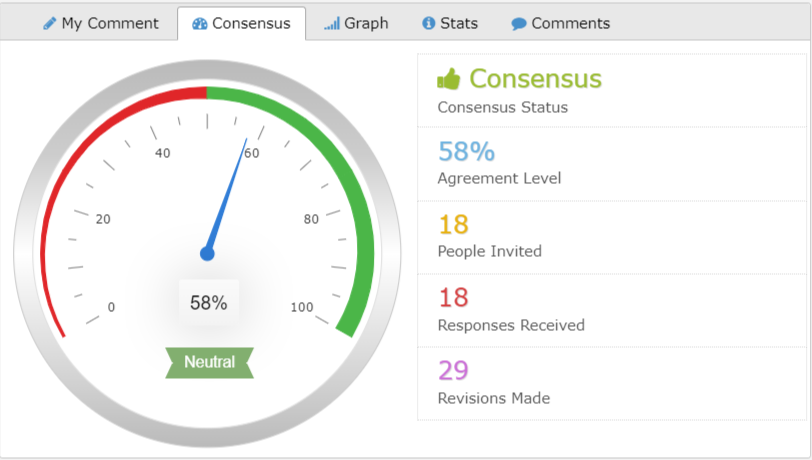
| Consensus | The configured group result, status, and agreement measure. A displayed score does not necessarily mean the acceptance threshold has been met. |
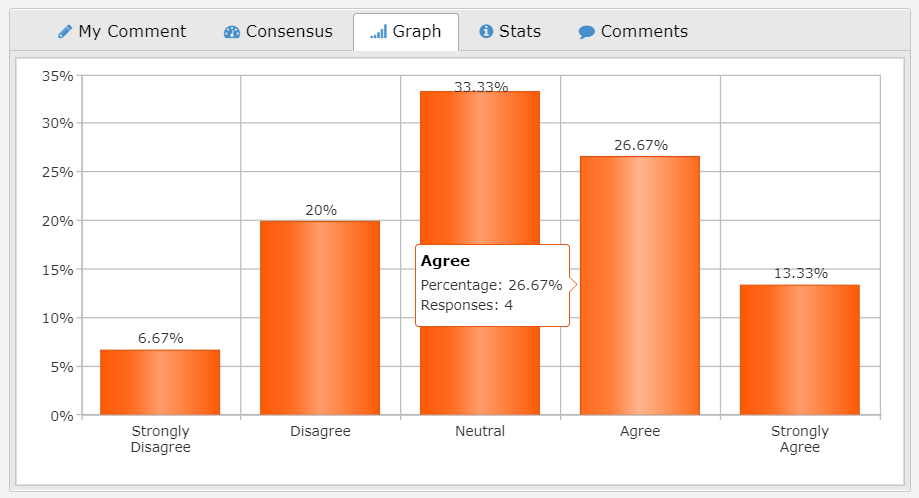
| Graph | How ratings or selections are distributed. |
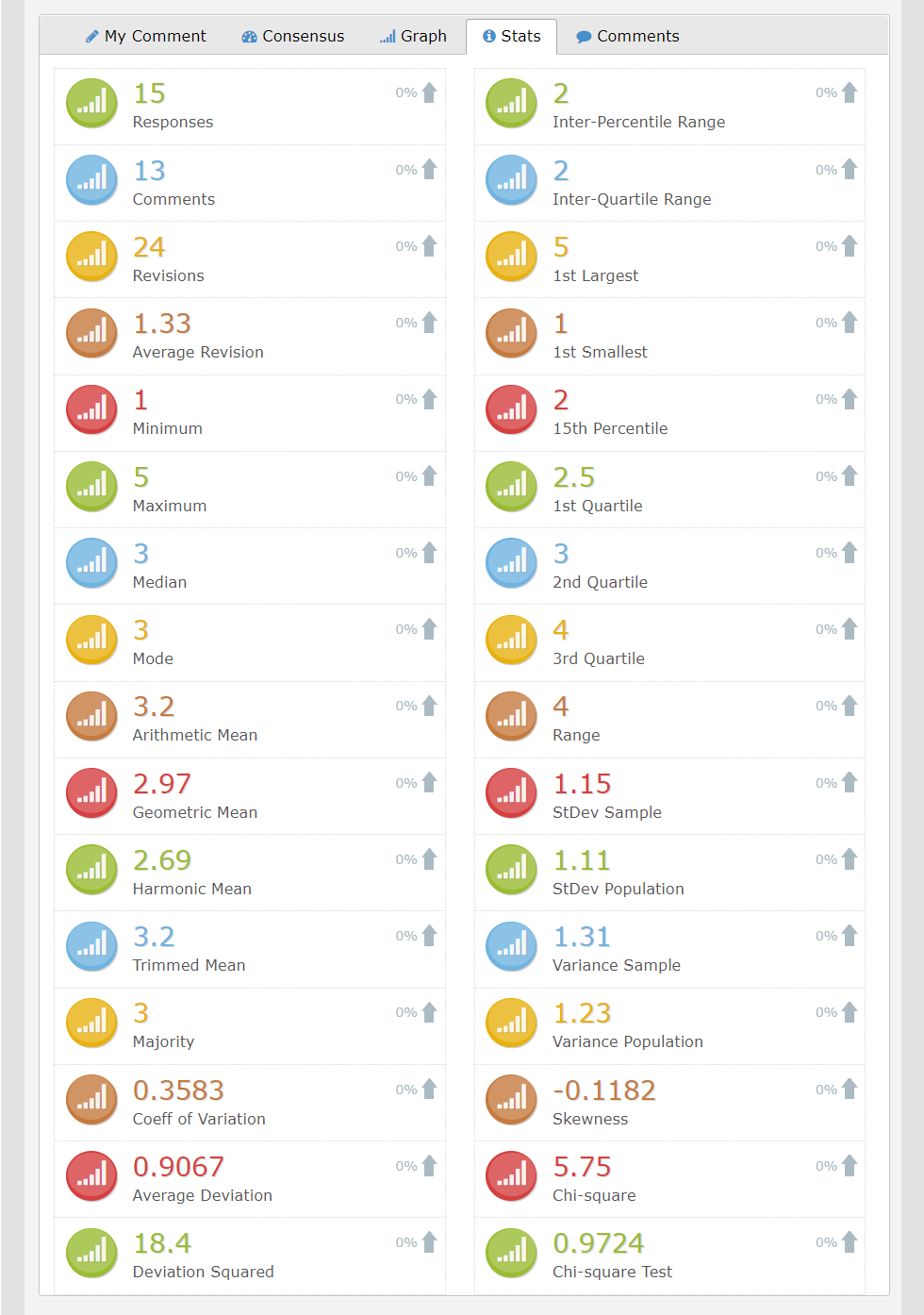
| Stats | Statistics the study has chosen to display. |
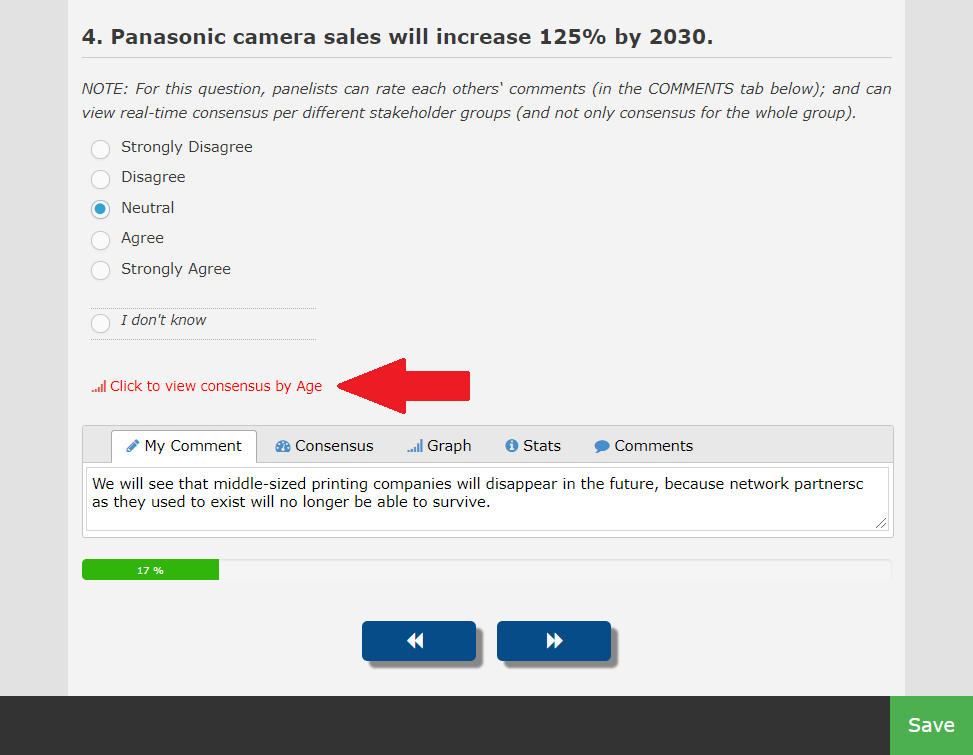
| My Comment | Your explanation, where comments are enabled. |
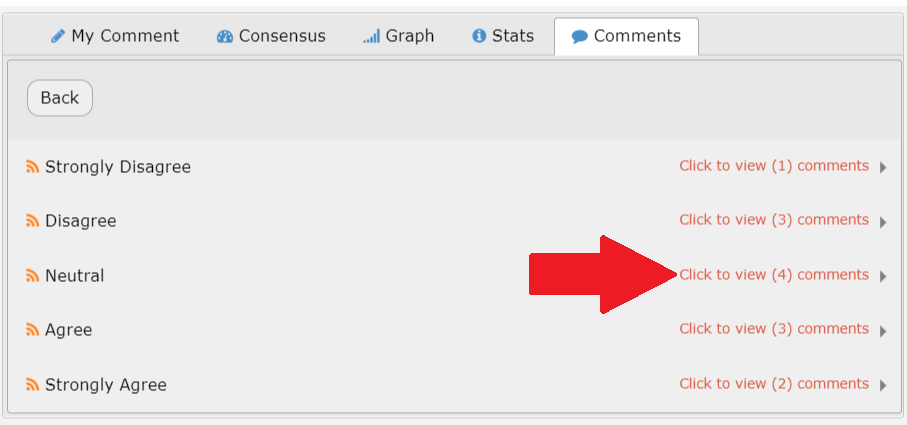
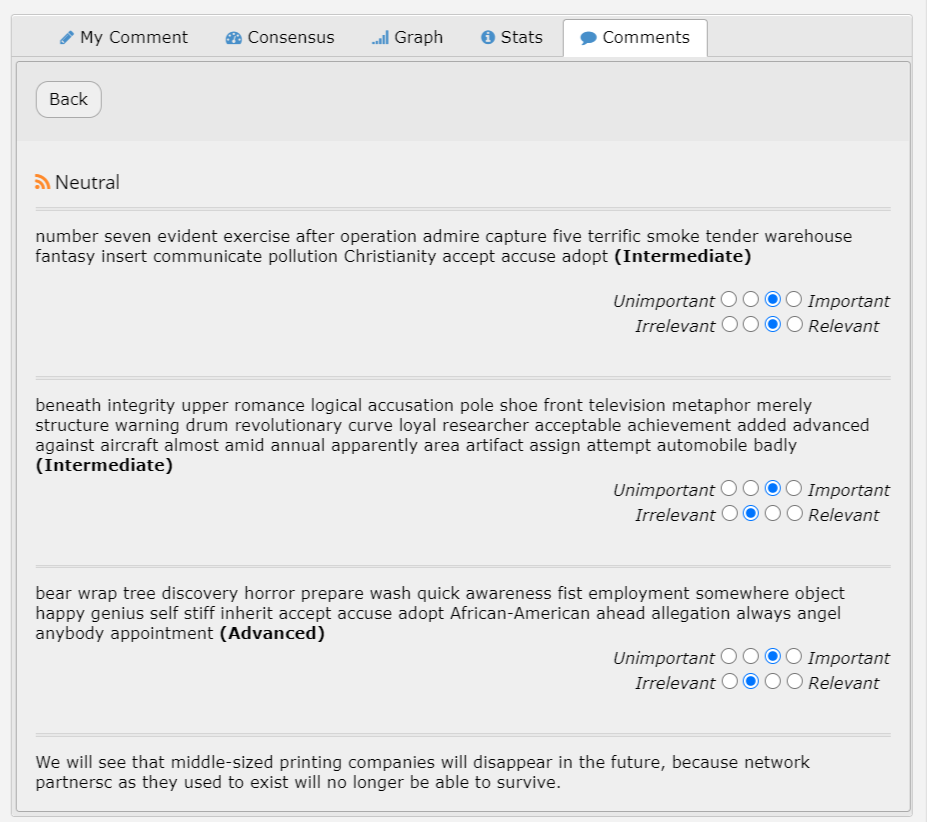
| Comments | Other panelists’ reasoning, subject to the study’s privacy and language settings. |
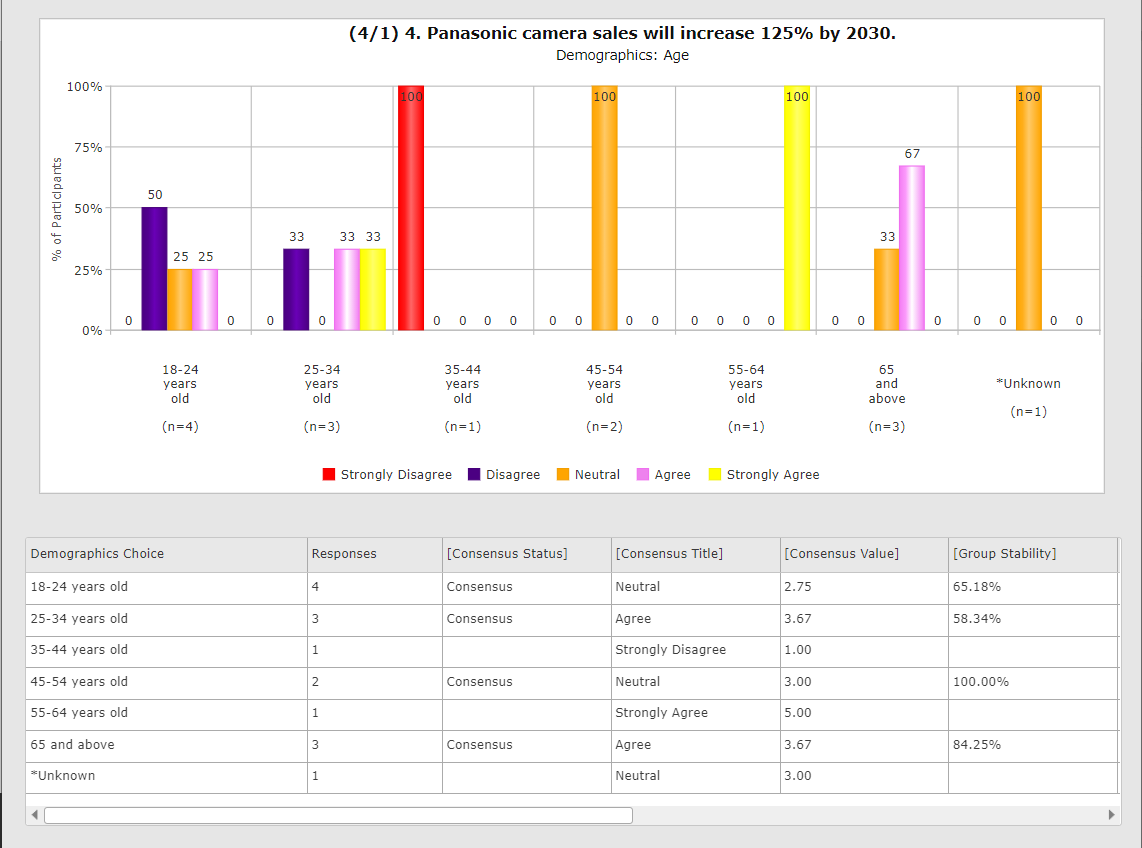
| Stakeholder feedback | A subgroup comparison, where enabled. |
Some studies hide counts, show percentages only, or use different labels. Do not infer that missing tabs mean your answers were not recorded.

More screenshots and examples (3)
Decide whether to revise
Consider the distribution and the reasoning behind other views. Keep your answer if it still reflects your judgment, or change it if you have a reason to do so. There is no requirement to agree with the majority simply because its answer is displayed.
When revising, save the page. If a comment is required, explain the reasoning for your current answer. Comments may be visible to the panel; avoid names or identifying details unless the study specifically requires them.
Comments and private messages
My Comment is part of the question response and may be shared as feedback. Chat, where enabled, is communication with the study administrators rather than with the other panelists. Use Chat or the study contact for access problems and clarification requests.
More screenshots and examples (3)
Common questions
Why can’t I see any charts?
The study may not show charts, too few people may have answered, your answer may not yet be saved, or Multi-round feedback may not yet be available.
Can everyone see my name next to my comments?
That depends on the study’s privacy configuration. Even where names are hidden, text you write may identify you. Ask your study team about the intended privacy arrangements.