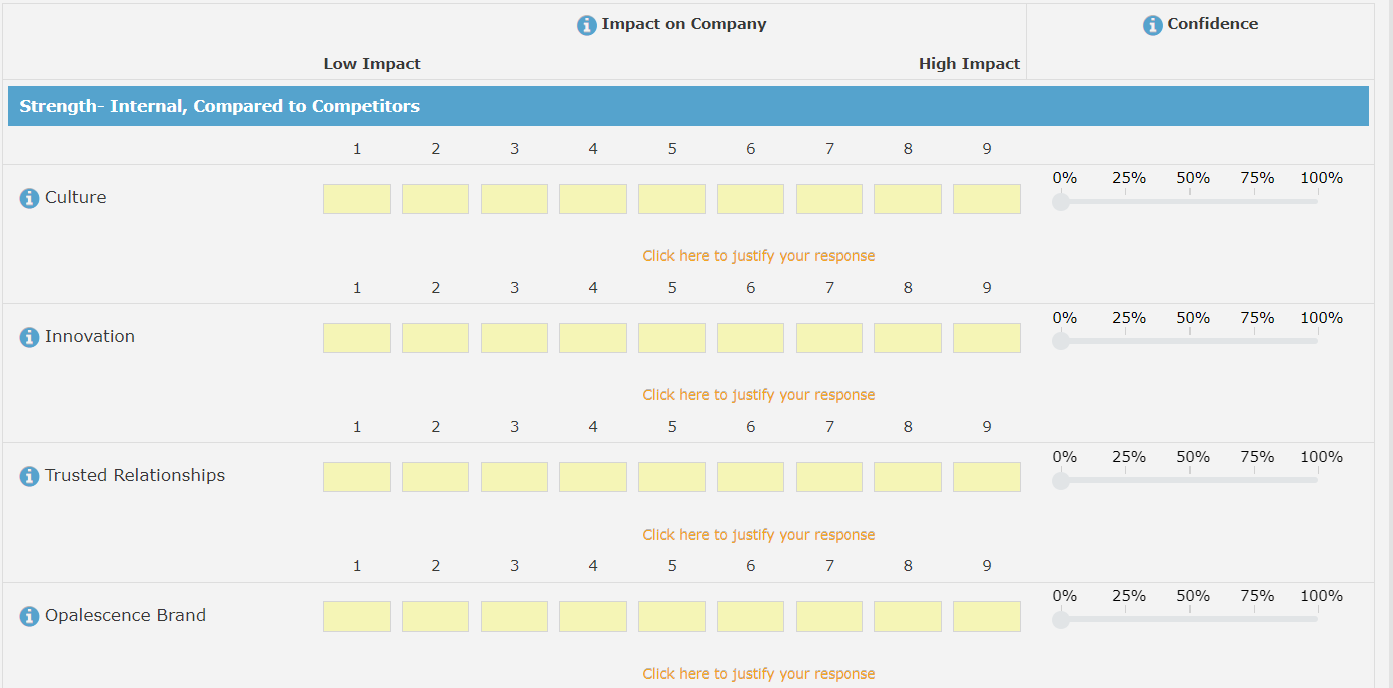
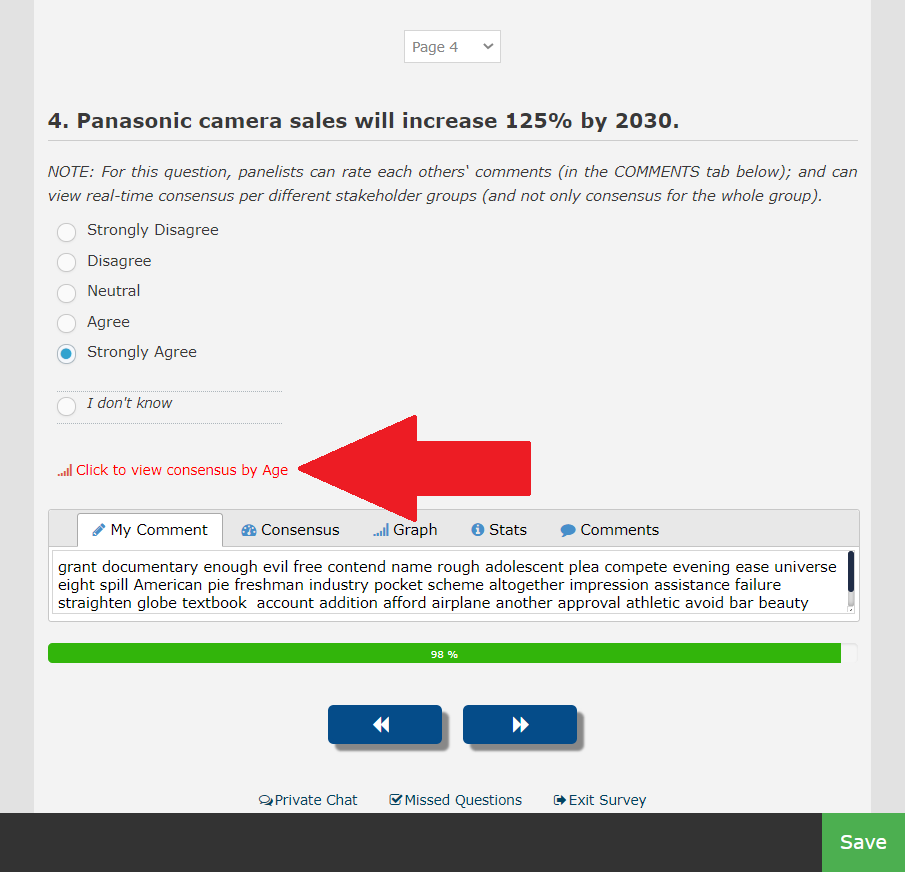
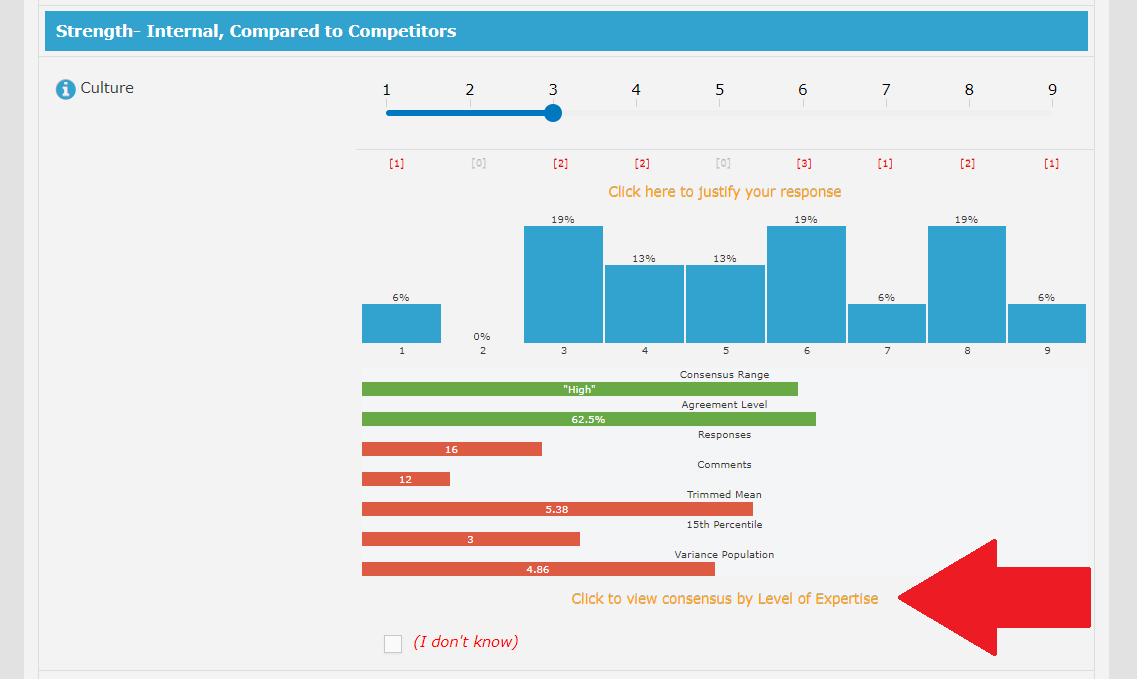
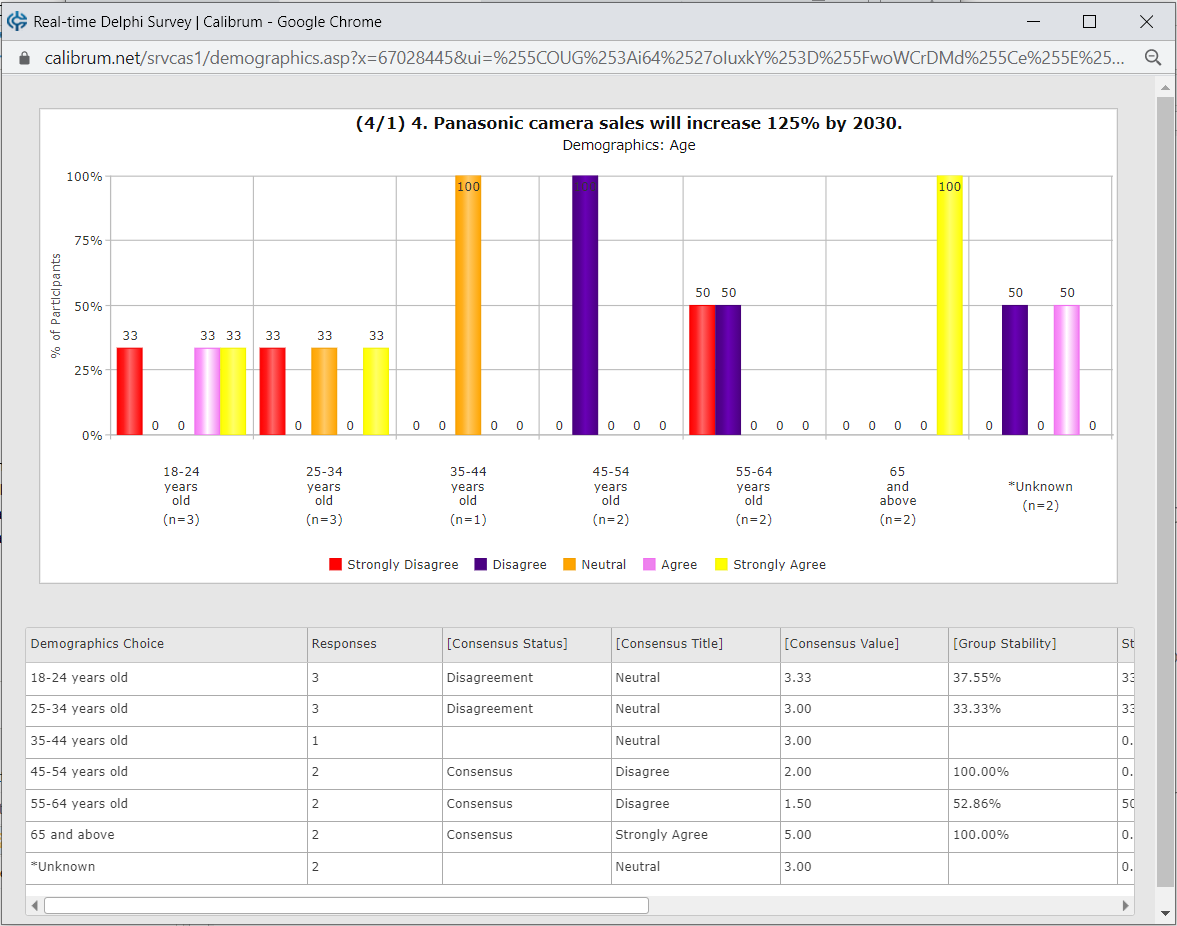
Screenshots illustrate the controls below. Layouts and labels may vary with your survey configuration. Select an image or “View full size” to open it in a new tab.
Detailed instructions: Question Settings
IMPORTANT: making any changes to your survey questions will be automatically reflected in your live survey. Your changes such as deleting choice, matrix row, matrix column or changing question type are not be reversible and will cause unrecoverable data loss. Therefore, proceed with caution when making any changes if your survey is already launched and participants are already providing input.
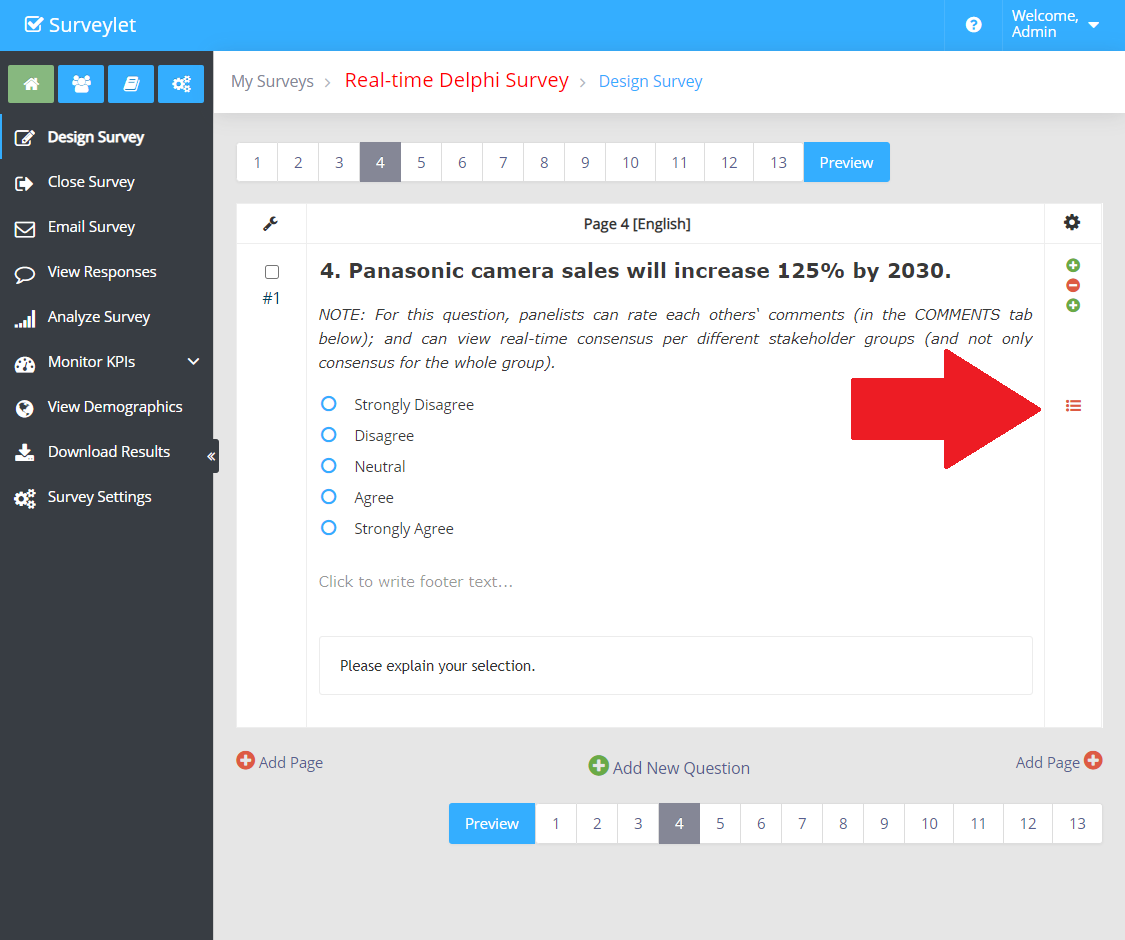
To access settings, click on the red hamburger menu on the left as shown below:
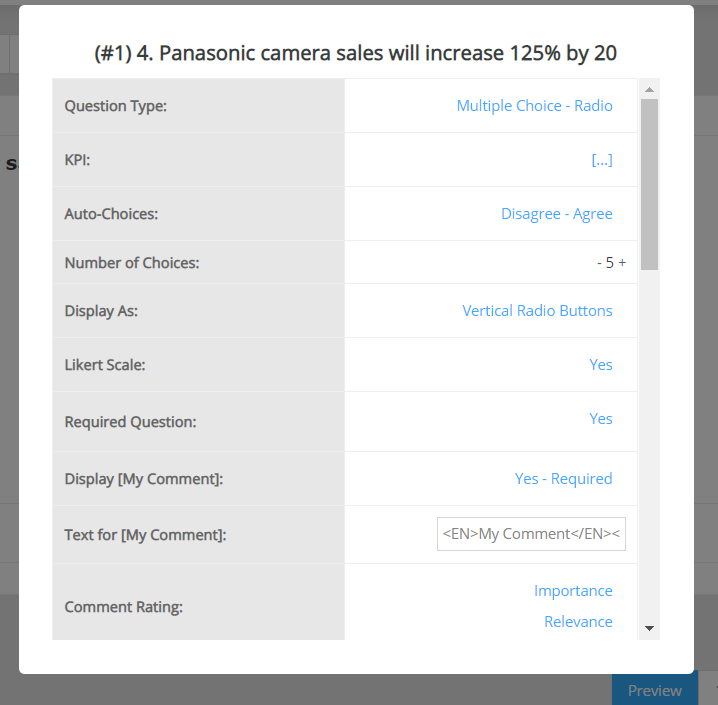
Below is the full list of all settings available. Since question settings vary by question type, some may not be available when you look at the question settings window.
Question Settings Popup Window (example):
There are many more question settings that can be displayed in a question's Question Settings window. The full list of all available question settings are listed below. Note that the list of question settings available for a question varies by question type; so depending on the question type you may see different settings in the Question Settings window.
1. Question Type
The type of the question. You may change it at any time, however, it may result in losing existing answers you collected from your respondents and may not be reversible. It is safe to proceed within the same Question Category but not from one question category to another. For instance, you can change from radio button question to combobox, or checkbox and vice verse. You can even change from a radio button to a ranking question; but you may lose responses if you change a radio button question to a Matrix question, or to an open text question. Your changes are reflected immediately in live surveys. See
Question Types.
2. KPI
The KPI your question is assigned to. KPI's allow you to group one or more questions together and track their valuation over time and run trend analysis on them such as descriptive, correlation, forecasting, predictive and prescriptive analytics. KPIs you configured are listed here in the KPI dropdown. To configure KPIs, visit the
KPI Library page. You may assign the same KPI to one or more questions. We recommend that you do not assign the same Demographics KPI to multiple questions in the same survey. Once a question is assigned to a KPI, the KPI will be available and selectable from the
View Demographics page.
3. Auto-Choices
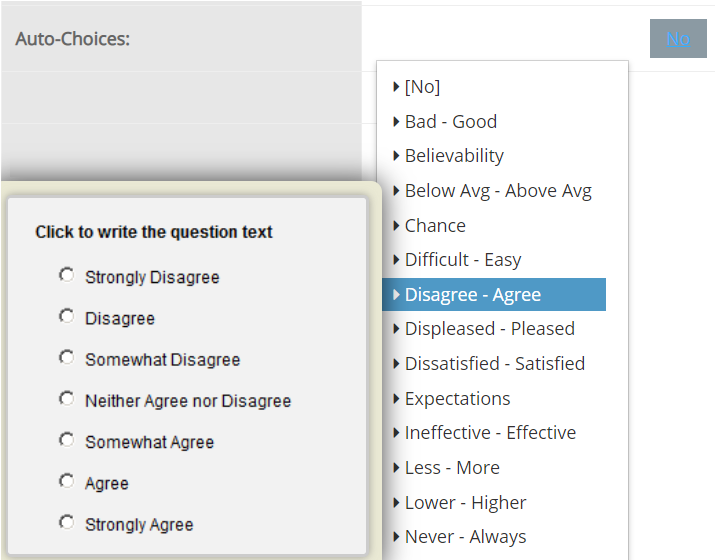
You may automatically populate the choice list for a rating scale question with a list of predefined choices with the help of the Auto-Choices option. This is a useful option for frequently used Likert scale questions. The available choices are organized in different Liker-scale categories as shown below. When Auto-Choice is set, the Likert scale option for the question will also be set to 'Yes'.
4. Number of Choices
To increase or reduce the number of choices for the question. When the Auto-Choice option is enabled, the choices will automatically re-render with the proper wording on each Likert scale point.
5. Display As
This settings is available for Radio Question type where you can select if you are using vertical or horizontal list of radio button choices or sliders. (To display sliders in Matrix Columns, the following question setting also needs to be set: Question Settings > Display Visual Charts > Yes)
6. Likert Scale
To indicate if the question is a Likert scale question. When set to Yes, the Consensus Method is automatically set to the default Mean, and the Group Consensus option is automatically set to Coeff of Variation.
7. Required Question
Make question a required question.
8. Display [My Comment]
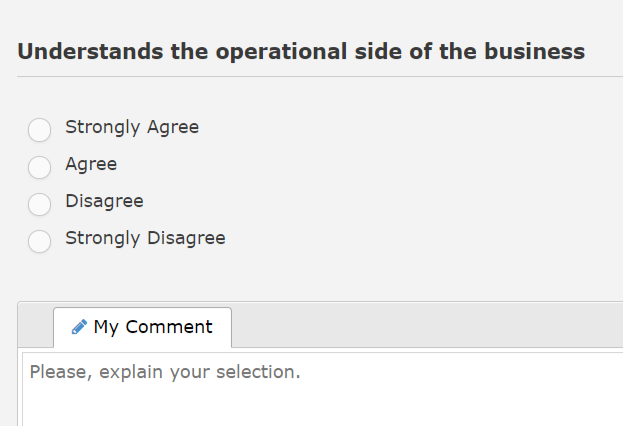
If you want to collect reasoning behind participant's response, set it to Yes, and a textarea control will appear under the question allowing the input of text of unlimited length. Using and displaying the My Comment block could bring you important information regarding participant's views on the topic at hand.
There are 3 options available:
"Yes": the My Comment box will be displayed (and it will be optional for panelist to fill out My Comment).
"Yes - Required": the My Comment box will be displayed and it will be required for panelist to fill it out regardless which choice the panelist selected.
"No". the My Comment box will not be displayed to panelists.
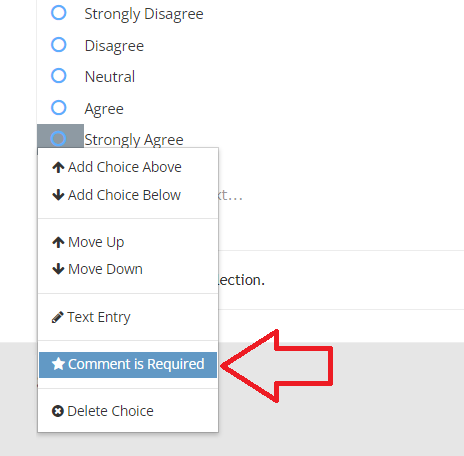
You can tie the Required flag of the My Comment box to specific choices, so panelists will need to explain their selection if they picked a choices where the Comment is Required flag is turned on. In the original Delphi technique, panelists were required to explain their decision only if they selected any of the the extreme choices (top, bottom), but with Surveylet you can specify which choices will force users to leave comments. To do so first set the "Question Settings" > "Required" > "Yes". Also, set the "Question Settings" > "Display [My Comment]" > "Yes". Then for each choice you want user to comment on, set the "Comment is Required" flag as shown below:
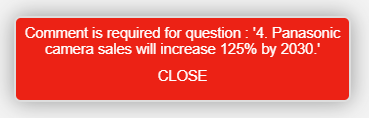
If panelist selects an option that requires comment, Surveylet will display the following error message:
If you click on the "Comment is Required" flag, it will read "Comment is Optional" which you can toggle.
9. Text for [My Comment]
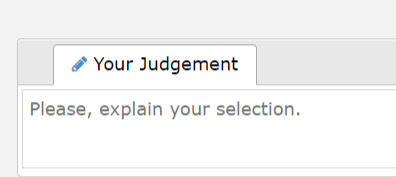
Sets the default label for My Comments. If nothing is specified, the default will be "My Comment". In the following example, "Your Judgement" is set as text for My Comment.
10. Comment Rating
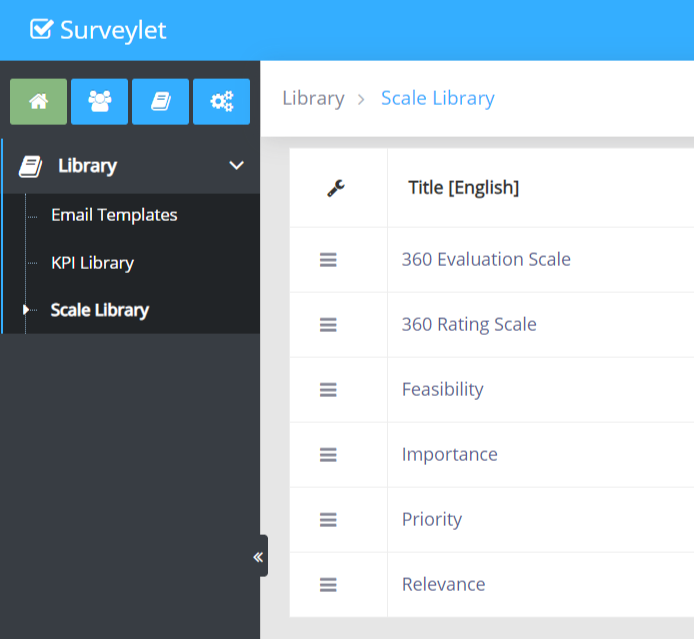
To allow participants to be able to rate other participants' comments, you will use this option. There are two available scales you can use for comment rating. Question rating scales first need to be set up in the Library >
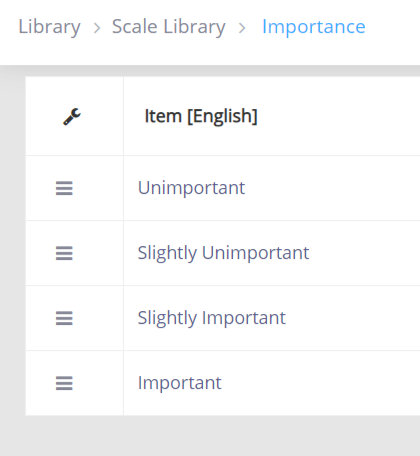
Scale Library. In the following example, there are 4 rating scales set up (Feasibility, Importance, Priority, Relevance). You may add any rating scale with any number of points. Comment rating is not a threaded discussion, panelists can simply rate other panelist's comments through one or two Likert scale s; no direct interaction is allowed between panelists. Comment rating analysis is displayed only to the administrator, panelists cannot see ratings from other panelists. You can assign up to 2 rating scales to each question (or matrix column).
The Importance rating scale is set up with 4 points from negative to positive (which is the standard format in Delphi surveys). You may add as many Likert scale points as you please.
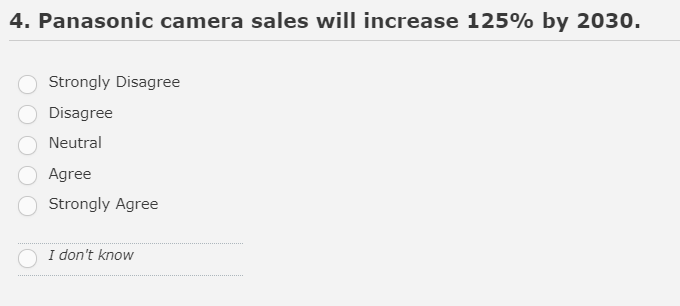
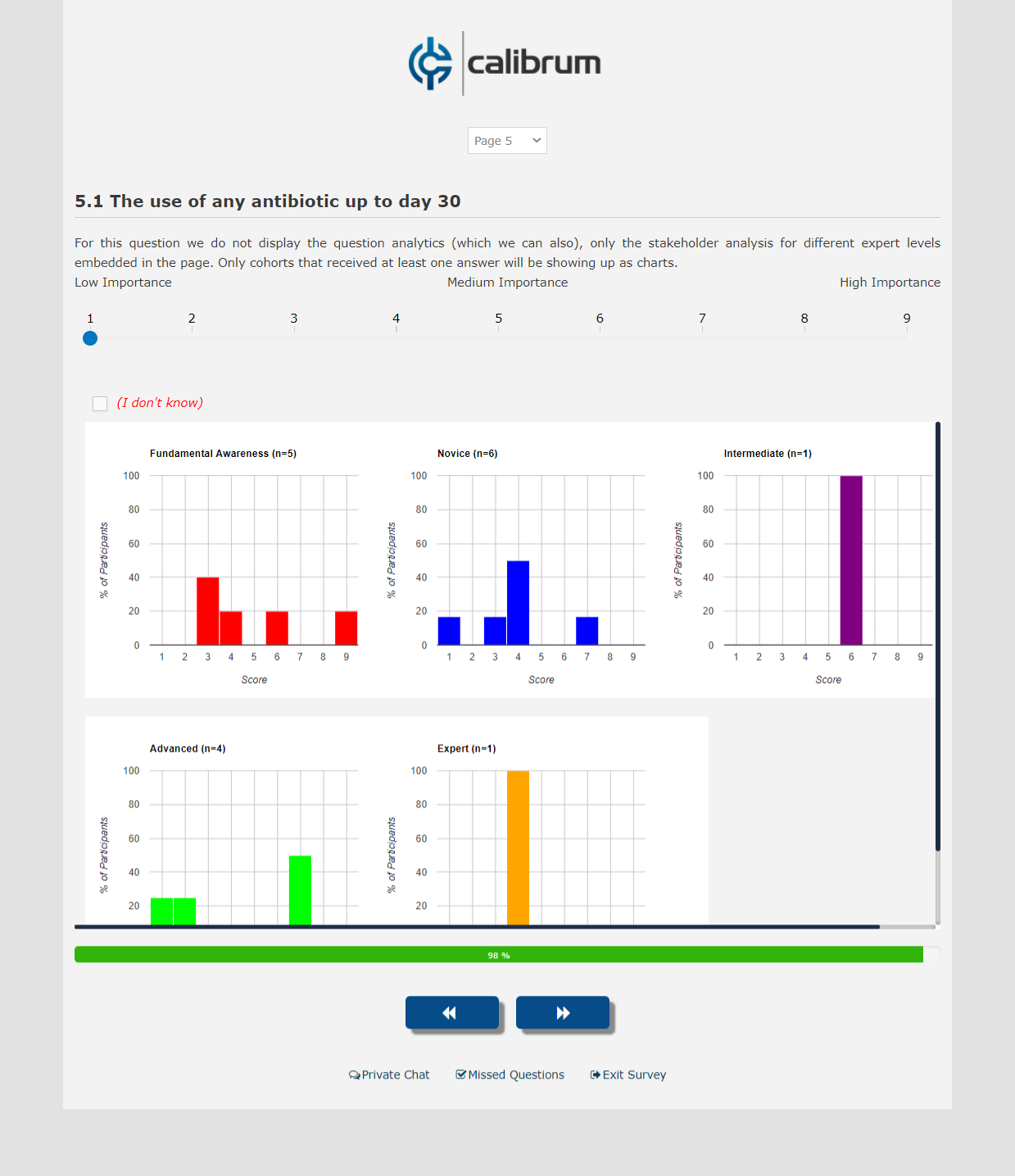
11. Display [I don`t know]
If you want your participants to opt out of a question and be able to specify that they are not familiar with the question topic, set this option to Yes; and it will display the "I don't know" option as the very last choice for the question in a section separated from the rest of the choices. The [I don't know] option is a virtual option, meaning that it is only displayed during run time, and is visible or displayed to the admin at design time, only visible in Preview Mode. Using this choice will prevent your analytics from being skewed with the extra choice, so your results will be OK. You may only display a single [I don't know] option as a virtual option.
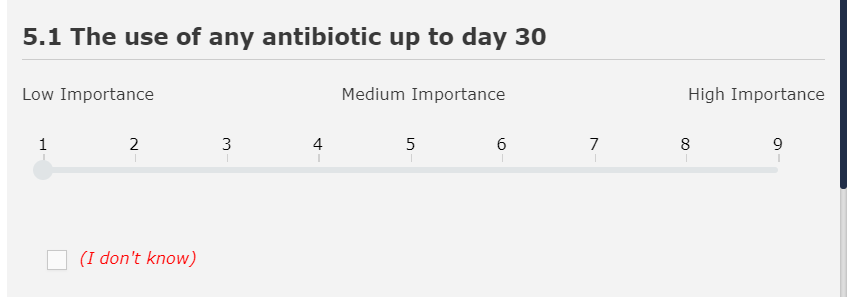
In a slider, the [I don't know] option will be displayed under the slider. The color of this option is red by default which you can override in the survey's
Style Sheet settings.
12. Text for [I don't know]
If you set the "Display [I don't know]" option to Yes, you can override the default text that is displayed to panelists.
13. Range Label
Range Label is the text that is displayed on top of horizontal radio button list or above a slider. In the below example, we are adding 3 ranges of importance (Low Importance, Medium Importance, High Importance) on top of a slider.
The Range Range settings accepts a list of items separated by comma:
14. Adaptive Question
Adaptive question is a question whose list of choices are not fixed and new choices can be appended by the survey participants themselves with the use of a text choice ([Other, please specify") option. To set a choice as text choice, in the Question Designer, just select the "Text Entry" item in the choice menu which will show if you click on the blue circle in front of the choice title as shown below. To hide that textbox, you will need to do the same which will toggle its visibility (hide/show) for you.
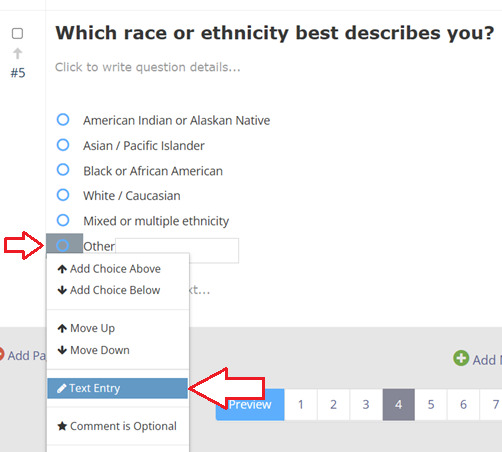
For adaptive question to work, you will also need to have one of your choices set as a text choice so it can accept text input as custom choice from panelist. The adaptive question settings can be used for Radio Button, Checkbox, Numeric Ranking questions and Matrix questions. In matrix questions the adaptive flag is available only for matrix row; the adaptive choice will be shown as last matrix row with a textbox and its value will be added as a new matrix row. For Radio button and Checkbox questions, you need to also designate one of the choices as a Text Choice (from Choice Settings window); for the Numeric Question type, only the Adaptive question setting flag needs to be set and a new empty record is appended as last choice for the question and displayed to panelists during runtime.
Example of use:
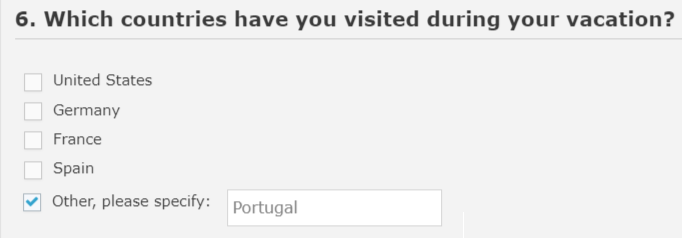
a) Panelist first checks the checkbox in front of the [Other, please specify] text choice and enters a text in the textbox:
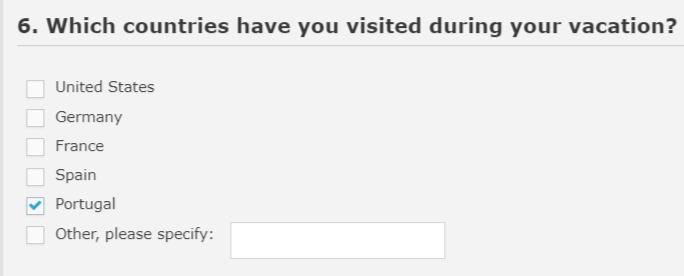
b) After the panelists saves the answer, it will show up as a new choice as the last position before the text choice:
Notes:
-
You may only display one text choice for a question, but panelists can repeat the process and save multiple new options one at a time. You may want to add some notes regarding this in the footer text of the question.
-
If a custom choice already existed among the choices, then no new choice will be created, and the already existing choice will be marked as the participants' answer.
-
Newly added adaptive choices are not ordered alphabetically; the new text choice will be appended as the last choice for the question.
-
Adaptive choices can also be exported as a new choice to one or more questions on one or more pages. See Adaptive Source Question settings below.
-
When a new matrix row is added through a panelist's response to an adaptive question, the survey progress for all panelists are recalculated automatically and may change. This can cause confusion to panelists as they will be seeing their progress suddenly decrease, hence a prior team notification or heads-up could be useful and is recommended so they can be aware of this event during the surveying process.
15. On Click
Specify what happens after the participant selects any of the question choices:
-
No Action: nothing happens.
-
Submit Page: the page is submitted and all answers for all questions are saved. Participants are taken to the next page.
-
Save and Refresh: the page is submitted and all answers for all questions are saved. Participants are not taken to the next page but they will stay on the same page. This option is useful in Delphi surveys as the participant can only see the consensus analytics and group feedback for a question if he or he has already answered that question. Using this option you can make sure that the panelist doesn't just go through the survey without being able to look at the question analytics, but will stay at the page. Only for the first time panelist answers the question will the page be submitted, any clicks afterwards will not submit the page but still saves the panelist's answer and comment without having to specifically click on the SAVE button.
16. Randomize Question
Add question to the list of randomized questions. Questions are randomized per page, and not across all pages. You can either set randomization to Yes or No. The randomization will occur by scrambling the order of questions on page.
17. Randomize Choices
Besides being able to randomize list of selected questions (see #16 above), you can also randomize all choices for individual question. You first need to set this option and then select each choice for randomization. The available options for choice randomization are:
-
No: no randomization will occur.
-
Flip Order: the order of will be descending or ascending, the relative position of choices from each other will not change, only the order so they are displayed either from top-to-bottom, or from bottom-to-top. This can be used with Likert scale questions where the ranking of each choice must be the same, but you may still flip the list up and down randomly.
-
Scramble Order: the actual ranking positions of selected choices will be randomized. This option should not be used with Likert scale scale questions.
Note: Text Choice is not randomized and will stay as last choice on choice list.
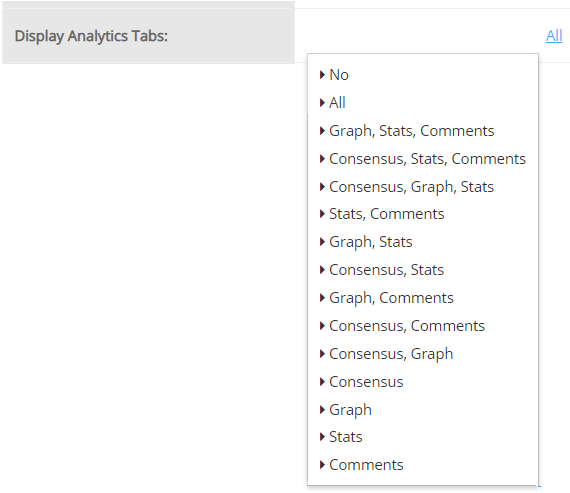
18. Display Analytics Tab
By default the analytics is displayed for a question after the participant provides an answers and save it. You can determine which part of the analytics is displayed to the participant, or not displayed at all.
There are 4 different analytics tabs that can be shows to the survey participant under the question:
-
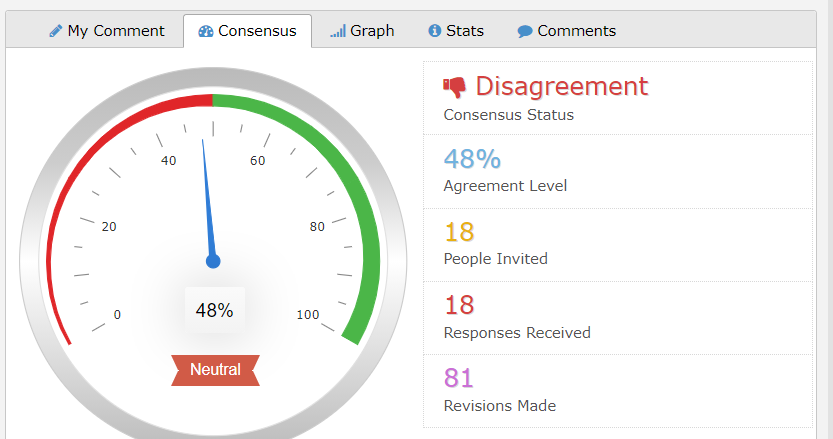
Consensus: displays consensus-related analysis
-
Graph: displays distribution of answers
-
Stats: displays selected statistical measures
-
Comments: displays all comments collected from all panelists
Each question can be configured to show different tabs. For numeric entry questions, the Graph distribution tab is not shown.
For Open text questions, only the Comments tabs can be shown.
19. Minimum Responses to Display Analytics
The minimum number of responses required for the analytics to be displayed. Until a certain number of panelists responds to this question, no group feedback, consensus analytics and comments displayed is shared with the team.
20. Weighting Column Rank
(Available only for Matrix columns). In a matrix question, you can designate a Likert scale column as a source of weighting (for instance a Confidence column) using the "Weighting Column Rank" column settings. If this option is set, the target column value will be adjusted proportionally based on the confidence value panelist selected under the confidence column. The weighting column must be a Likert scale column otherwise weighting will not work.
Example: the first matrix column in our matrix is the "Impact on Company", the second is "Confidence". We set the [Weighting Column Rank] option to "2" for the "Impact on Company" column (i.e. the Target column), where the "2" refers to the position of the Source column ("Confidence" column) which in this example is the 2nd column.
21. Statistics to Display
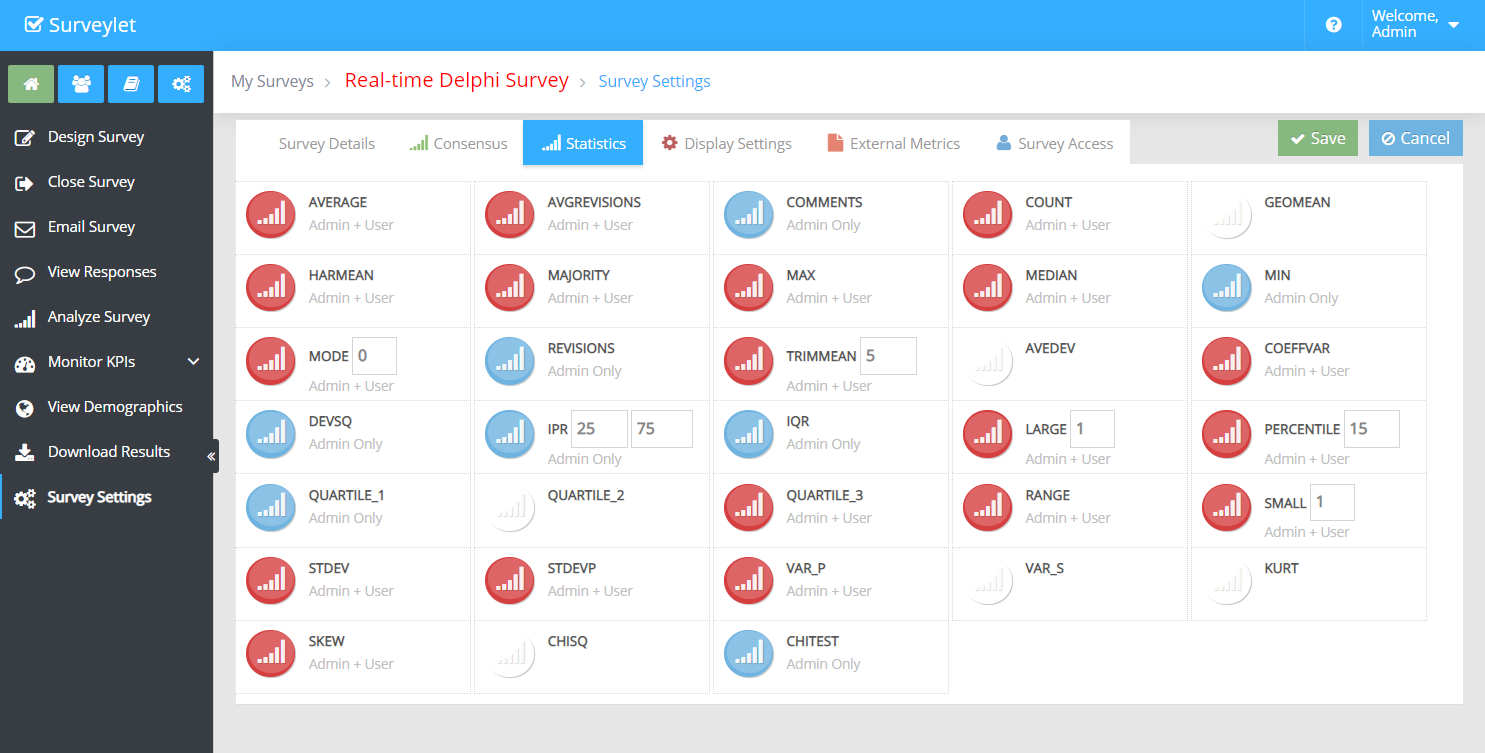
The list of statistics to be displayed on the Statistics tab. This is the sublist of statistics you choice on the Survey Settings > Survey Display > Statistics tab. If a statistics is not picked at the survey level, it won't be displayed for the question, even if you list if here for "Statistics to Display". You must use the name of statistics as appears on the Statistics tab in Survey Settings (e.g. DEVSQ,HARMEAN,COEFFVAR):
21. Display Demographics Report
To display stakeholder analytics (demographics analytics) report for a question or a matrix cell. A list of available demographics KPIs are displayed from the dropdown list; select the one you want to run the analysis for when the panelist clicks on the link:
Standard Questions:
Matrix Questions
To configure and add new demographics KPI's visit: Library > KPI Library > Demographics Categories. Read more about
KPI Library.
22. Text for Demographics Report
If the Demographics Report (aka Stakeholder Analysis report) is displayed to the panelist, you can specify the text that will be displayed and hyperlinked to them. See red arrow in above screen which points to that text.
23. Demographics Report Style
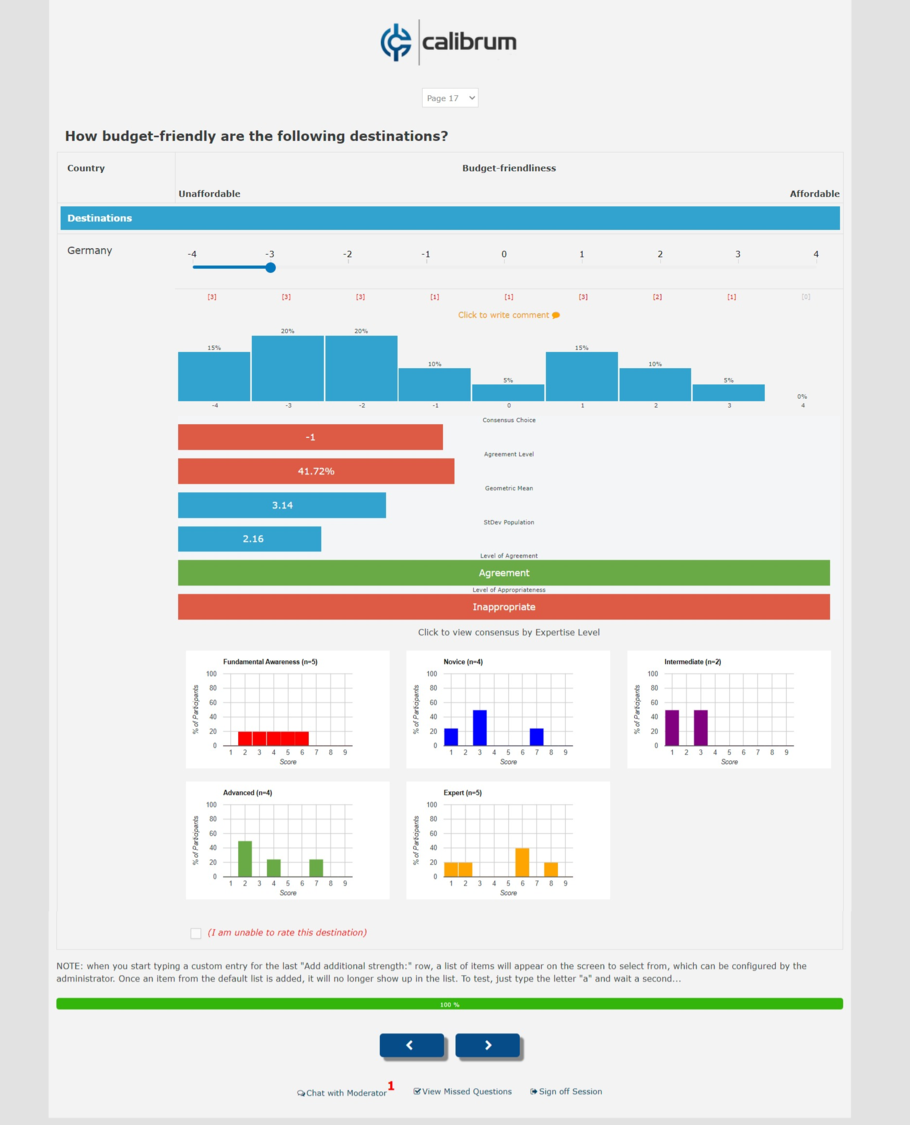
By default consensus analysis and feedback is calculated by all responses provided by all people answering the question; and it is displayed under the question. However, you may want to display consensus analysis per different demographics cohorts (e.g. by job role, by level of expertise, by gender, by age, etc) so panelists can see how different subgroups made decisions. This report is also called "Stakeholder Analytics Report". This 'Demographics Report Style' setting requires that you first select a report for the
Display Demographics Report setting above. If no report is selected, no demographics report will be shown. You have two ways to display the selected Demographics Report: either "Popup Link" which will show as a popup window, or "Embedded Charts" which will not be a popup but will be shown as part of the page.
a) Popup Link:
This option displays consensus and distribution data in visually and in a gridview. Both the visual display and the grid data can be streamed back in real-time.
b) Embedded Charts:
This option only displays distribution statistics. No real-time streaming is currently available for embedded charts. No consensus analysis data is displayed with embedded charts.
Standard Question:
Matrix Question:
24. Adaptive Source Question
Used with
Adaptive Questions. A custom choice provided by panelists through the 'Other, specify' text choice can be exported to one or more questions. The Adaptive Source Question settings is used to specify that this question will import the adaptive choice from source question. While the source question must be of adaptive question type, the target question does not need to be adaptive to be able to import adaptive choices. Adaptive choices are imported as last choice on the choice list. To be able to see which choices were provided by panelists and which choices were predefined, use colors for preexisting choices, or any HTML commands that your panelists cannot duplicate.
25. Include in Progress
By default all questions that accepts user input are automatically included in progress calculation. Progress is a percentage value indicating the percentage of questions filled out by the panelists from the available questions. The available questions are the questions where the "Include in Progress" is set to Yes. This is useful for optional questions where panelists may not enter input; or maybe used were question hiding or page hiding options make it possible that certain questions are not visible to users therefore those should be excluded from progress calculation. Common problems are when panelists complain that their progress is not 100% even though they responded to all questions. Most likely that they didn't provide data to optional questions or they skipped questions. To view progress per panelists, go to View Responses page, or Download Results and use the "USERS: SPSS" report.
26. Consensus Measure
The statistical measure to calculate group consensus: Mean, Mode, Median, Majority, Range 3, Range 4, Range 5, Range 6.
Read more.27. Stability Measure
The statistical measure to calculate group stability (level of agreement) for question. Stability Measure is ignored for Range Consensus.
Read more.28. Stability Threshold
A numerical value from 0-100 that specify the threshold needed for consensus to be established for question. Default is 50%, meaning that if group consensus is greater than 50 there is a consensus (agreement among experts), otherwise there is disagreement. If there is bipolar or multi-polar consensus, it is marked as disagreement.
Read more.29. Visibility
You can remove questions from the displayed questions list so these questions will be hidden from panelists' view, but administrators will still be able to see and run evaluations on them. Besides entire questions including Matrix questions, you can also also set Visibility of Matrix Rows individually from the Matrix Row Settings window. This settings only affects visibility level panelists.
Available options:
a) Visible: question will be visible to panelists
b) Locked: question will be visible to panelists but will be read-only and can't be edited by panelists. They won't be able to edit their own answer to this question either.
c) Hidden: question will not be displayed to panelists. If you do not want to delete a question (which also wipes out responses provided for those questions), setting the Visibility of questions to "Hidden" would be a better option.
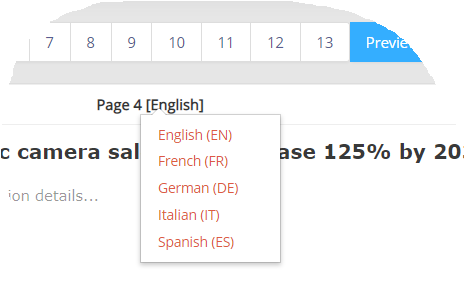
Survey Design Language
In a multi-lingual survey, make sure you select the right language as all text you set in the Question Properties window will be applied to the currently selected language. To change the language you are using to setup your survey, use the Language Selector dropdown on top of the designer on the Design Survey page: