
Run the study · Administrator
Manage rounds and snapshots
Choose whether a new round starts empty or copies answers, and understand what a round does—and does not—preserve.
Screenshots illustrate the controls below. Layouts and labels may vary with your survey configuration. Select an image or “View full size” to open it in a new tab.
Preserve Round 1 when changing or resetting Round 2
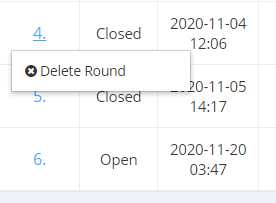
Do not delete Round 1 to clear Round 2. Deleting a round also deletes all later rounds. Deleting Round 1 therefore removes Round 2 and any subsequent rounds as well.
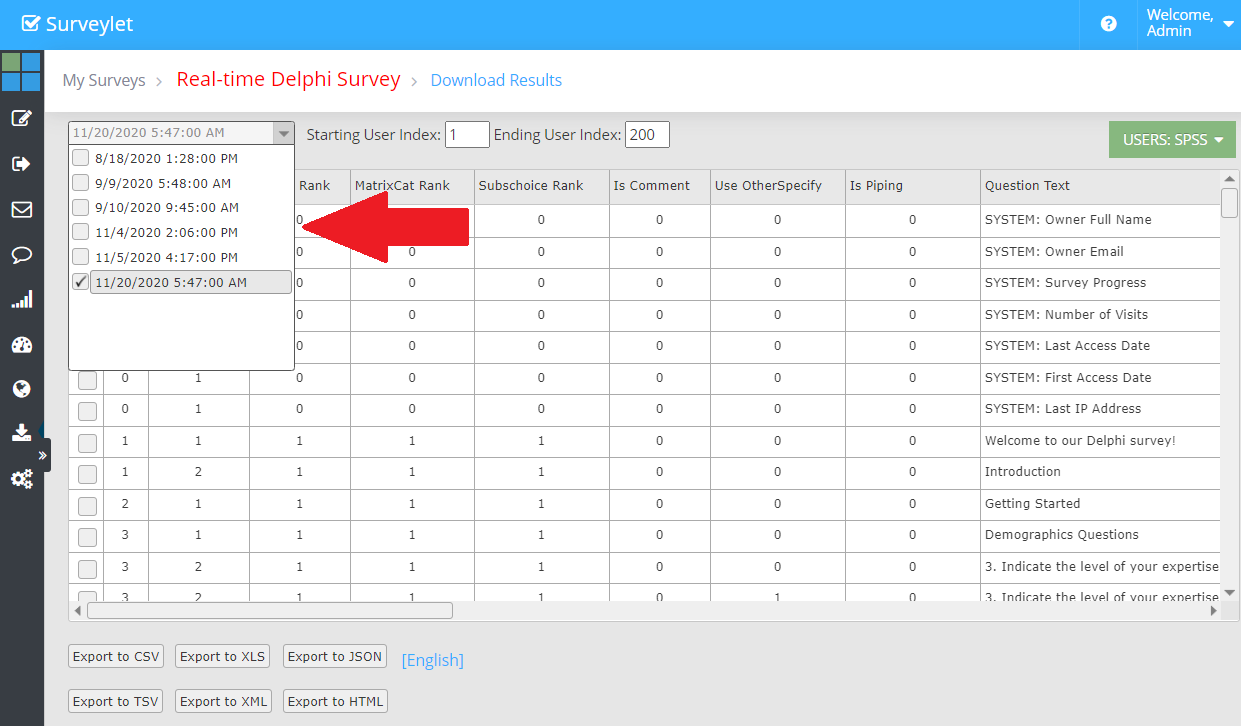
To remove responses from the current Round 2 dataset, open View Responses, select Round 2, and check the intended users and page scope. Include all pages if the aim is to clear the whole rehearsal. Confirm the selected round before deleting responses. Clearing response records is different from deleting the round itself.
For a rehearsal-only Round 2, you can instead delete Round 2 only and recreate it with Start New Round (No Answers). Do this only when Round 2 contains no live data you need and there are no later rounds to preserve. Export anything needed first. See the Round 2 testing procedure.
Start Round 2 with the right response history
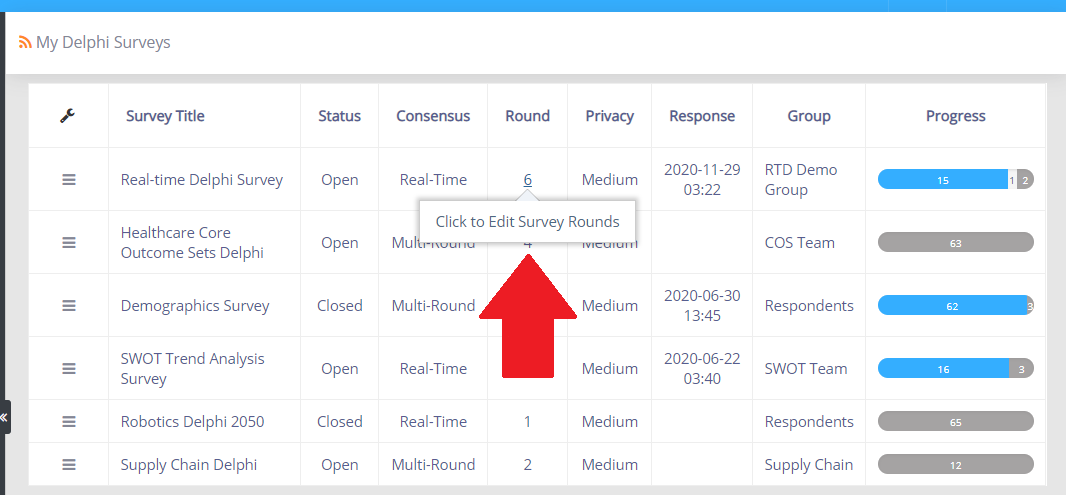
From My Delphi Surveys, click 1 in the Round column to open Survey Rounds. Choose the starting option according to whether Round 2 needs a fresh submission record.
| Starting option | Answers and timestamps | Participant progress |
|---|---|---|
| Start New Round (No Answers) | Creates an empty current-round response dataset. Previous-round answers can still appear to participants for reference in Multi-round Delphi. | Starts at 0%. Displaying a previous answer does not record a Round 2 response. Participants must save the relevant pages in Round 2. |
| Copy Last Round (with Answers) | Copies previous answers and their original timestamps into the new round. Records can therefore show dates from Round 1. | Carries the existing answered status and progress forward. A participant who was 100% complete can appear 100% complete before returning in Round 2. |
Choose Start New Round (No Answers) when you need to distinguish new Round 2 submissions from carried-forward answers. Copying with answers is appropriate when you intentionally want to carry the dataset forward, such as a Real-Time Delphi snapshot. Copied progress or old timestamps do not prove a participant revisited the new round.
Open Survey Rounds
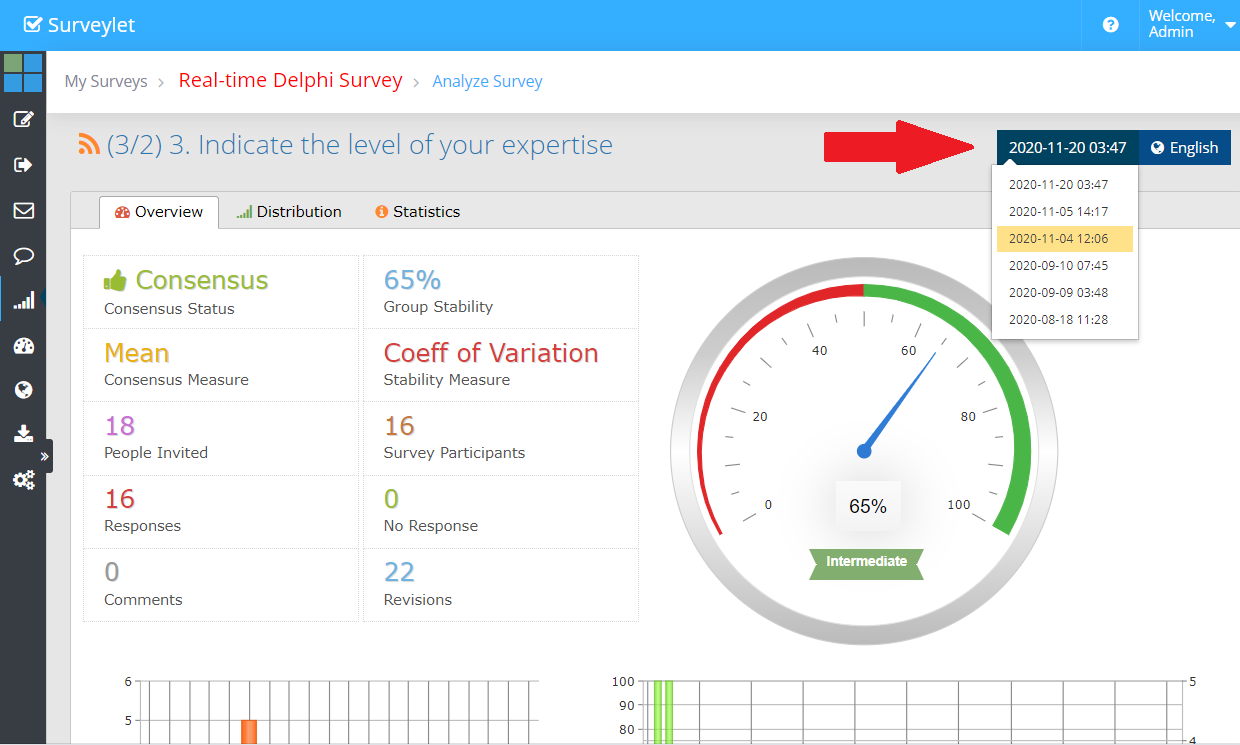
From My Delphi Surveys, click the number in the Round column. Review the chronological round list before creating a new round. Participants can access only the most current round; administrators can select historical rounds for analysis.
A participant’s survey link is linked to the survey. When reused, it opens the current round rather than an earlier one. Give clear instructions when you ask people to return.
More screenshots and examples (1)
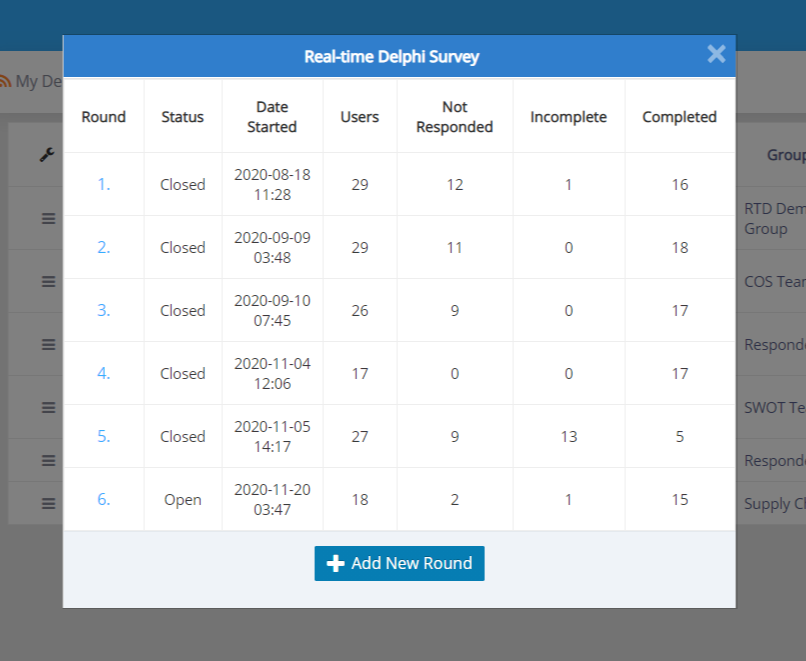
Choose how the new round begins
| Option | Data in the new round | Typical use |
|---|---|---|
| Start New Round (No Answers) | Answers are not copied into the new round. In Multi-round mode, previous answers may still be displayed as reference until replaced. | A fresh rating round. Distinguish reference values from newly submitted current-round answers. |
| Copy Last Round (with Answers) | Copies the previous round’s answers. They count in current analysis even if the participant has not revisited. | A Real-Time Delphi snapshot or a workflow that intentionally carries answers forward. |
Real-Time Delphi can use multiple rounds or snapshots. Multi-round Delphi shows participants the previous round’s feedback, while Real-Time Delphi uses current-round feedback. Administrators can inspect current data in either approach.

A snapshot does not version the design
Rounds preserve response data, not separate versions of survey questions. Editing question wording, choices, types, or matrix structure can affect previous rounds as well. Keep a separate record of the design used at each study stage.
A snapshot does not override the minimum-answer threshold for displaying feedback. That threshold is a separate question or matrix-column setting.
Deleting a round
Deleting a round also deletes later rounds. For example, deleting round 4 of 7 removes rounds 4, 5, 6, and 7. Export the relevant datasets before any deletion and do not expect the data to be recoverable.
Detailed instructions: Survey Rounds
Common questions
Do copied answers prove the person participated again?
No. Copy Last Round carries answers forward whether or not the participant revisits. Report new-round participation using the activity evidence required by your protocol, rather than copied completeness alone.
Does a new subscription mean I should create a new survey for round 2?
No. Existing study data remains available in the renewed subscription. Use the same survey and its round workflow unless the protocol needs a separate project. See the subscription guidance for response validity.
Why does Round 2 already show 100% completion and old dates?
It may have been created with Copy Last Round (with Answers). This carries answers, original timestamps, and progress forward. For a fresh submission record, use Start New Round (No Answers); preserve Round 1 and review the reset instructions before clearing any current data.
Why can participants see answers in an empty Round 2?
Previous-round answers may be displayed as reference. They are not recorded as Round 2 responses until the participant saves the relevant page, even if the answers remain unchanged.