Add people to the right group, understand shared membership, and avoid deleting answers when changing access.
Updated October 12, 2026
Screenshots illustrate the controls below. Layouts and labels may vary with your survey configuration. Select an image or “View full size” to open it in a new tab.
Create and populate the group
Open People → Groups and add a group with a descriptive name.
Keep it as a standard participant group unless its members should have administrator rights.
A user can belong to several groups. A participant group can be assigned to several surveys. Removing a user from a shared group can therefore affect access and collected data in more than one project.
Removing members, changing the assigned group, deleting questionnaires, and deleting users are different actions. All may affect data. Export the relevant datasets and check the full scope before removing anyone. Do not assume adding the person back restores deleted answers.
Stop emails without removing answers
If your aim is to stop sending notifications, use the email opt-out workflow rather than deleting the participant or changing group membership. The documented administrator opt-out action suppresses mail while preserving membership and existing data. A participant’s withdrawal or deletion request should be handled according to the study’s approved process.
Deleting a questionnaire does not itself remove the participant from the group: they may be able to return and answer again. The response-usage log is not reduced by deleting their data.
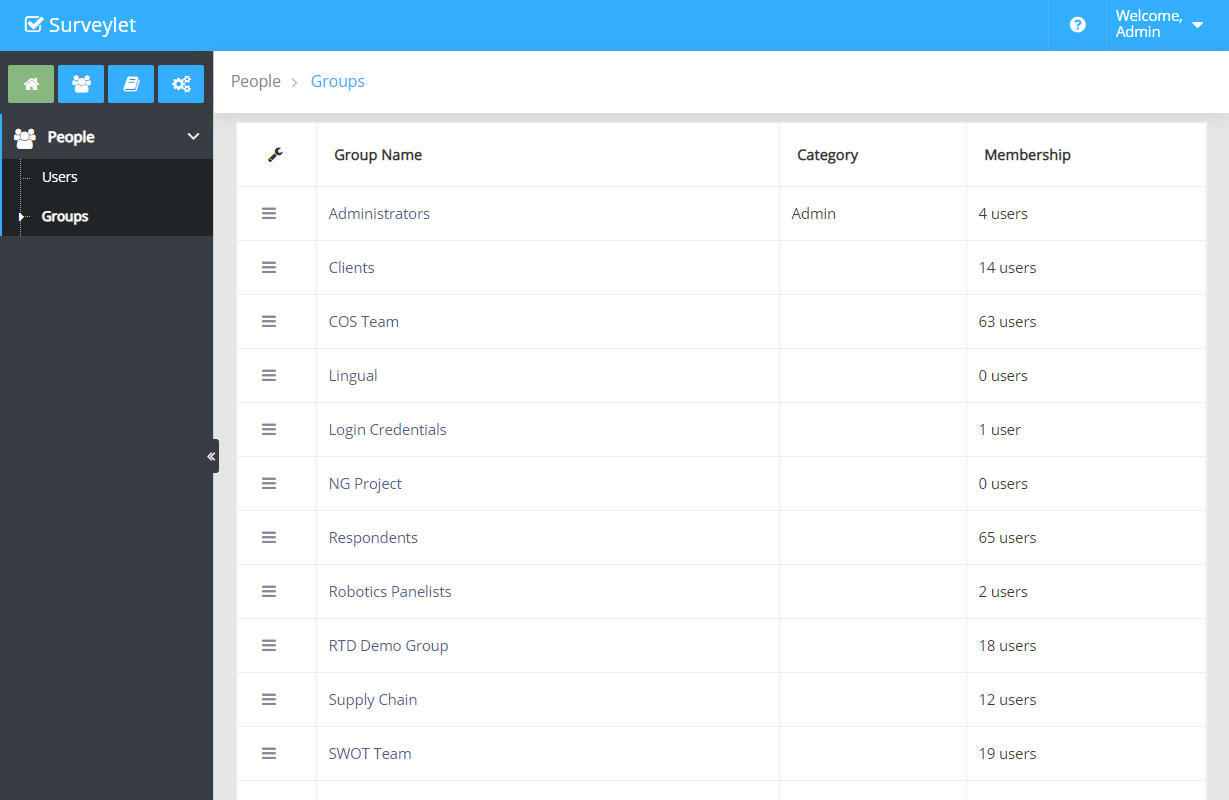
Groups are used to group together a list of Surveylet users and are assigned to Surveys as survey participants or survey administrators. You send emails to groups also. The same group can be assigned to multiple surveys so once you are a member of a group, you will have access to all other surveys as well.
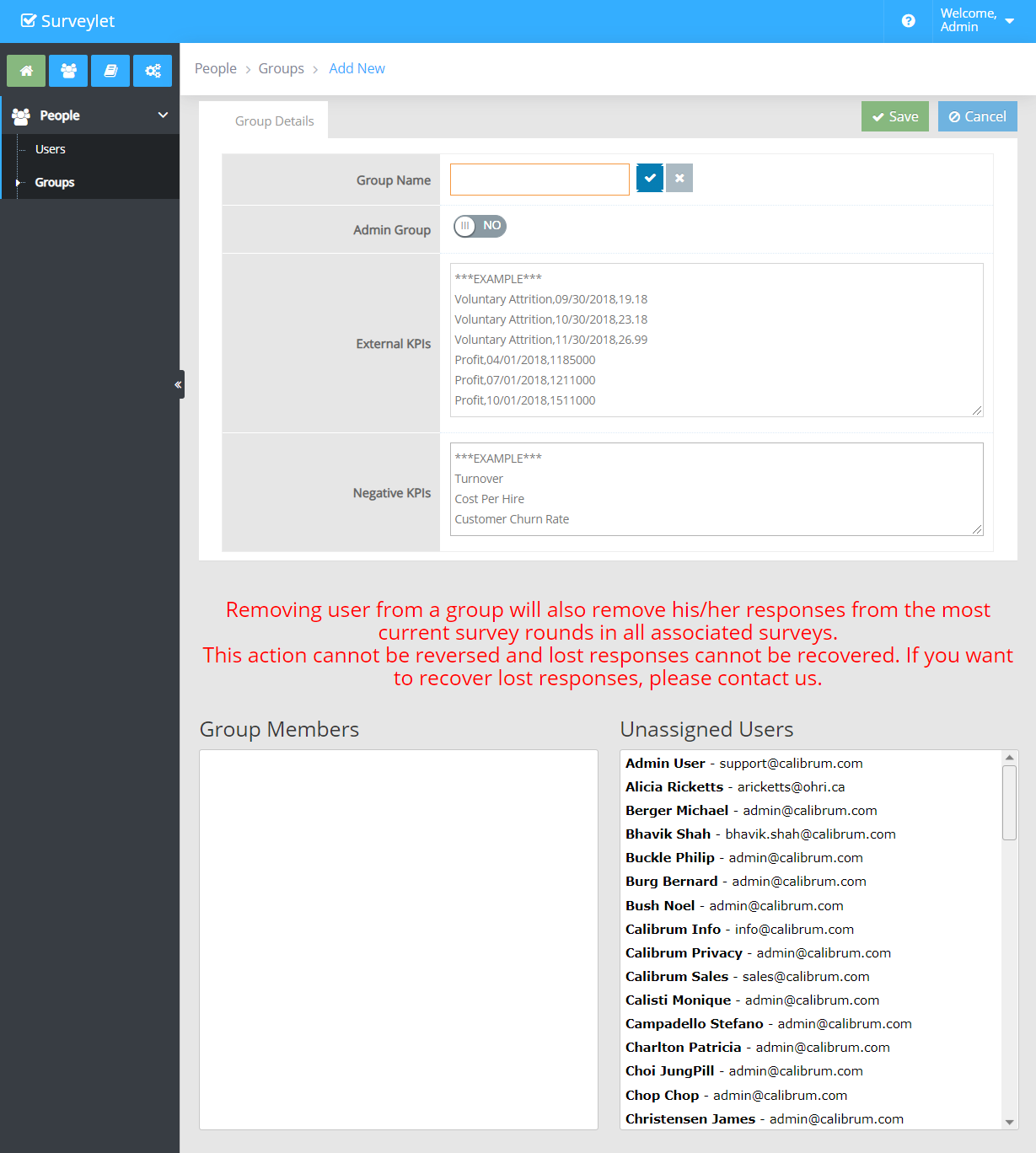
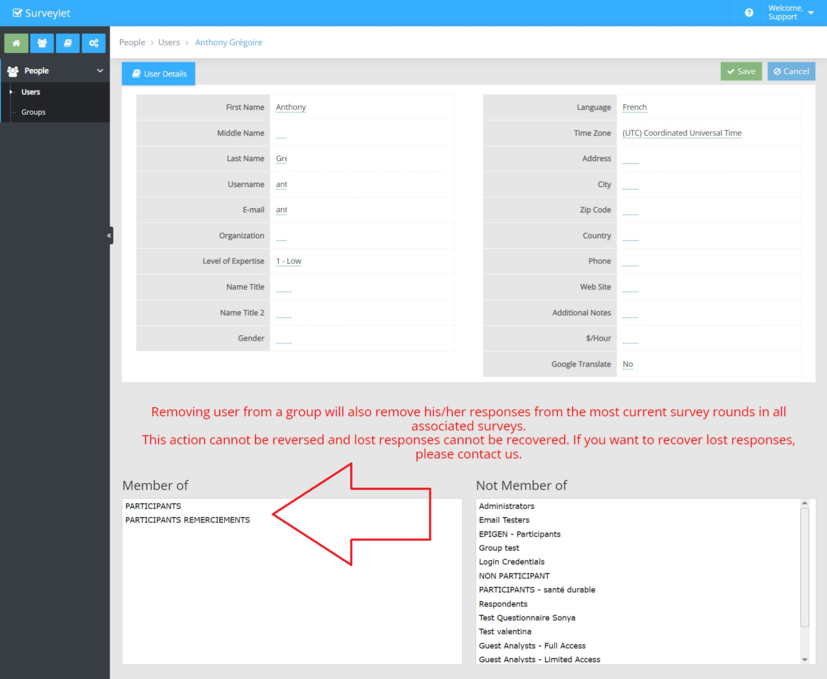
Removing user from a group will also remove his/her responses from the most current survey rounds in all associated surveys. This action cannot be reversed and lost responses cannot be recovered. If you want to recover lost responses, please contact us.
Group Name
Name of the group.
Category
Type of group:
Admin: administrative groups. Its members will be able to carry out survey and account management tasks (unless they are also added to the "Guest Analysts - Full Access" or "Guest Analysts - Limited Access" groups, which will prevent them from being able to administer surveys or the account). For more info, visit Survey Evaluators page.
System: system groups, cannot be modified. You may add/remove members to them if you have the admin credentials.
Standard: these groups have no special rights, the Category will be displayed as blank for them.
Membership
Number of users in group.
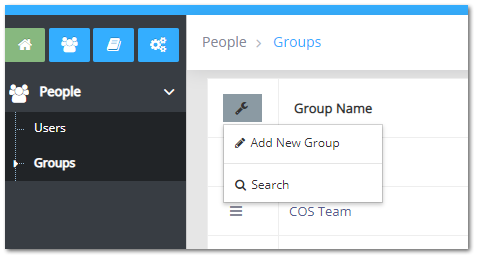
Create or Add New Group
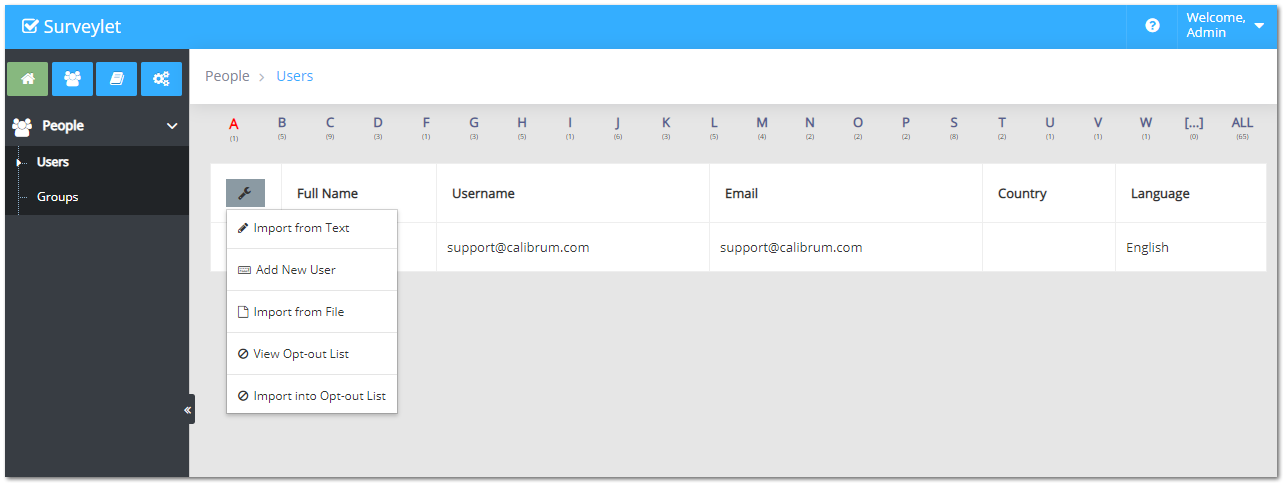
Click on the wrench icon in the upper right corner:
Fill out the details and click Save.
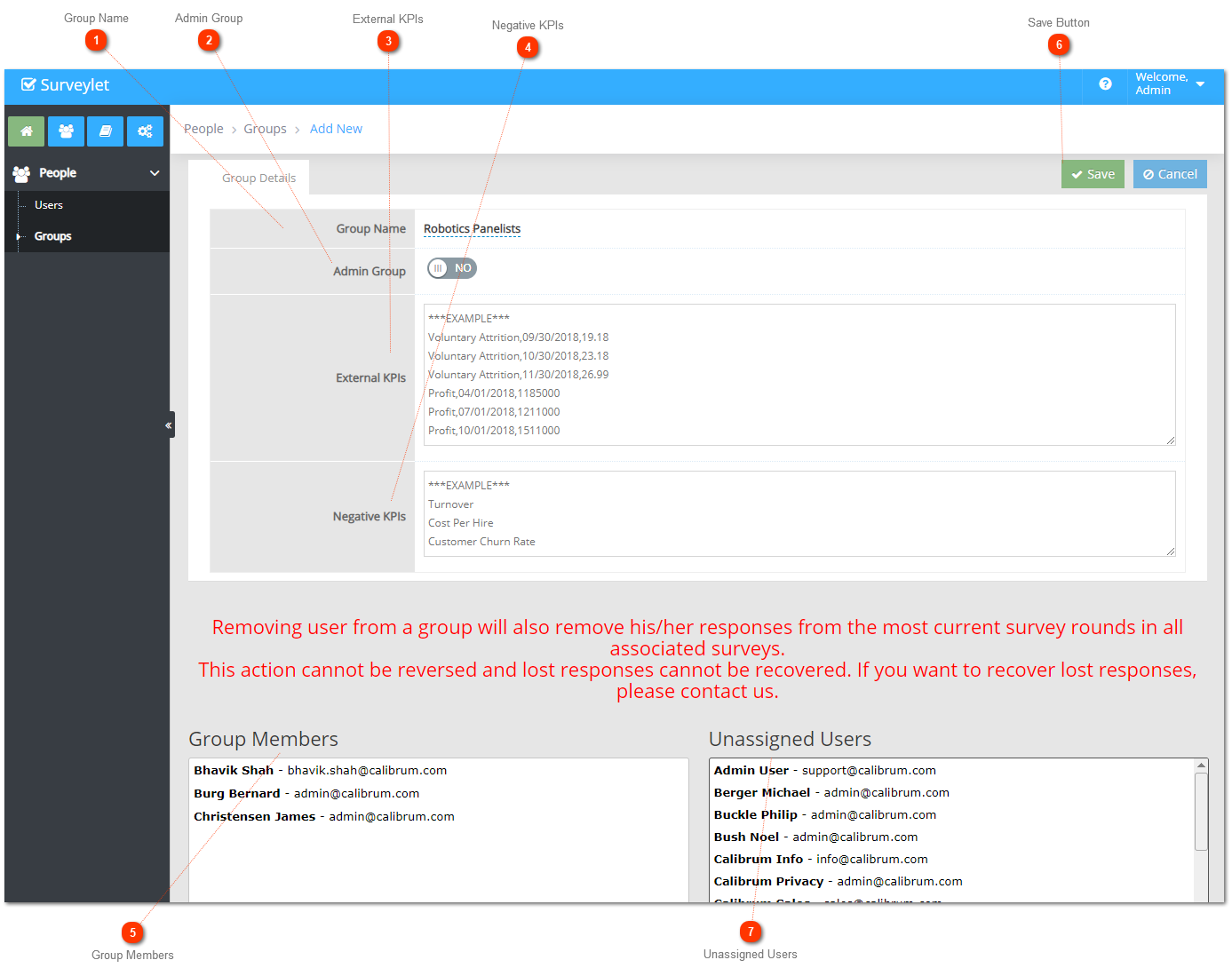
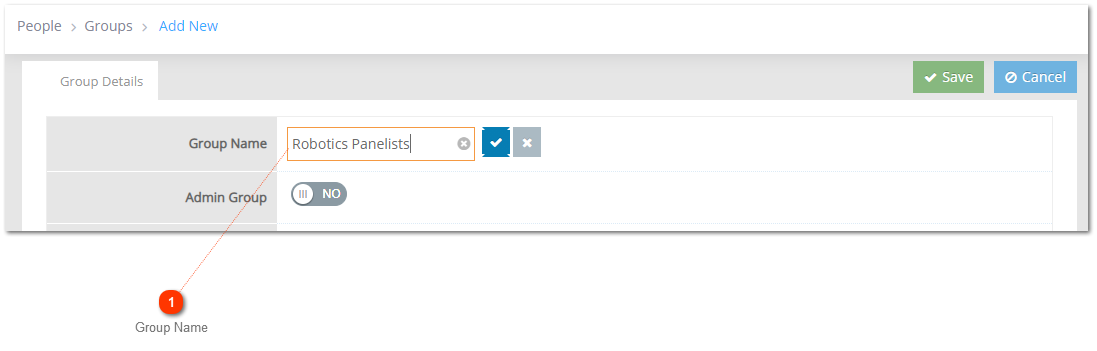
Group Name
Give a name to the new group, then click check mark.
Group Details Page
Group Name
Name of group. Make sure you click on the blue pipe button to save the title, otherwise if you try to proceed you loose the new name.
Admin Group
If set to Yes, then member of this group will have administrative rights to your account. Otherwise it will be a group for panelists.
External KPIs
You may import a list of external KPI measures to be used on the Advanced Analytics pages (requires licensing). For more information, visit External Metrics.
Negative KPIs
List of negative KPIs. One KPI on each line.
Group Members
List of users assigned to the group. You add members to the group by just clicking on a name in the Unassigned Users box next to Group Members box. To remove members, you click on their name again and they will be placed back to the Unassigned Users box.
Save Button
Do not forget to click on the Save Button! Otherwise, if you navigate from the very page your work will be lost.
Unassigned Users
Once you added new users to your account in Users page, you can find those in the Unassigned Users box and assign them with a click on the name. Then they become new group members in the Group Members box.
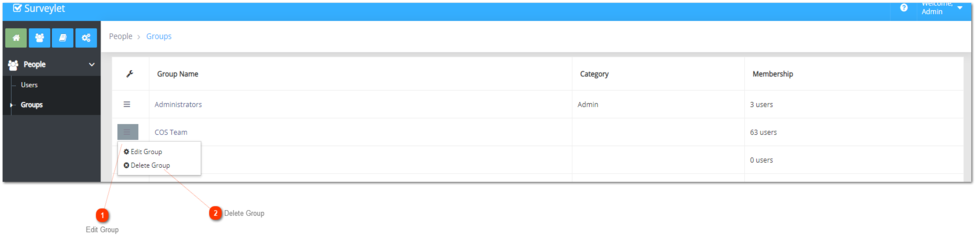
Edit Group
Edit Group
You can enter Group Details page by clicking Hamburger Button then Edit Group, or just click on the hyperlinked name of the group. The same procedures can be done just like you have learned when you assigned users to new groups. In existing groups you can add or remove members by clicking on their names.
Delete Group
You can delete a group by clicking on Hamburger Button then Delete Group. Deleting a group will not delete its members; it will only disassociate users from that group. Make sure you unassigned this group from all surveys before you delete the group.
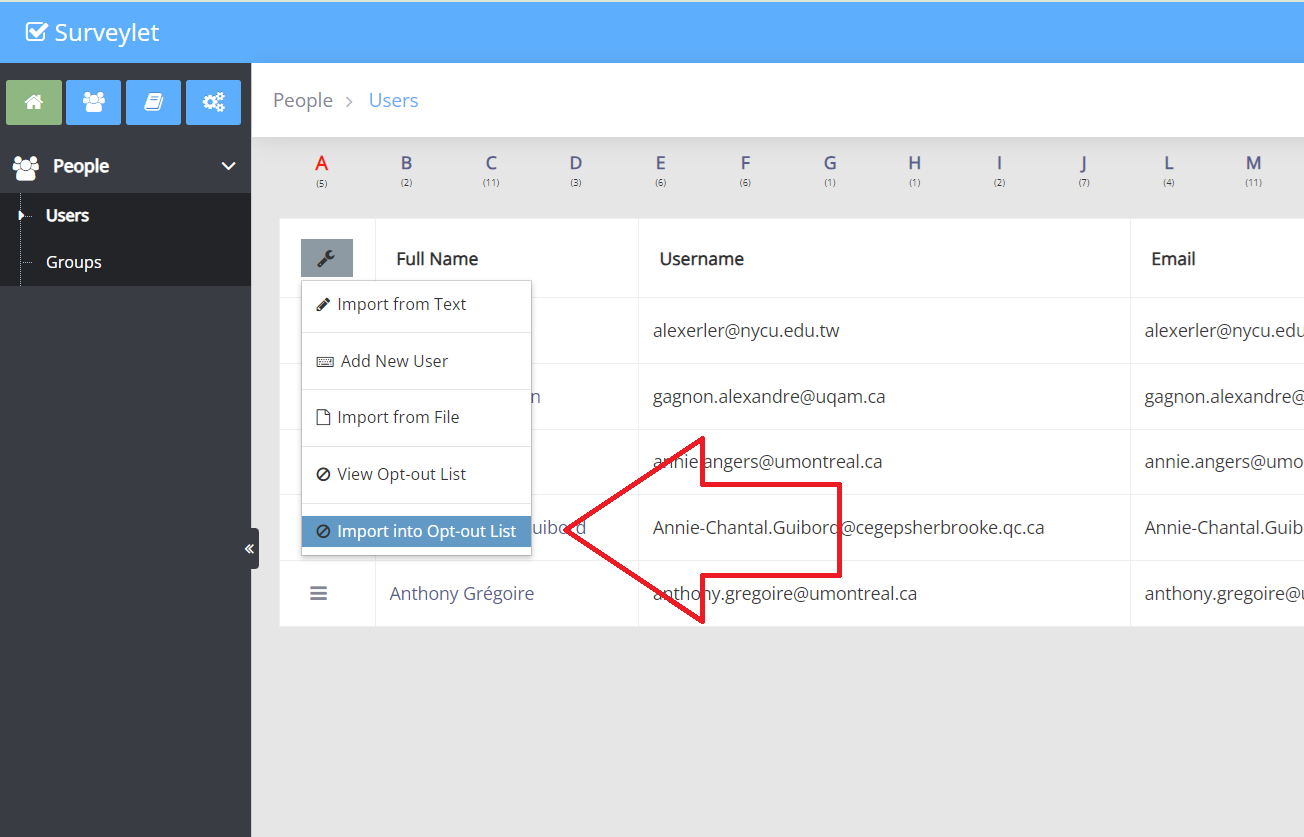
Detailed instructions: Import into Opt-out List
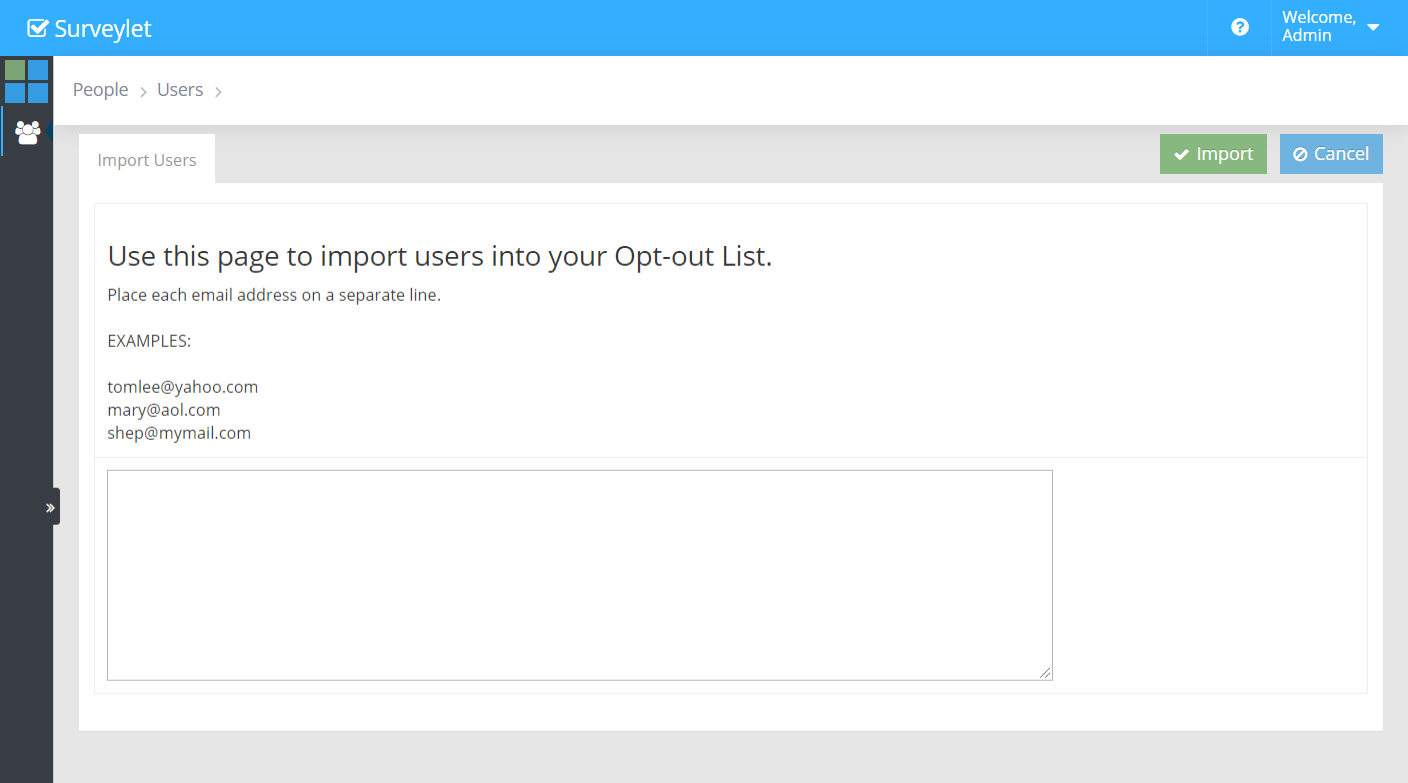
To add user into your Opt-out List, use this page to quick-import users by their email address. Each email must appear on its own line. Invalid emails or empty lines will be ignored and skipped. Adding users to the Opt-out list will remove their existing responses from all your surveys, which action cannot be restored.
Detailed instructions: People
People are the Users of your Surveylet account which includes Administrators, Survey Evaluators and Survey Respondents (Panelists). You organize Users into Groups. A User can be a member of multiple Groups. Since you assign a survey to a Group, Panelists that are members of a group can have access to all surveys that that group is assigned to as survey participants group.
Detailed instructions: Removing Panelist from Survey
There are multiple ways to get the emails to your panelists. The final approach depends on if you want to
(1) keep his/her data and just remove her from the notification list; or
(2) do you want to remove that person from the survey group.
If first, then just go to the Users page and from the wrench icon, add this person to the Opt-out list as shown before. This way s/he will never be notified, but s/he stays in the group and his/her data will not be affected (deleted).
To remove a user from a survey group (and therefore from all surveys this survey group is assigned to), go to the Users page and edit the selected user and delete the group that you want to delete him from and then click on SAVE as shown below. His/her responses will be deleted from all survey rounds in all affected surveys.
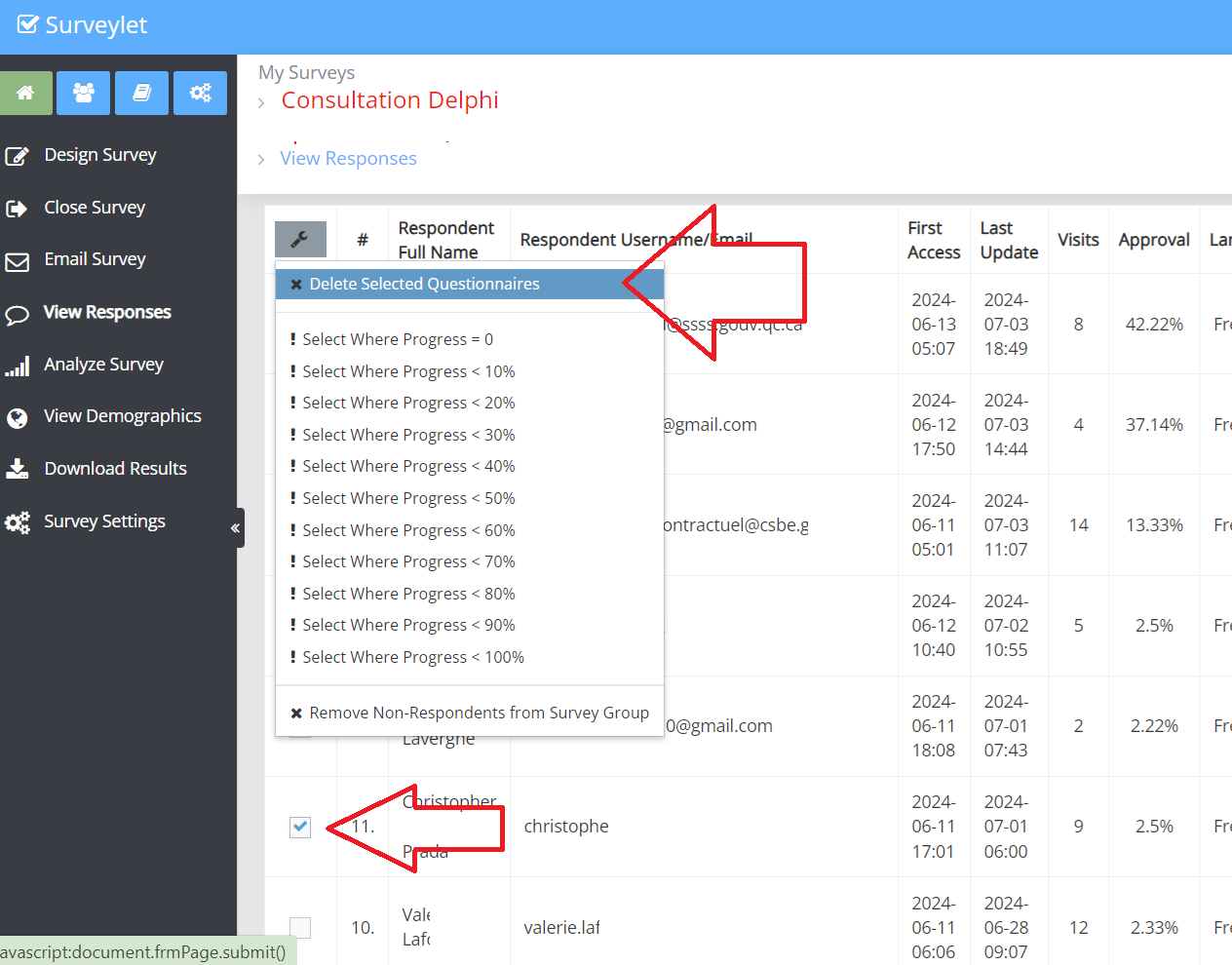
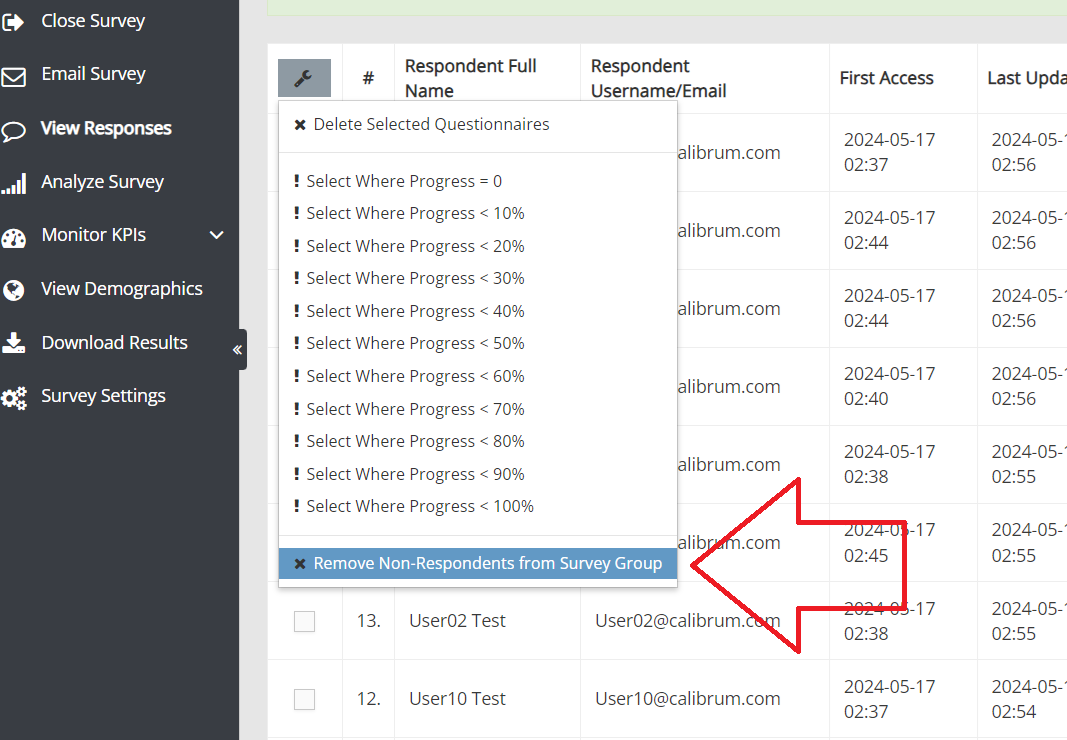
Or, if you want to delete current responses but keep this panelist in the survey, you can just go to View Responses, and select that person and click on the wrench icon and select DELETE SELECTED QUESTIONNAIRES (it will just delete his/her response in the given survey). You can remove multiple panelists using this approach. Panelists with deleted questionnaires will still be able to return and access the survey unless you remove them from the survey participants group.
Once you deleted this person's questionnaire, s/he will be displayed on this same page under the Non-respondents section.
You can go back to the wrench icon and then click on "Remove non-respondent from Survey Group" menu item, which will remove this person from the survey group, so s/he won't be able to return to the survey any more.
To answer your second question, please consult this Help webpage: here.
Detailed instructions: Users
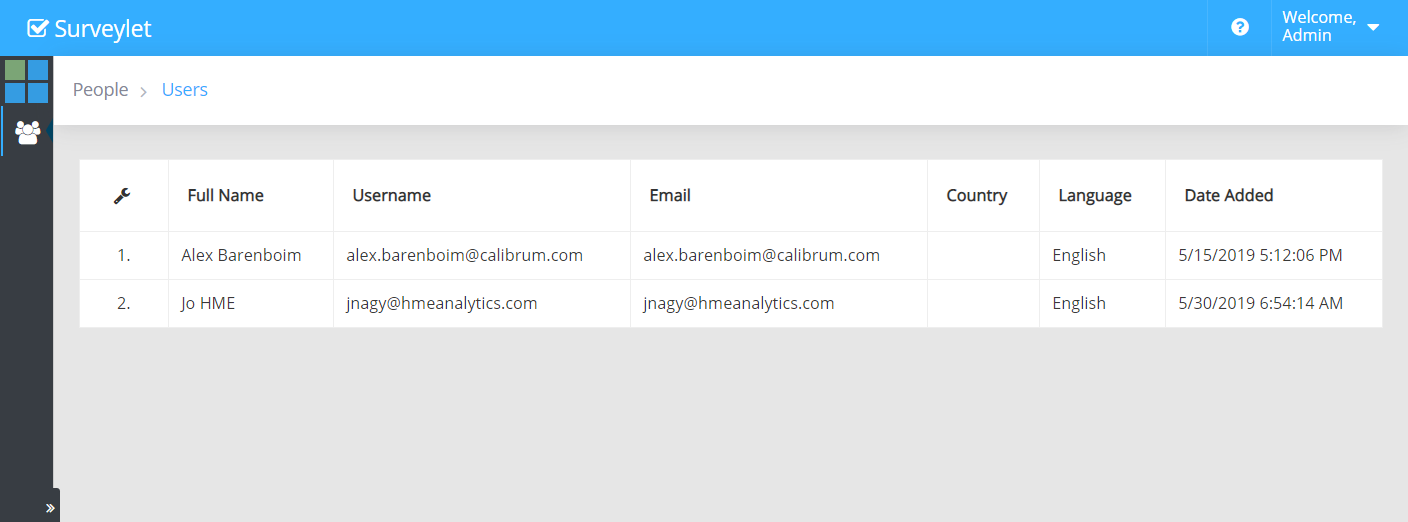
Users are your Administrators who can access and manage your Surveylet account; or Panelists who can enter and fill out your surveys. To access user-specific menu items, click on the wrench icon in the upper left corner of the users grid table.
Detailed instructions: View Opt-out List
Panelists who want to be removed from your survey respondents list (via sending us a "Remove Me" email from their email application) are added to the Opt-out list. This will remove them from your survey groups and will delete all their existing questionnaires assigned to them across all surveys.
We monitor these remove me requests and add those users to your Opt-out List without notifying you. So it is always a good idea to check your "Opt-out List" first to see if any missing users (users you no longer see in your Users page) are listed there. It is found under your Users menu. Those requested to be removed from your survey are added to the Opt-out List.
The only way to add back an opt-out user is for him/her to contact us from the email address that is listed in the Opt-out list and request to be added back. You cannot add her back by yourself for privacy compliance reasons.
Common questions
Can I invite only part of the panel?
Yes. You can use recipient filters or a separate mailing subgroup. Its recipients must still belong to the survey’s participant group to access the questionnaire.
Will removing a panelist restore a response allowance?
No. A used response remains recorded in Responses Used even if the questionnaire is later deleted.