Use templates and safe personalization variables to keep invitations consistent across languages and rounds.
Updated October 12, 2026
Screenshots illustrate the controls below. Layouts and labels may vary with your survey configuration. Select an image or “View full size” to open it in a new tab.
Create and reuse a template
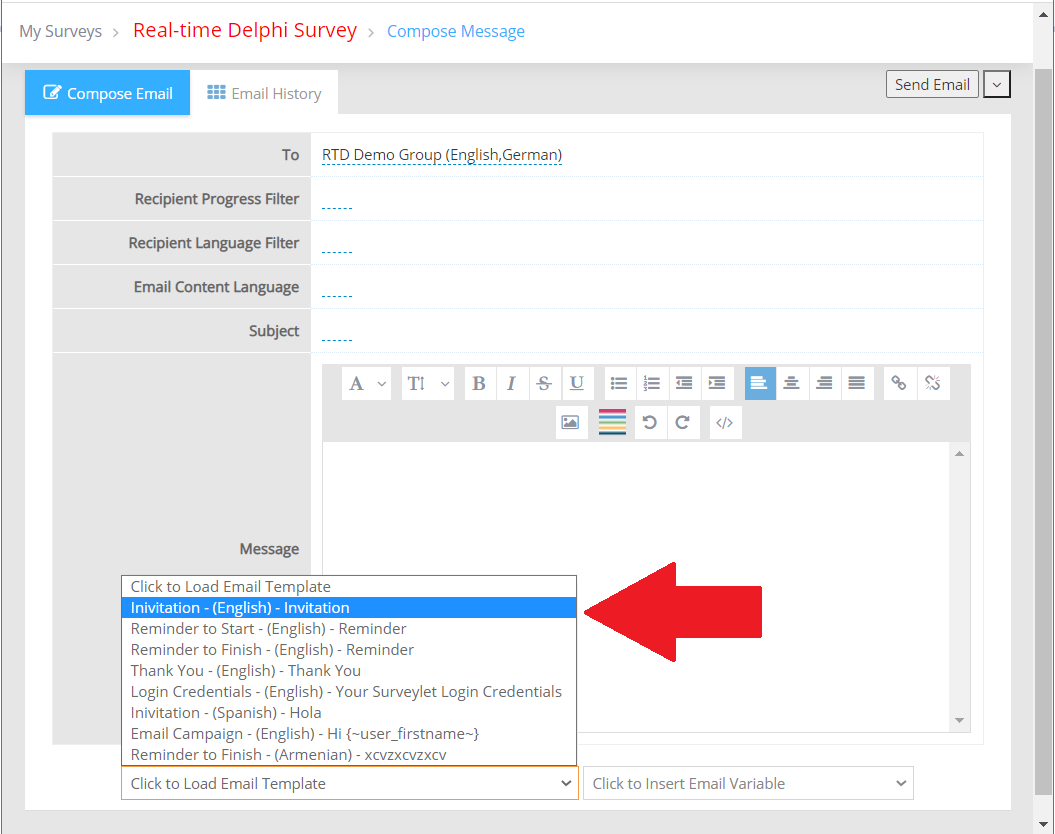
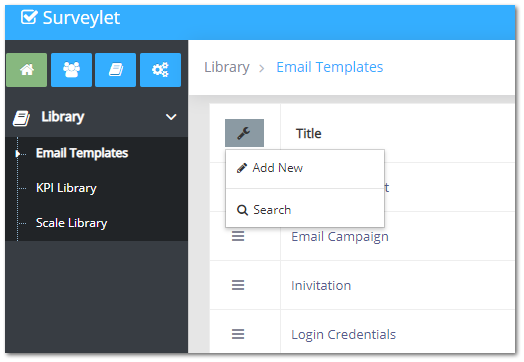
Open Library → Email Templates to manage reusable messages. In Email Survey, load a template into the message editor and adapt it for the current study. Editing the loaded message does not change the original template.
Provide a clear subject, purpose, deadline, estimated effort, study contact, and a personalized link. Avoid placing participant-specific identifying information in a message that will go to the full group.
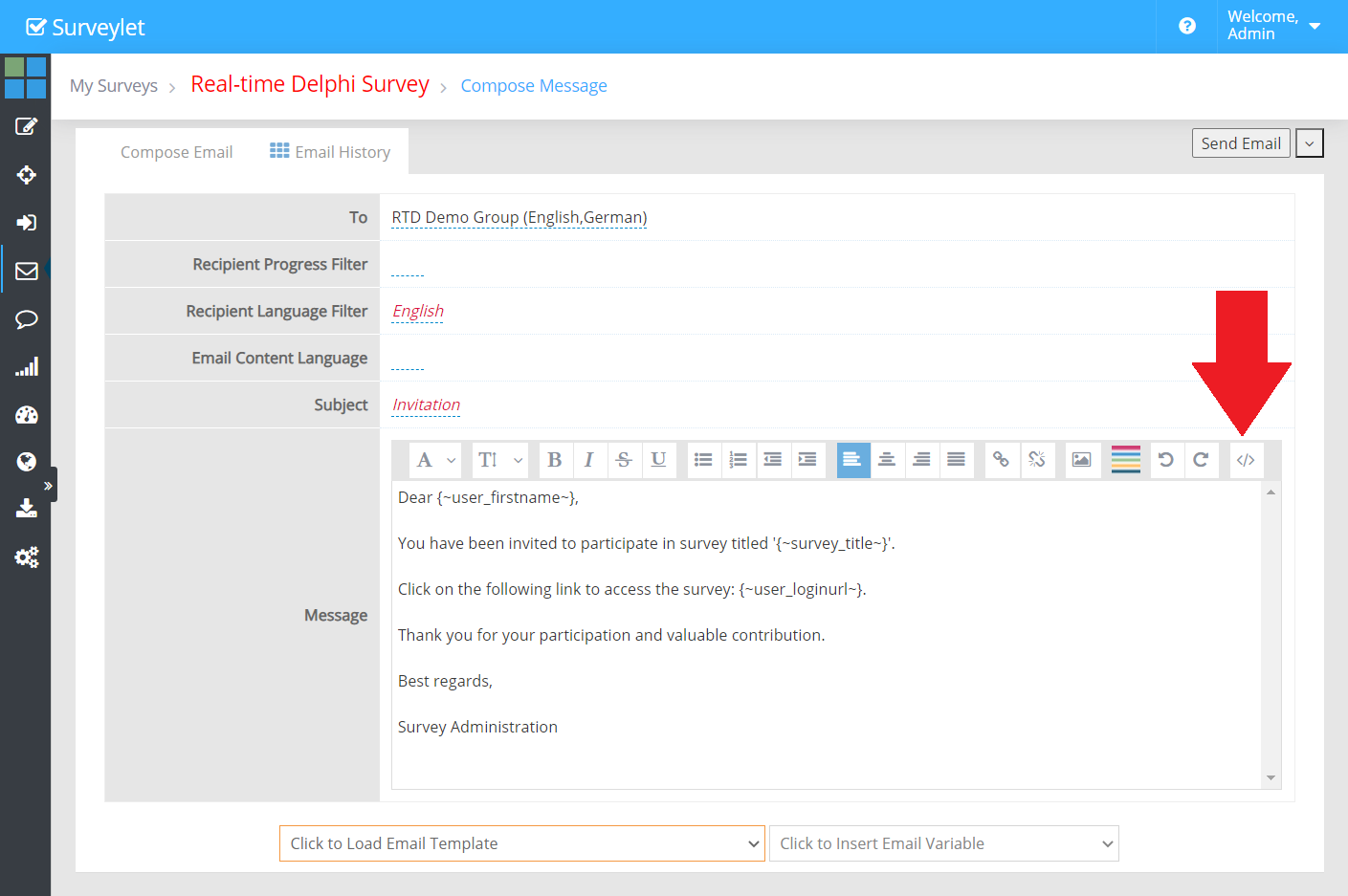
When editing a message’s HTML source, switch back to the normal editor using the source control before leaving the page, so the changes are applied. For a custom link label, a documented pattern is:
<a href="{~user_loginurl_href~}">Open my questionnaire</a>
Send a test email. For multilingual recruitment, check the message language, participant language, registration template, and translated labels together.
Detailed instructions: Add new Email template
<TODO>: Insert description text here... And don't forget to add keyword for this topic
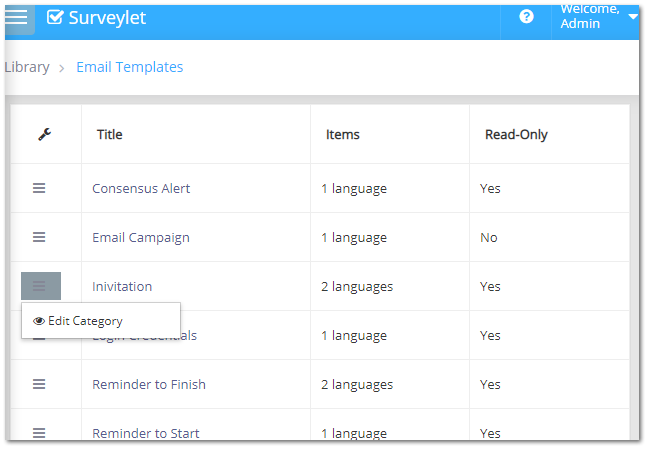
Detailed instructions: Choose template to edit
<TODO>: Insert description text here... And don't forget to add keyword for this topic
Detailed instructions: Edit Email Template
<TODO>: Insert description text here... And don't forget to add keyword for this topic
Detailed instructions: Email Templates
Email templates are reusable predefined emails that you can send out to you panelists. There are 5 default email templates that are preloaded for you when your account is registered. Their content can be modified but these templates cannot be renamed nor deleted (marked as Read-Only):
1. Invitation
This email template is used to send out automated email notifications to you panelists when
1.a) you manually send out emails from the Email Survey page:
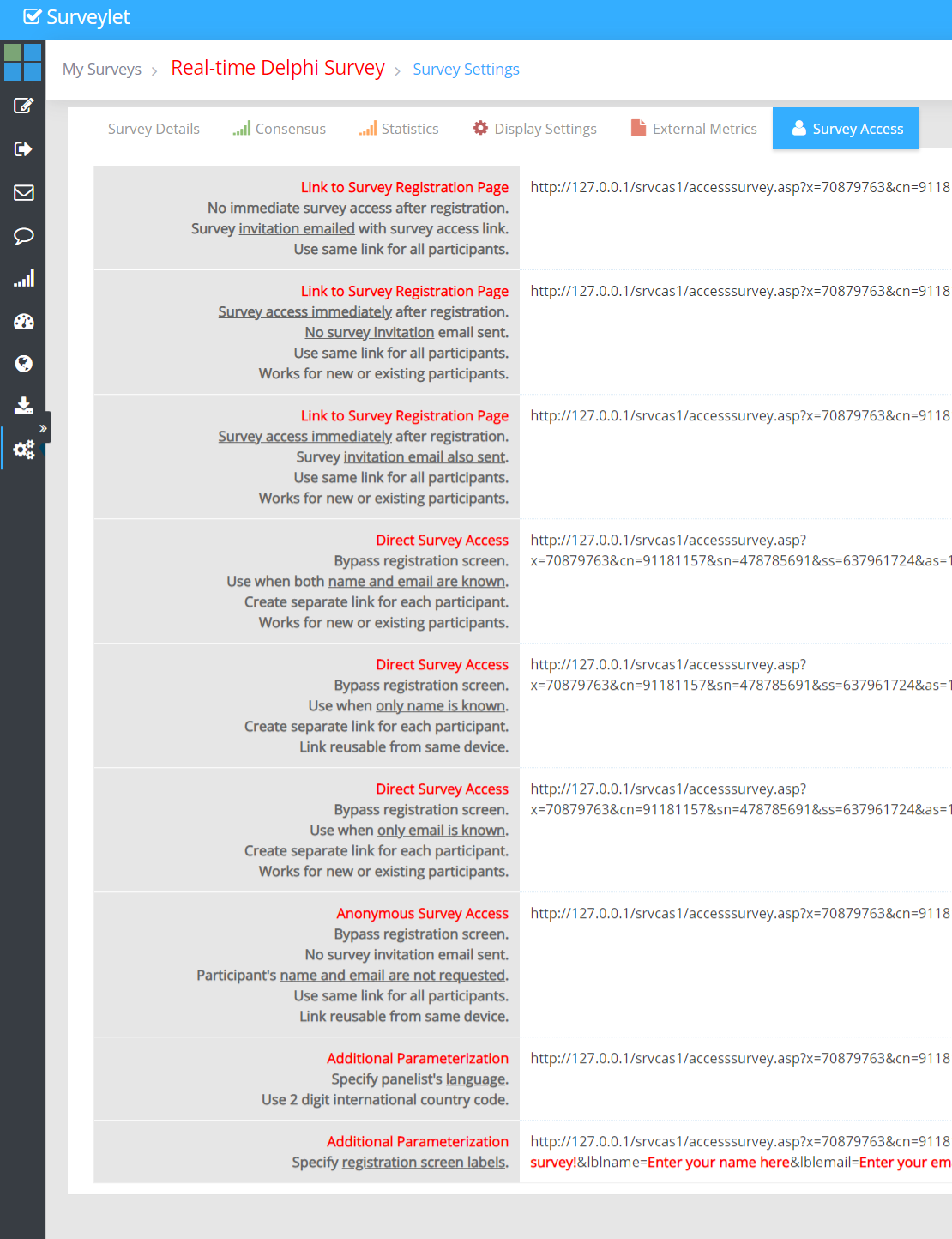
1.b) you send out a Public Survey URL and panelists click on it (see Survey Settings):
Only Public URLs that states that specifically state that survey invitation is sent will send out the invitation email template. Specifying the sendemail URL parameter in the Survey URL, you can manually force to send ("&sendmail=yes") or not send ("&sendmail=no") emails to panelists. If the sendemail URL parameter is not specified in the URL, then the email will be sent out when the panelist's email is known. Email is not known in Anonym Survey Access URL is used.
You may use URL Parameters in your Survey URL's you add in your email templates. The URL Parameters control the behavior what happens when panelists click on the URL. For more information, visit URL Parameters.
Email Variables
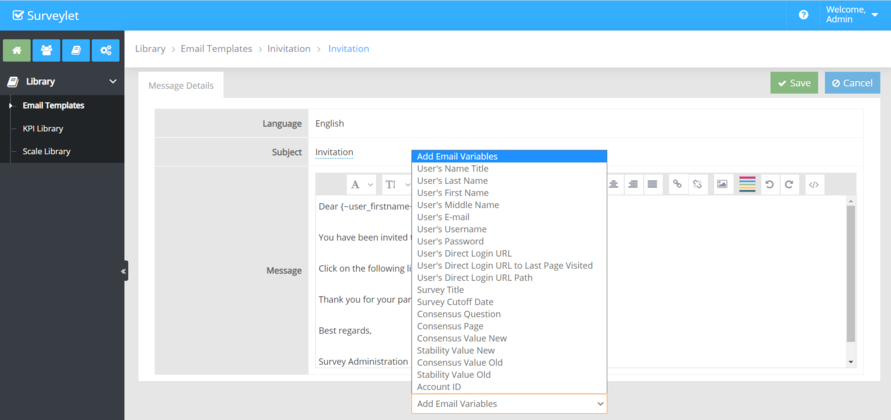
Surveylet provides you with a list of variables whose value is determined only when the email is sent out. Their values are not visible to the administrators. To see list of available URL parameters, click on the "Add Email Variables" dropdown at the bottom of the page. Once selected, the Email Variable will be added to the end of your "Message". For more information, visit Email Variables.
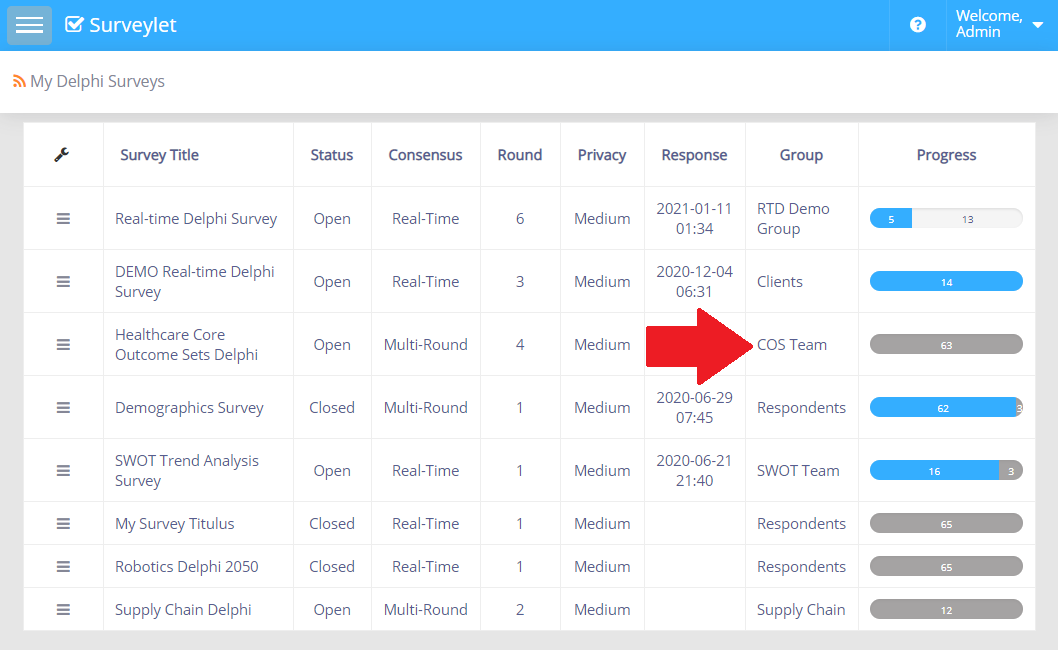
1.c) or when you click on the survey participants Group title on the main Surveys list page:
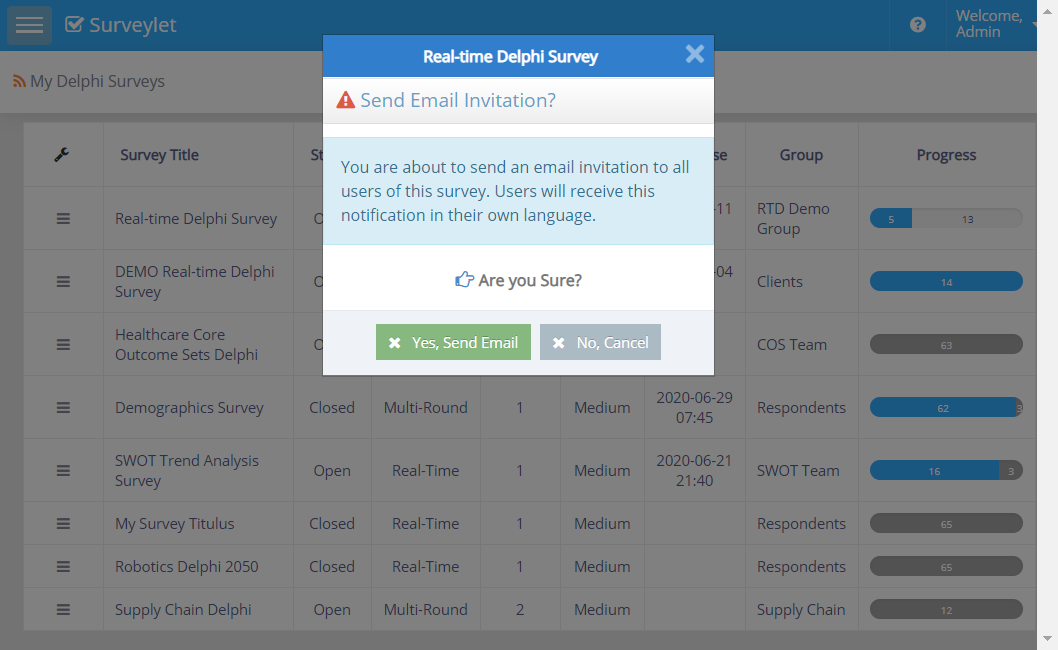
Which action will bring up the Send Email Invitation approval message box:
Click on the "Yes, Send Email" button to send out the default Survey Invitation email. Panelists will receive the invitation email in the language they specified. If the email template is not available in the language, they will receive the email template in the survey default language.
Set a Default Invitation Email Template for a Survey
By default, the default survey invitation email template is used by all surveys under your Surveylet account and there is only one invitation email template. To assign a default invitation email template to a particular survey, the survey title should be prefixed with the "Invitation:" text. E.g. if your survey is titled as "My Real-time Delphi Survey", then name the Invitation email template as "Invitation:My Real-time Delphi Survey". When an automated email invitation is sent out, Surveylet first looks to see if there is a default email template assigned to the given survey, and if none found, then it invokes the default invitation template for your account.
2. Reminder to Start
This is an email template used from the Email Survey page to send out reminders to people who have not yet started the survey.
3. Reminder to Finish
This is an email template used from the Email Survey page to send out reminders to people who have already started the survey but have not completed it 100%.
4. Thank you
This is an email template used from the Email Survey page to send out reminders to people who have completed the survey 100%.
List of Email Variables. Email variables are tokens that are replaced when the email is sent. Their values will be determined for each email. Each Surveylet email is a personalized email, so each email is sent out individually and not in a group, even though you are sending it to a whole group. No individual emails can be sent to panelists. To communicate with your panelists on one-on-one, use the View Responses > Chat functionality.
The following email variables are available for you to use in your emails (subject line, message body) or in your live chat messages. User-specific email variables are taken from fields listed on the user's User Profile page.
{~user_nametitle~}
Name title (Mr, Miss, Dr., Prof., etc)
{~user_lastname~}
Recipient's last name.
{~user_firstname~}
Recipient's first name.
{~user_middlename~}
Recipient's middle name.
{~user_email~}
Recipient's email address.
{~user_loginid~}
Recipient's loginid/username.
{~user_password~}
Recipient's password to log on to his/her Surveylet account. This is normally sent to survey administrators who use username/password to access their Surveylet account and manage surveys.
{~org_id~}
Your Account ID. Needed for survey administrators and moderators to log on to their Surveylet account.
{~user_loginurl~}
Recipient's survey link. It is a re-usable, personalized, encrypted survey link unique to each panelist. Recipients can enter the survey with one click (provided the survey is Open, and the recipient is member of the survey participants group. This link will be replaced with a hyperlinked "Take Survey" text pointing to the recipient's own questionnaire. In non-English languages, the Take Survey text will be automatically translated.
{~user_loginurl_lastpage~}
Recipient's survey link that takes user to the last page s/he visited in the survey. It is a re-usable, personalized, encrypted survey link unique to each panelist. Recipients can enter the survey with one click (provided the survey is Open, and the recipient is member of the survey participants group. This link will be replaced with a hyperlinked "Take Survey" text pointing to the recipient's own questionnaire. In non-English languages, the Take Survey text will be automatically translated.
{~user_loginurl_href~}
If you want to control what text will be hyperlinked and instead of the default "Take Survey" link you want to use your own instructions, you can use this email variable. You will then need to use it in the HTML source code. Example:
<a href="{~user_loginurl_href~}">Click here to go to survey</a>
You can replace the text with red font but leave the black text alone. You need to embed this HTML instructions into the HTML source code of your email body using the "</>" icon in the message format toolbar above the message body:
Make sure you click on the "</>" HTML source code icon one more time to close the HTML source code editor for your changes to take effect.
{~user_loginurl_href_no_lang~}
This is same as the {~user_loginurl_href~} but it won't append the language so you can specify it yourself.
Example:
<a href="{~user_loginurl_href~}&lang=EN">Click here for the English version</a>
<a href="{~user_loginurl_href~}&lang=DE">Click here for the German version</a>